
Interstellar Proxy, a flagship project by the Interstellar Network, is one of the most widely used browser-based web proxies in 2026. Serving over 8 million users since 2023, it has earned its reputation for blazing-fast speeds, an extensive unblocked games library, and a constantly updated network of working mirror links. This guide covers everything you need to know: what Interstellar Proxy is, how to use it step by step, updated 2026 working links, and the best alternatives — including when a professional residential proxy like OkeyProxy is a smarter long-term choice.
What Is Interstellar Proxy?
Interstellar Proxy is a free, open-source, browser-based web proxy developed by the Interstellar Network. Unlike traditional proxy software that requires installation, Interstellar runs entirely inside your browser — you open a link and start browsing immediately, with no app downloads or technical configuration required.
It works by acting as an intermediary between your device and the target website. When you enter a URL into Interstellar, your request is routed through its servers before reaching the destination site. The destination only sees the proxy server’s IP address — not yours — effectively masking your identity, bypassing network filters, and granting access to geo-restricted or school-blocked content.
In 2026, Interstellar has evolved beyond a simple unblocking tool. It functions more like a lightweight web OS inside your browser, capable of loading social platforms, streaming sites, apps, and a large catalog of online games — all within a clean, customizable interface.
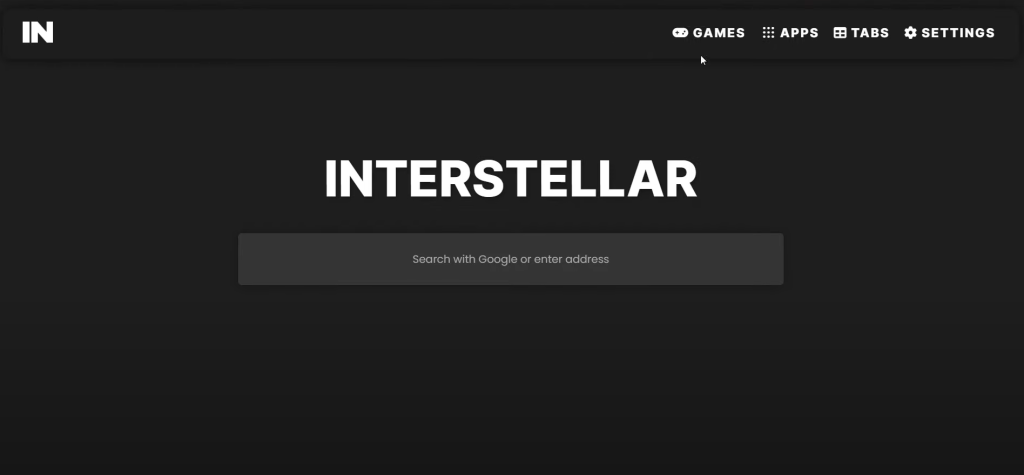
Interstellar Games Proxy
One of the most popular reasons users flock to Interstellar is its extensive, ever-growing library of unblocked games — which is why many refer to it as the Interstellar Games Proxy. Whether you want to play classic browser games during a lunch break or access more modern web titles blocked on your school or workplace network, Interstellar’s games hub has you covered.
The project is actively maintained on GitHub, with new games, apps, and proxy mirrors added on a near-daily basis. This continuous development is one reason the keyword « Interstellar Proxy » consistently generates over 1,600+ monthly searches globally and continues to trend upward in 2026.
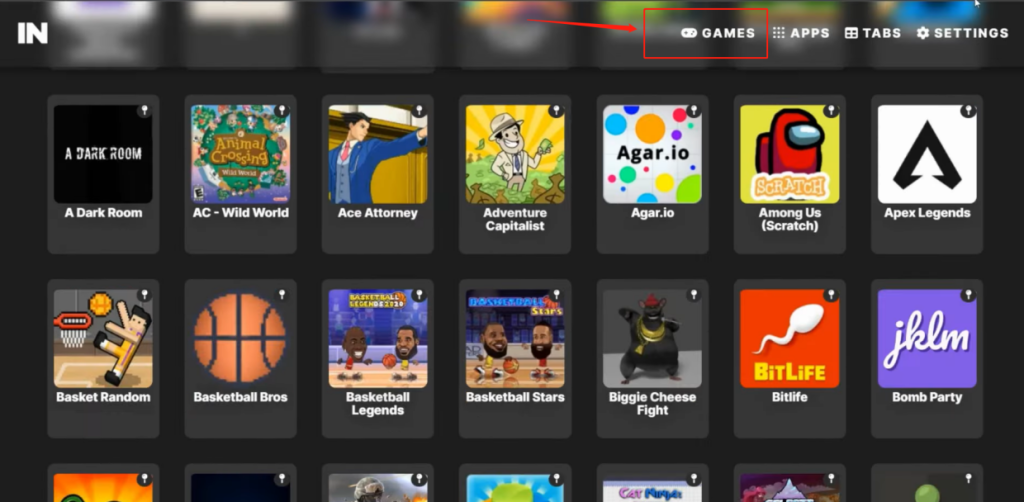
Interstellar Proxy for School
One of the most common questions students ask is: how to unblock websites on a school Chromebook? Interstellar Proxy has become the go-to answer.
Schools typically use content filters and firewalls — tools like GoGuardian and Securly — to block gaming, social media, and entertainment sites. Interstellar defeats these filters by hosting its proxy on cloud platforms (such as GitHub Codespaces, Render, or Railway), where the server’s domain is difficult to preemptively blacklist. Because the hosting location can change rapidly and new mirror links are created frequently, it is practically impossible for IT administrators to block every instance.
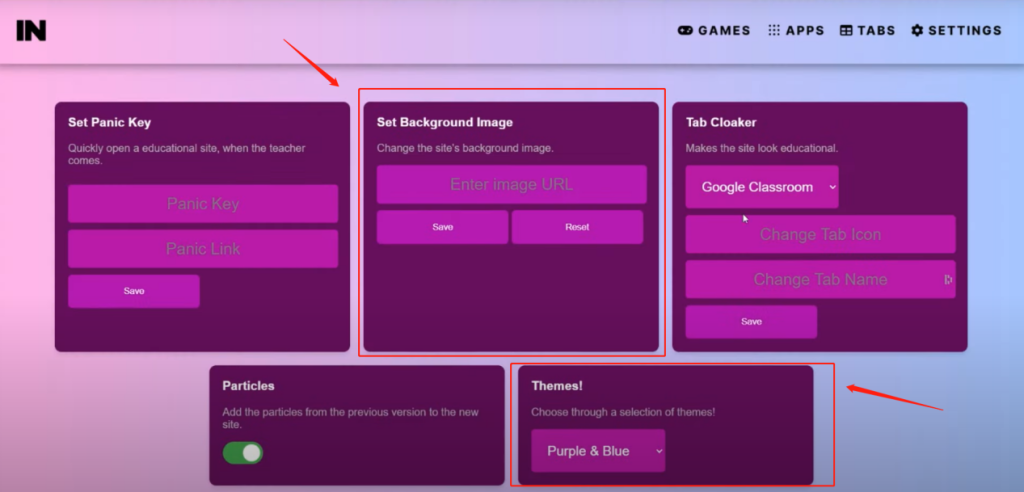
Its Tab Cloaking feature makes it even harder to detect: the proxy tab can be disguised to look like a legitimate educational or documentation page, so a quick glance from a teacher or administrator won’t raise suspicion.
Important note: Always review your school or institution’s acceptable use policy before using proxy tools on their network. Bypassing filters may violate those policies and carry consequences.
Key Features of Interstellar Proxy
Core Functional Features
- Blazing-Fast Speeds: Interstellar routes traffic through optimized servers, delivering smooth performance for browsing, streaming, and online gaming with minimal lag.
- Extensive Games Library: A large, continuously updated collection of unblocked games accessible directly through the proxy interface.
- Wide App Support: Access popular web apps — including Discord and TikTok — through the built-in drop-down app menu, all proxied through Interstellar’s servers.
- Tab Cloaking: Disguise the proxy tab to resemble a harmless educational or documentation page. This built-in camouflage feature is particularly useful in monitored environments.
- Built-In Tab System: Manage multiple browsing sessions within the Interstellar interface without opening new browser windows.
- Inspect Element Tool: A user-friendly developer tool built directly into the interface for easy web inspection.
- Clean UI & Personalized Themes: Choose from multiple visual themes and custom background images to personalize your browsing experience.
- Password Protection (Optional): Administrators deploying their own instance can add a challenge/password layer to restrict access to their proxy.
Network & Privacy Features
- Global Server Network: Access servers located across multiple geographic regions to bypass geo-restrictions and content censorship from anywhere in the world.
- High-Speed Connections: Server traffic is optimized for activities like streaming, gaming, and large data transfers, making Interstellar one of the faster browser-based proxy options available.
- IP Masking & Anonymity: By rerouting your requests through proxy servers, Interstellar hides your real IP address from destination websites, providing a layer of online anonymity.
- Obfuscation Technology: In 2026, Interstellar employs advanced obfuscation techniques that can mask the proxy as generic coding documentation or educational content, making it significantly harder to detect and block.
- User-Friendly Interface: Designed to be accessible to non-technical users. No configuration or installation is needed — just open a link and go.
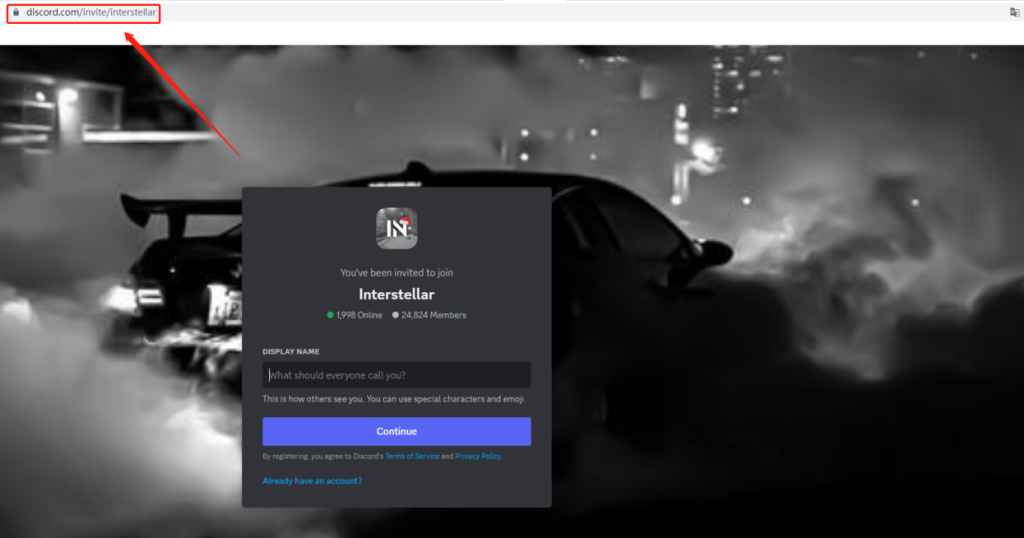
Community Support: The Interstellar Network maintains an active Discord community where users share new working mirror links daily, troubleshoot issues, and access the latest project updates. Join here: discord.com/invite/interstellar
Interstellar Proxy Working Links 2026
Because Interstellar mirror links are frequently blocked by school and workplace filters, working URLs change often. Below are the primary official resources and the most reliable ways to find up-to-date links.
Official Resources
- Interstellar GitHub Repository: The authoritative source for the project, documentation, deployment instructions, and community-verified links.
URL: https://github.com/UseInterstellar/Interstellar - Interstellar Discord Server: The fastest way to get fresh, working mirror links shared by the community in real time.
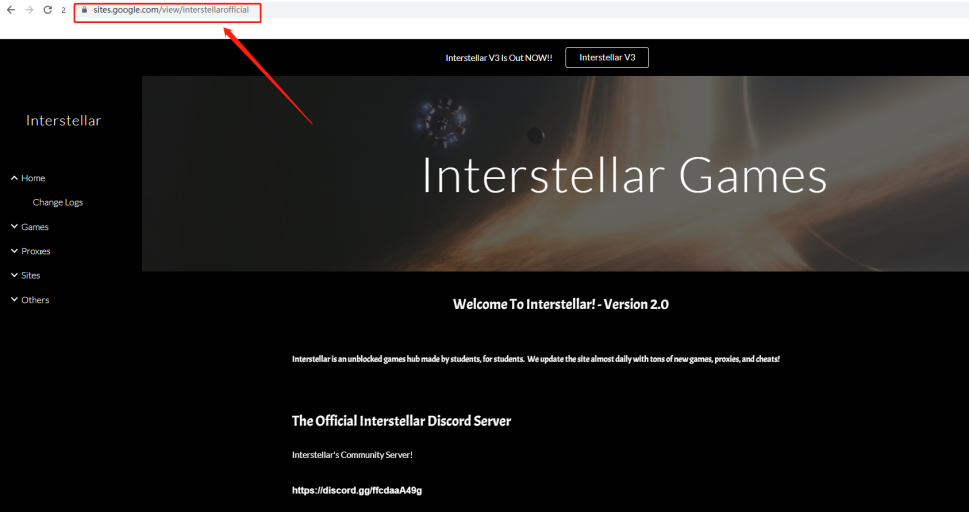
URL: https://discord.com/invite/interstellar - Interstellar Official Google Site: The official information page for the Interstellar Network and its projects.
URL: https://sites.google.com/view/interstellarofficial
Community Mirror Links
The following mirror links were reported as active by the community. Note: these links can be blocked at any time. Always check the official Discord for the most current mirrors.
⚠️ Safety Reminder: Only use links published or verified through the official Interstellar GitHub or Discord. Unverified third-party link generators can redirect to malicious sites. Never enter personal information — passwords, emails, or payment details — on any public proxy.
Most Reliable Access Method: Deploy Your Own Instance
The single most reliable way to always have a working Interstellar link is to deploy your own instance via GitHub Codespaces (free). This gives you a private, unblocked URL that is far less likely to be blocked than public mirrors. See the deployment steps in the How to Get & Deploy section below.
How to Use Interstellar Proxy
Using Interstellar Proxy is straightforward — no installation, no configuration, just a browser and a working link.
Method 1: Using a Public Mirror Link (Quickest)
- Find a working link: Visit the official Discord server or GitHub page to get a current, community-verified mirror URL.
- Open the link in your browser: Navigate to the Interstellar proxy URL in any modern browser (Chrome, Edge, Firefox, or Safari).
- Enter the URL you want to visit: Once on the Interstellar interface, type or paste the address of the blocked website you want to access into the search/URL bar.
- Browse freely: The proxy loads the target site through its servers. The destination website sees the proxy’s IP, not yours.
- Use built-in features: Switch tabs using the built-in tab system, enable Tab Cloaking if you need to disguise the page, or explore the games and apps library from the menu.
Method 2: Using GitHub Codespaces (Most Reliable)
- Create a free GitHub account at github.com if you don’t have one.
- Go to the Interstellar repository: Visit github.com/UseInterstellar/Interstellar.
- Start a Codespace: Click the green « Code » button, select the « Codespaces » tab, then click « Create Codespace on main. »
- Run the setup commands: In the terminal at the bottom of the Codespace editor, paste and run:
pnpm i && pnpm start - Make it public: When the application popup appears, click « Make public. » This step is critical — without it, the proxy will not function.
- Access your proxy: Go to the Ports tab in the Codespace to find your unique, personal proxy URL. Open it in a new tab.
- For future sessions: Return to your existing Codespace and simply run
pnpm startagain — no need to repeat the full setup.
Method 3: Self-Hosting on a Cloud Server
For users who want a persistent, always-on private proxy, deploying Interstellar on a free cloud hosting platform like Render, Railway, or Koyeb is the best approach:
- Fork the Interstellar GitHub repository to your own GitHub account.
- Sign up for a free account on your chosen hosting platform (Render, Railway, or Koyeb).
- In the hosting dashboard, create a new project and select « Deploy from GitHub repo. » Choose your forked Interstellar repository.
- The platform will automatically build and deploy the project. Once complete, you will receive a permanent URL for your personal proxy instance.
- Bookmark this URL — it will work consistently as long as your hosting instance is running.
Pro Tip: Avoid running Interstellar locally on your own machine. Local IP addresses get rate-limited by target sites quickly. Cloud deployment ensures a clean server IP and 24/7 uptime.
How to Get Interstellar Proxy
Getting started with Interstellar Proxy requires no payment and no download for the basic use case. Here is a quick-start summary:
- Visit the official GitHub page: github.com/UseInterstellar/Interstellar — all files, documentation, and resources are here.
- Choose your access method: Use a public mirror link (fastest), deploy via GitHub Codespaces (most reliable for free users), or self-host on a cloud platform (best for long-term, uninterrupted access).
- Deploy or connect: Follow the setup steps for your chosen method as detailed in the How to Use section above.
- Configure (optional): Customize themes, enable password protection, or set a specific port if self-hosting.
- Join the Discord: For the latest mirror links, community support, and project updates, join the official Discord at discord.com/invite/interstellar.
Best Interstellar Proxy Alternatives in 2026
Interstellar Proxy excels at quick, free access in restricted environments — but it has real limitations: mirror links go down frequently, public instances can be slow during peak hours, they offer no encryption, and constant link-hunting becomes tiresome. Depending on your needs, one of these alternatives may serve you better.
Free Web Proxy Alternatives
- Holy Unblocker: Built on Interstellar’s codebase. Fast speeds, well-suited for streaming and social media. Reliability has dipped in 2026 as more school filters have caught on, but still effective on home networks.
- TitaniumNetwork Proxies: A community that maintains multiple proxy projects including Interstellar forks, with instances that rotate regularly to stay ahead of filters. Best for unblocked games.
- Doge Unblocker V5: A long-standing staple proxy updated in 2026 with improved speed and stealth capabilities. A solid backup option when Interstellar mirrors are down.
- CroxyProxy: A browser-based proxy supporting video streaming with no software installation required. More stable than community mirror sites, but with fewer games and customization options.
- Nebula Proxy / UltraViolet: Other open-source web proxy projects frequently cited alongside Interstellar, offering similar bypass functionality with slightly different interfaces.
Professional Proxy Service Alternatives
If you need reliable, always-on, high-performance proxy access — for web scraping, multi-account management, market research, or bypassing geo-restrictions at scale — free tools like Interstellar are not the right fit. A professional residential proxy provider offers:
- Consistent uptime with dedicated infrastructure — no hunting for working links
- Real residential IP addresses that are far less likely to be flagged or blocked
- Encryption and stronger privacy/security policies
- Global IP pools spanning hundreds of countries
- Technical support for setup and troubleshooting
Why OkeyProxy Is the Smarter Long-Term Choice
While free tools like Interstellar are great for quick, occasional access, users who need dependable, high-volume proxy access consistently choose professional services. OkeyProxy is one of the top-rated residential proxy providers in 2026, and here is why it stands out:
- 150 million+ real residential IPs spanning 200+ countries — one of the largest verified IP pools available
- SOCKS5 proxy support for maximum compatibility across devices, browsers, and applications
- Rotating and static IP options — choose between sessions that rotate automatically or sticky IPs that stay consistent
- Works everywhere: Compatible with Windows, macOS, Linux, iOS, Android, and most proxy-enabled software and browsers
Whether you are a student who’s tired of constantly searching for new Interstellar mirror links, a developer running automated workflows, or a business managing multiple accounts — OkeyProxy’s infrastructure eliminates the instability of free proxies entirely.
👉 Claim Your Free OkeyProxy Trial Now — Experience 150M+ Real Residential IPs with Zero Hassle.
FAQ About Interstellar Proxy
Q: Is Interstellar Proxy safe to use?
A: Interstellar Proxy is generally safe when accessed through official, verified channels — the GitHub repository and Discord-shared links. However, as with any public proxy, you should never enter personal information (passwords, payment details, emails) while using it. Avoid unverified third-party generators, as these can redirect to malicious sites or trackers. For sensitive tasks, use an encrypted VPN or a professional proxy service like OkeyProxy instead.
Q: Is Interstellar Proxy compatible with all devices?
A: Yes. Because Interstellar runs in the browser, it is compatible with any device that can run a modern web browser: Windows, macOS, Linux, iOS, Android, and Chromebooks. No app installation is required.
Q: Can I change my proxy location with Interstellar Proxy?
A: The server location available to you depends on which Interstellar instance or mirror you connect to. Users who deploy their own instances on cloud platforms choose the server region when setting up the hosting environment, giving them control over apparent geographic location.
Q: Why do Interstellar Proxy links stop working?
A: Mirror links are frequently identified and blocked by school/workplace network filters, or taken down for other reasons. This is an inherent limitation of free, community-maintained proxy services. The most reliable workarounds are deploying your own GitHub Codespace instance or joining the official Discord for real-time mirror updates.
Q: What is the difference between Interstellar Proxy and a VPN?
A: Interstellar Proxy is a browser-based tool that reroutes web traffic from within your browser — it is fast to set up and requires no installation, but it does not encrypt your connection end-to-end. A VPN encrypts all network traffic at the system level, providing stronger privacy and security. For quick, casual access to blocked sites, Interstellar works well. For security-sensitive tasks or full-device privacy, a VPN or premium residential proxy like OkeyProxy is the more appropriate tool.
Q: Is Interstellar Proxy free?
A: Yes, the Interstellar project is completely free and open-source. Deploying via GitHub Codespaces is free within GitHub’s monthly usage limits. Cloud hosting platforms like Render and Railway also offer free tiers sufficient for personal Interstellar deployments.
Conclusion
Interstellar Proxy remains one of the most capable, feature-rich free web proxies available in 2026 — delivering fast browsing, a vast games library, tab cloaking, and a thriving community that keeps mirror links flowing. For students, casual users, and anyone needing quick access to blocked content, it is a genuinely impressive tool.
That said, its inherent limitations — frequently broken links, no end-to-end encryption, and shared server performance — make it unsuitable for users who need consistent, reliable, and secure proxy access. For those use cases, a professional residential proxy service like OkeyProxy is the clear upgrade: 150 million+ real residential IPs, 200+ country coverage, SOCKS5 support, and dedicated infrastructure that simply works — every time.