How to Set Up A Proxy on Windows | OkeyProxy Guide
Guides
OkeyProxy
Step 1: Click on the "Windows".

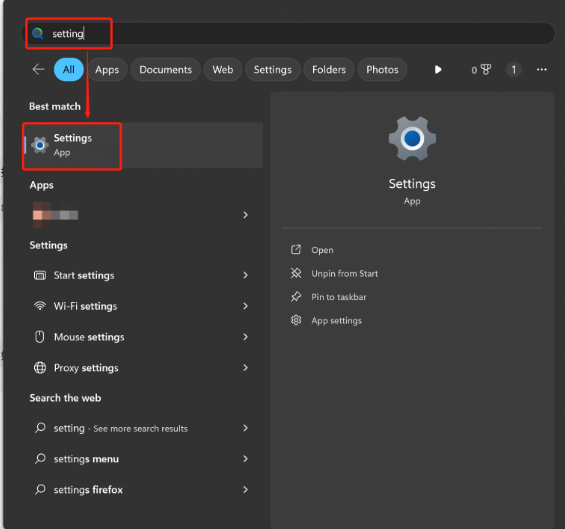
Step 2: Search "Settings".
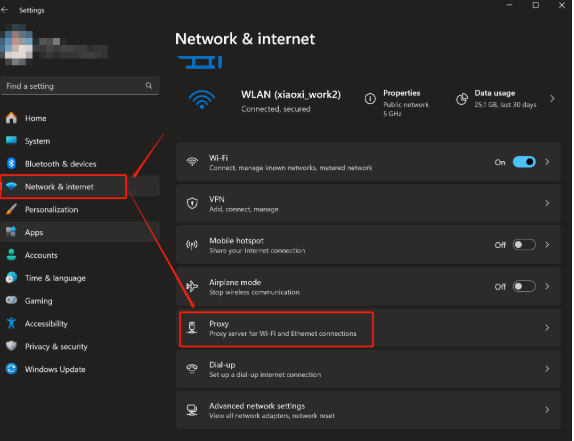
Step 3: Find the "Proxy" function under the "Network & internet" section.
Step 4: Scroll down to the "Manual proxy set up" part and choose "Set up".
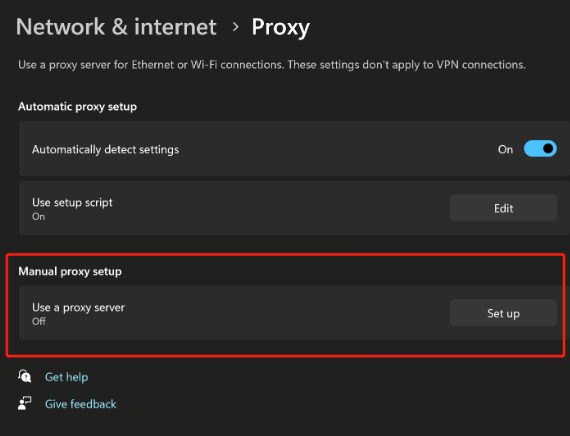
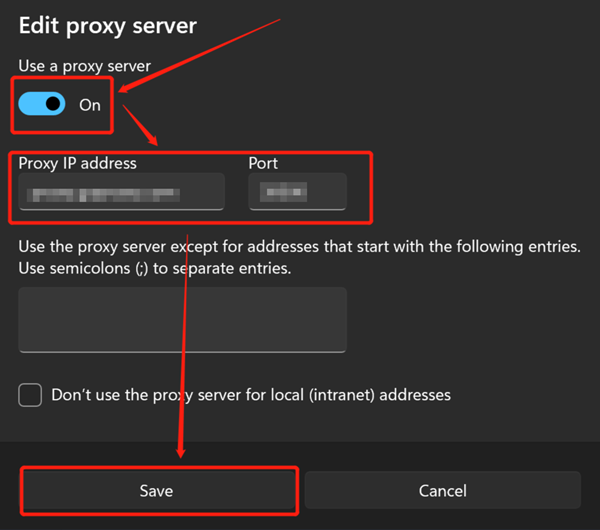
Step 5: Switch the "Use a proxy server" button to the "On" status. Next, fill in the blanks of "Proxy IP address" and "Port". Then, choose "Save".
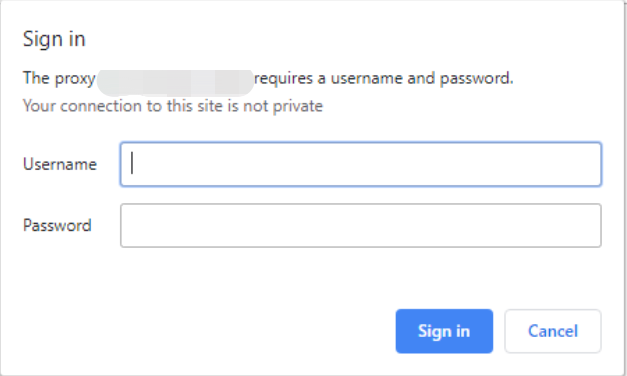
Step 6: Now you can start to process tasks, such as visiting a website, downloading files, and more. If you choose the "Username:Password" Authentication method, you will be asked for your Username and Password when sending a request. Insert your Username and Password into your OkeyProxy endpoint or proxy generator, and then all the work will be done.