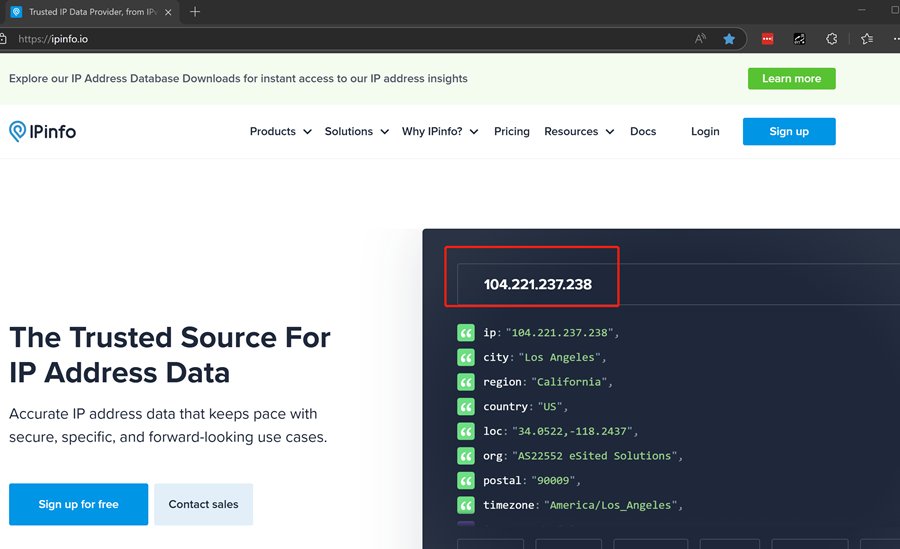
How to Set Up A Proxy in Proxifier | OkeyProxy Guide
Guides
OkeyProxy
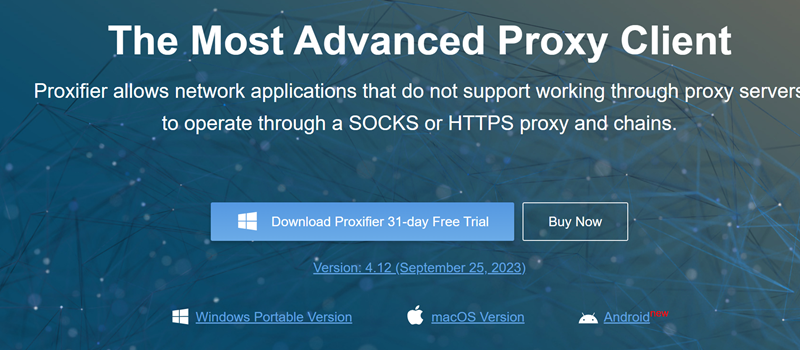
Step 1: Get your Proxifier Client and install it.
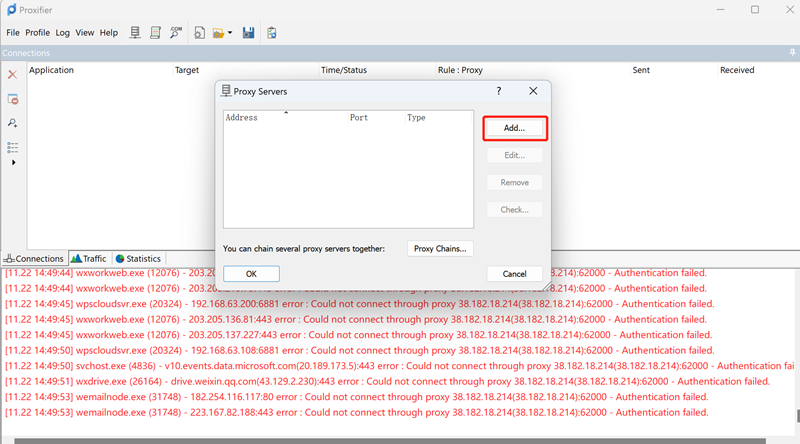
Step 2: Open Proxifier and click "Profile"on the top left, then click "Add"
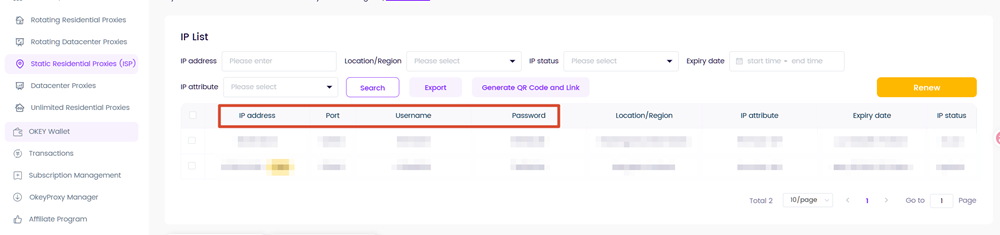
Step 3: Find your proxy credential in your dashboard,
- For Static IPs(static residential proxies, static datacenter proxies)
The credential format should be:
- For Rotating IPs(residential proxies, rotating datacenter proxies,mobile proxies)
The credential format should be:
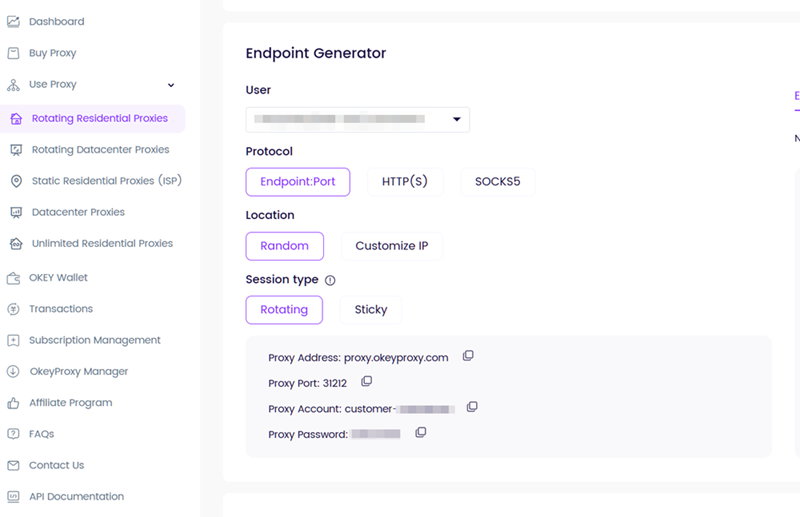
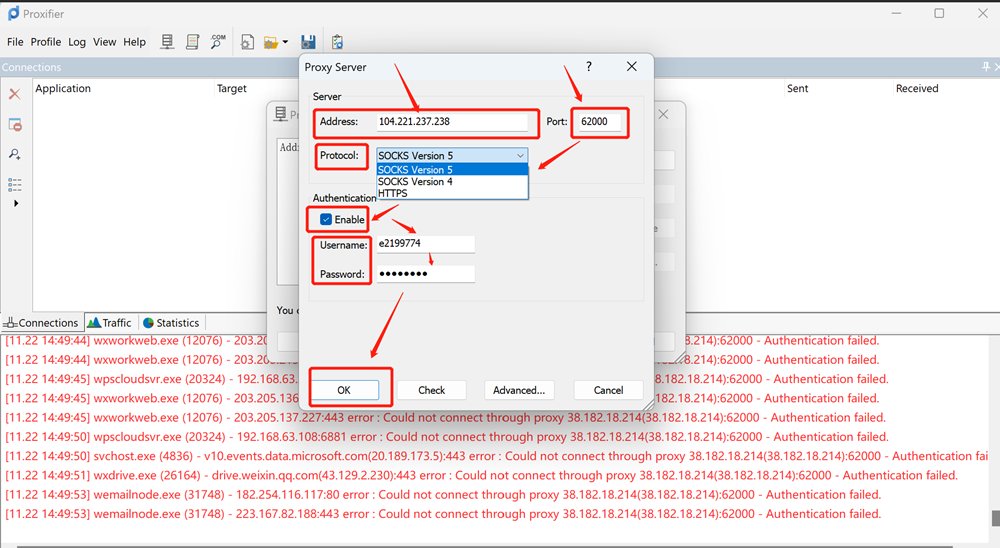
Step 4: Set up the credentials in the Proxy Server, and choose the protocol you want.
Enable Authentication and fill in the username and password, click OK to finish the setup.
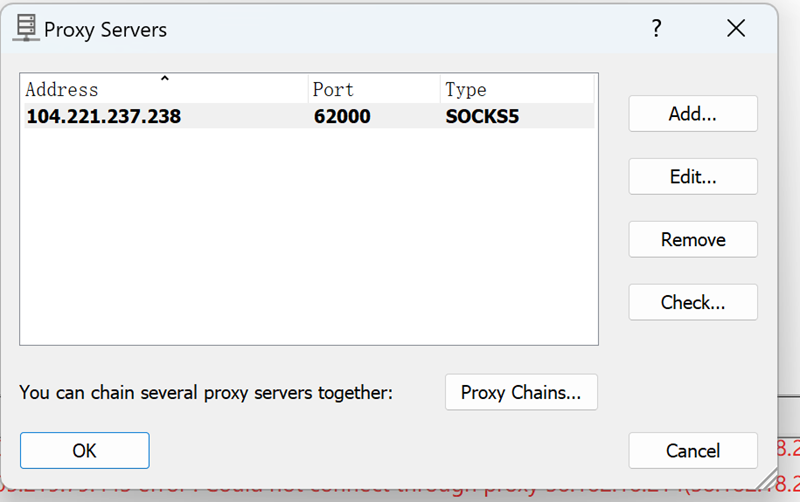
Step 5: Open the Proxification Rules,
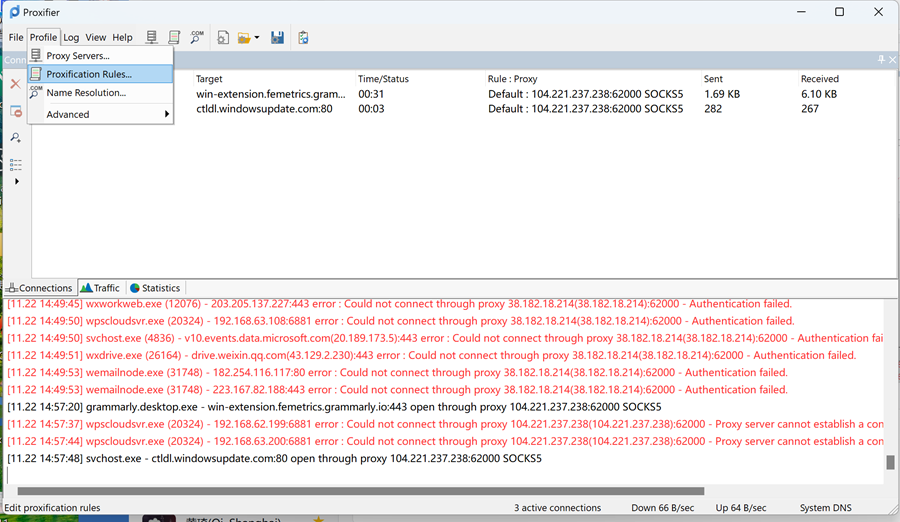
Find the proxy you just have set and choose it as the localhost. Then click OK.
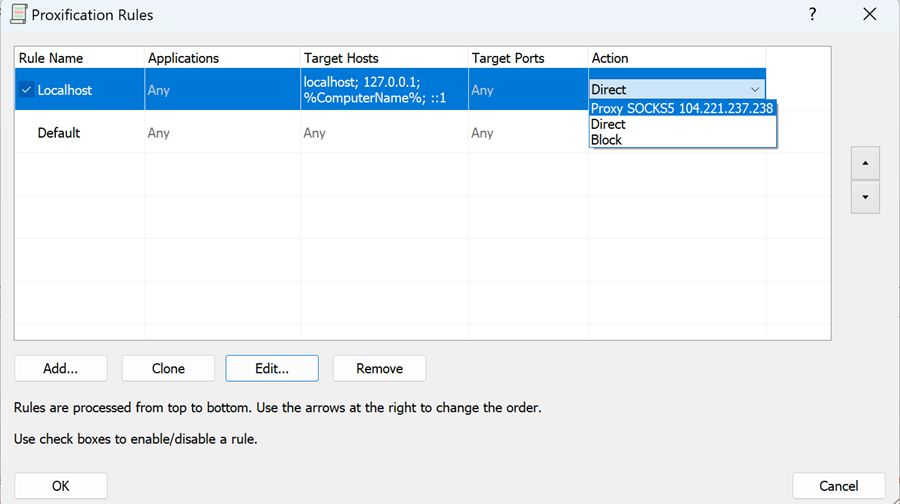
There, you have finished all the settings and can browser as usual using this proxy.