


















How to Set Up A Proxy in AdsPower | OkeyProxy Guide
Guides
OkeyProxy
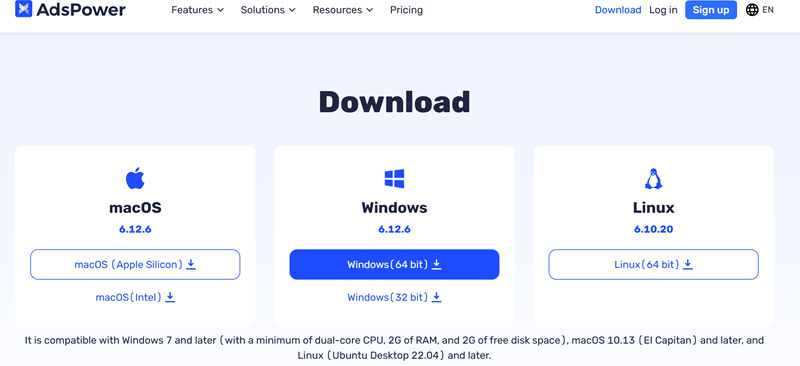
Step 1: Download AdsPower Antidetect Browser on your PC and install it.
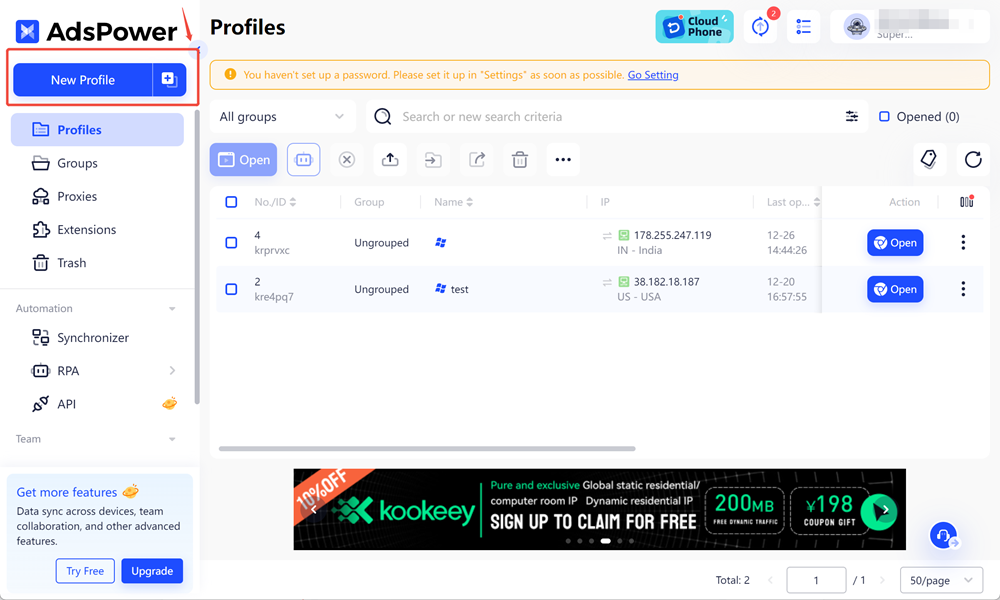
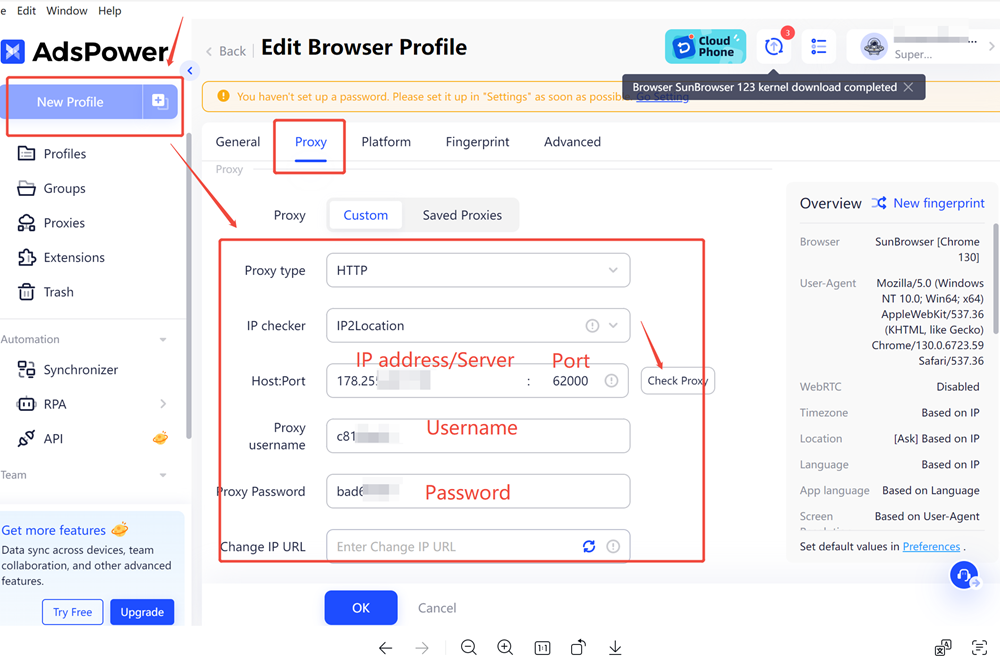
Step 2: Open AdsPower and click "New Profile"on the top left.
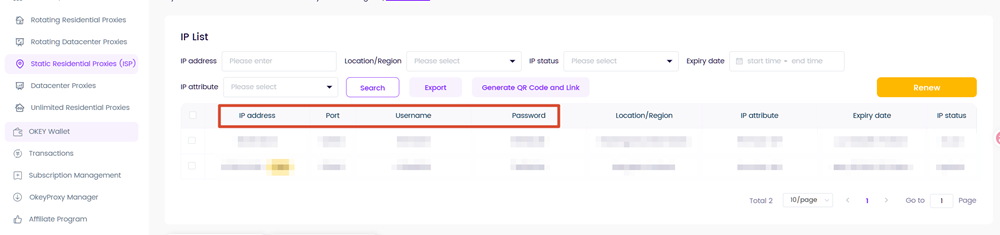
Step 3: Get your IP address, Port, Username, Password from your dashboard.
- For Static IPs (static residential proxies, static datacenter proxies)
The credential format should be:
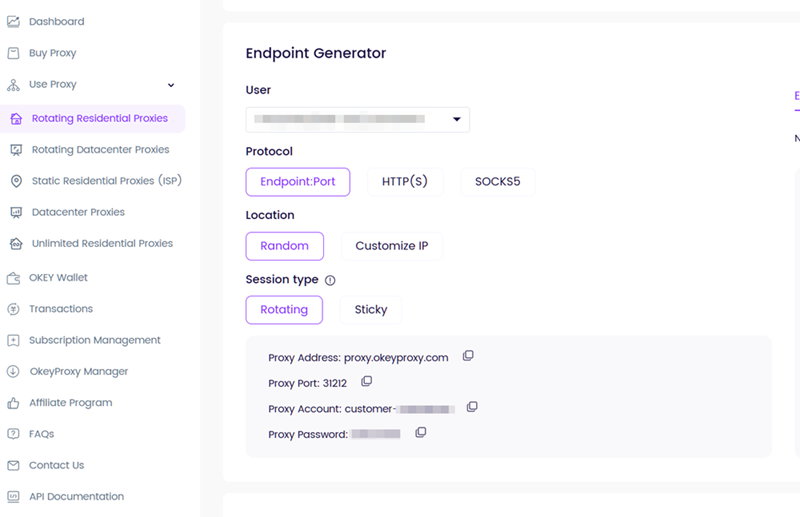
- For Rotating IPs (residential proxies, rotating datacenter proxies,mobile proxies)
The credential format should be:
Step 4: Configure them on the AdsPower.
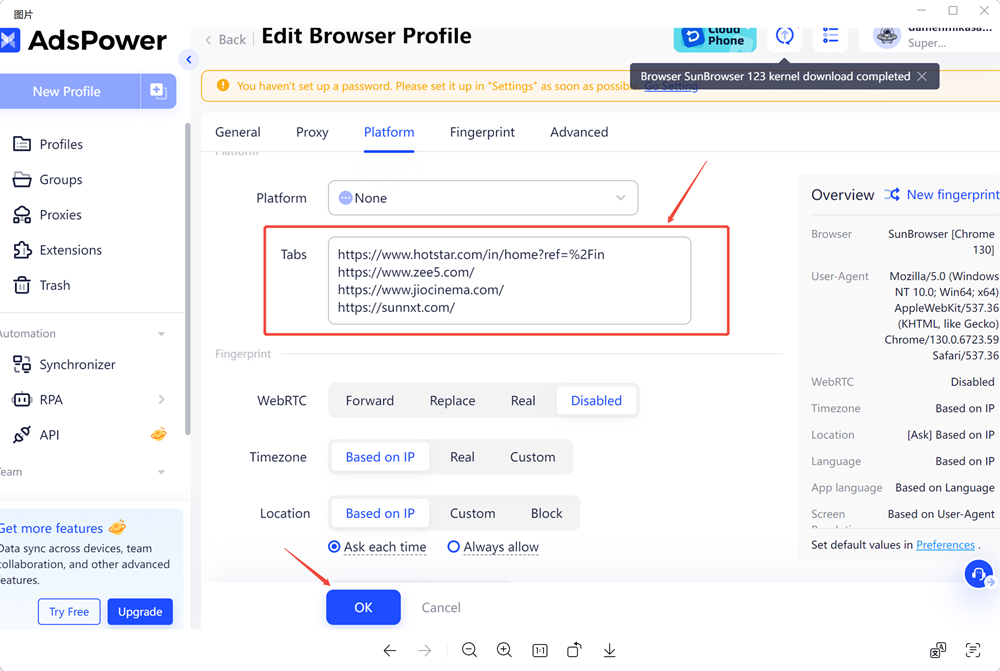
Step 5: Add your target URL in "Tabs", and click "OK" to save your configuration.
Step 6: Click "Open" to start your browser.
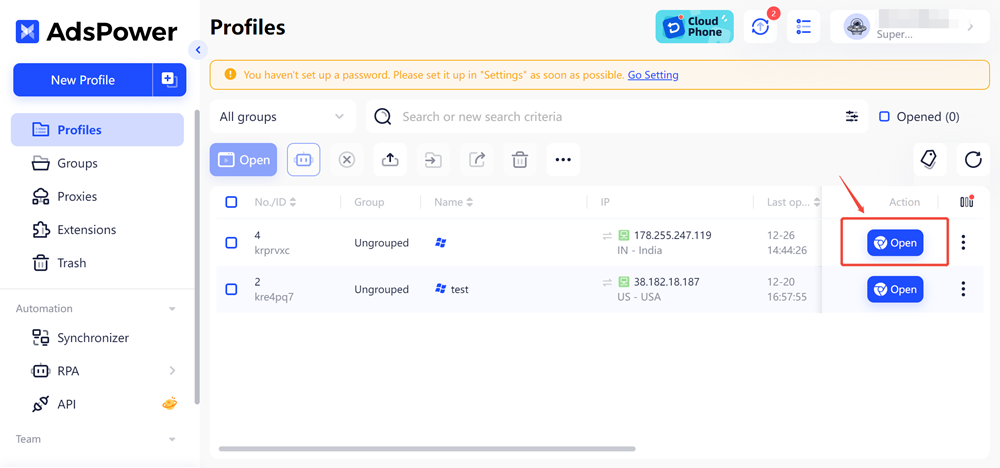
Now you can access your target website via this proxy!
