


















How to Set Up A Proxy in GoLogin | OkeyProxy Guide
Method 1
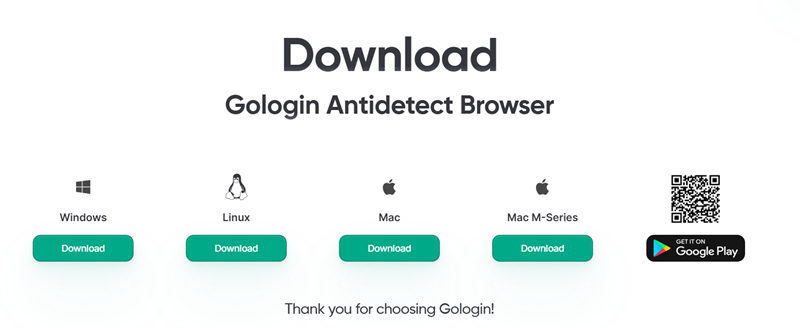
Step 1: Download Gologin antidetect browser for your OS.
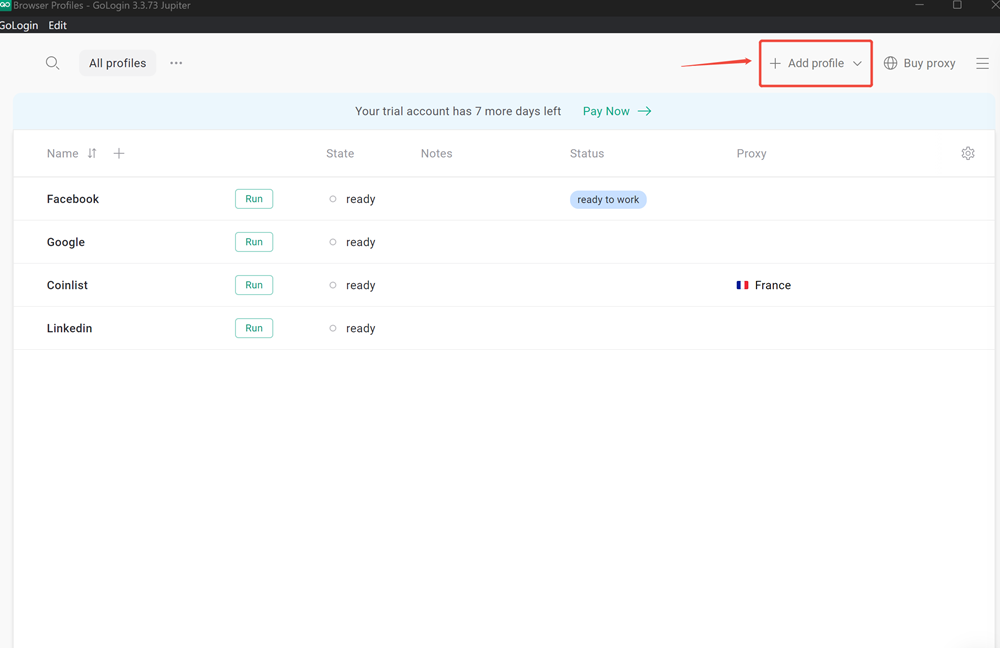
Step 2: Start Gologin and click "Add profile"
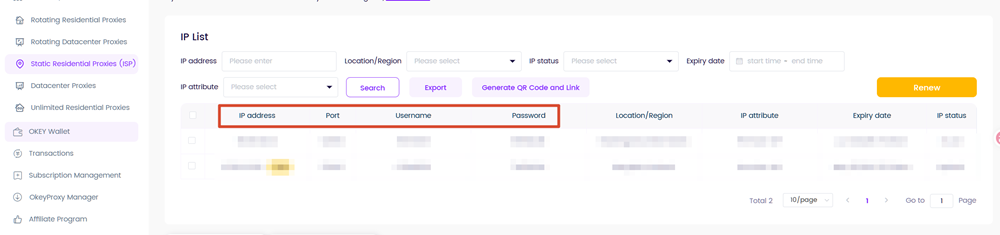
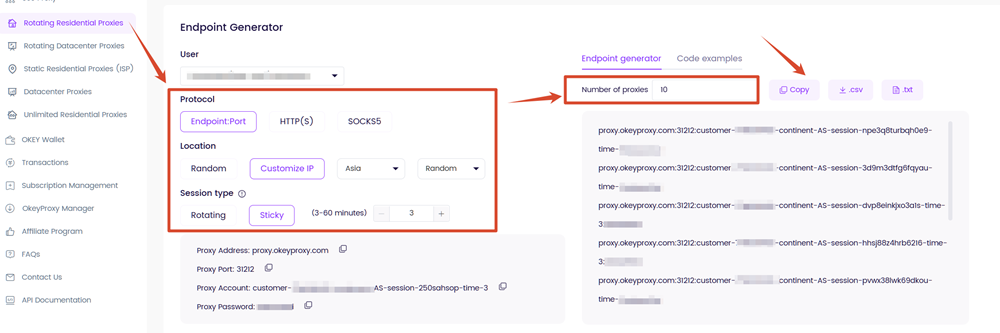
Step 3: Get your proxy credentials via OkeyProxy dashboard, let's take residential proxies as an example,
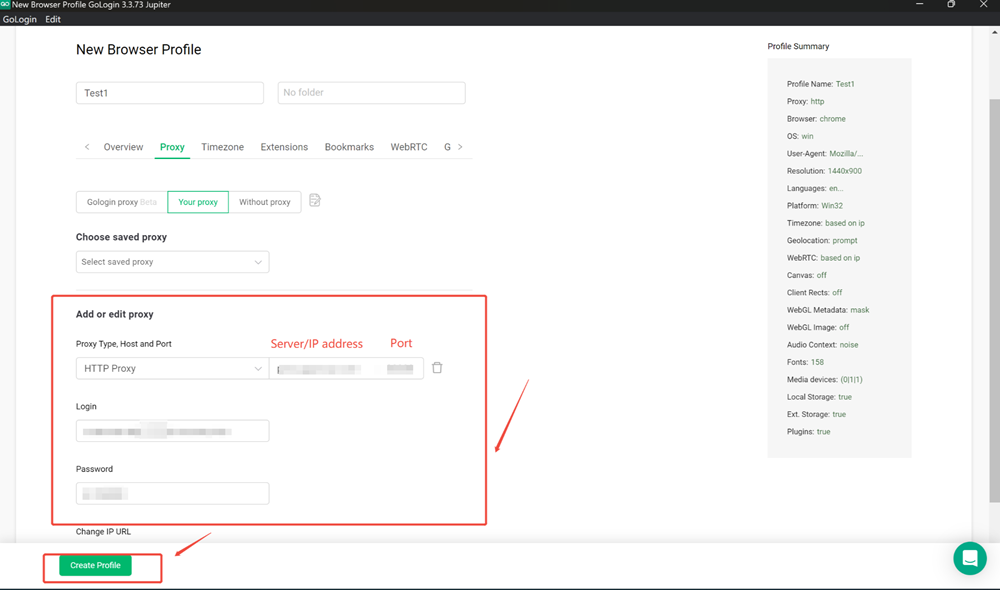
Step 4: Set up the credentials on Gologin and click "Create Profile",
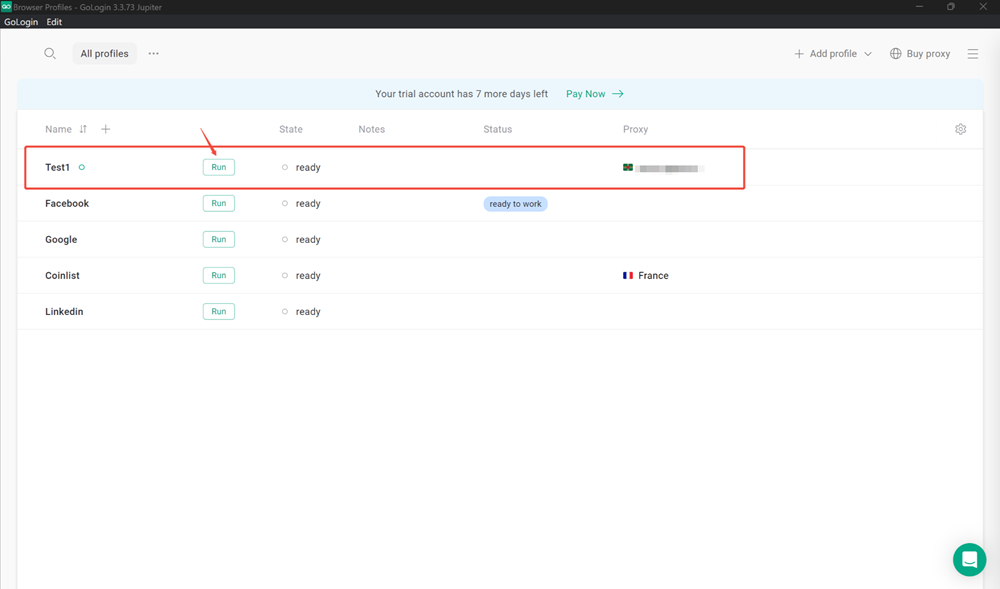
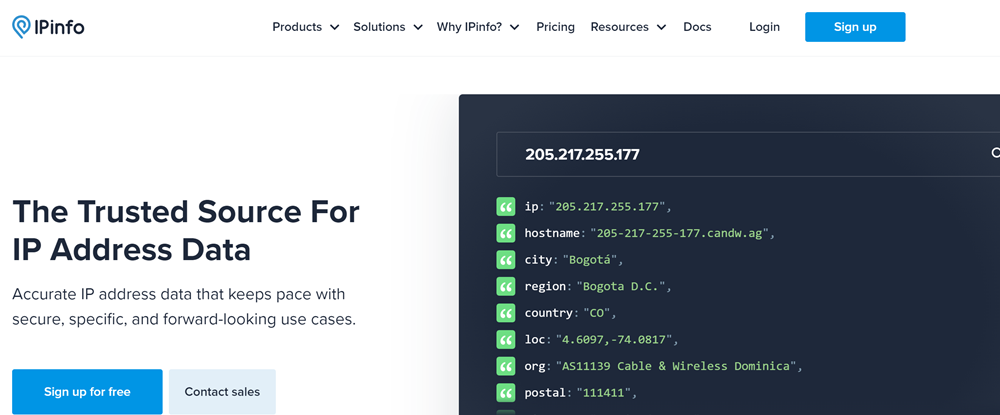
Step 5: Click "Run", so you can surf the internet with our proxy.

Method 2
Step 1: Get your proxy list from the dashboard, click "Copy" or export the file.
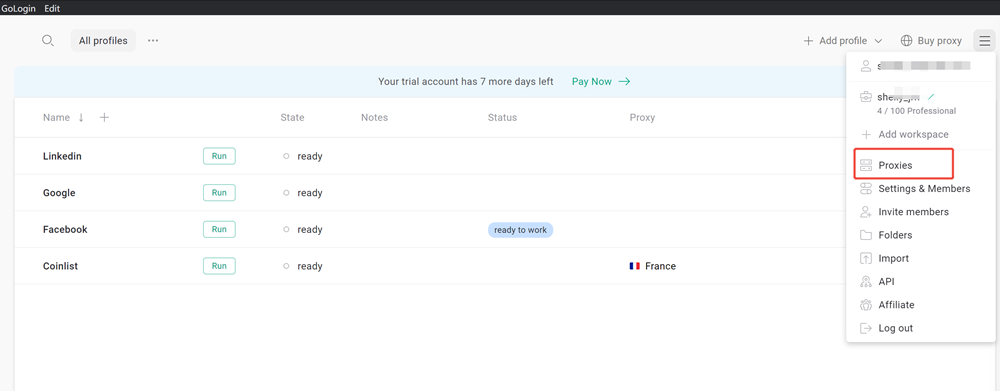
Step 2: Click the hamburger icon at the top right corner and select "Proxies"
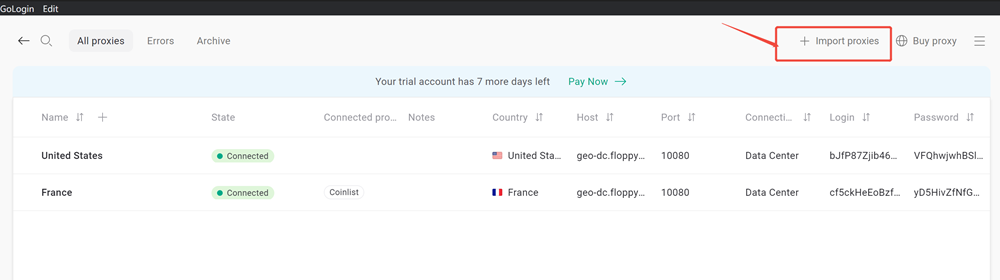
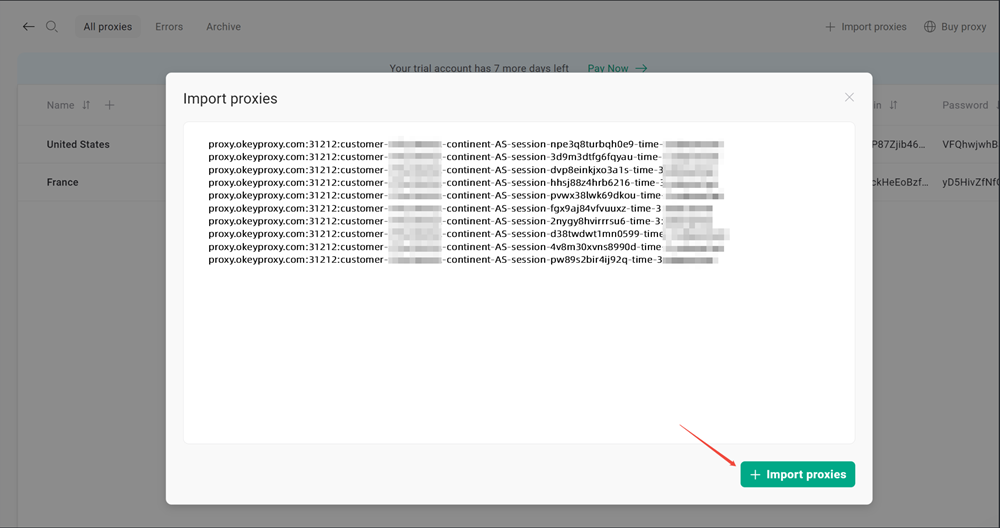
Step 3: Click "Import proxies" and paste the proxies list into it,
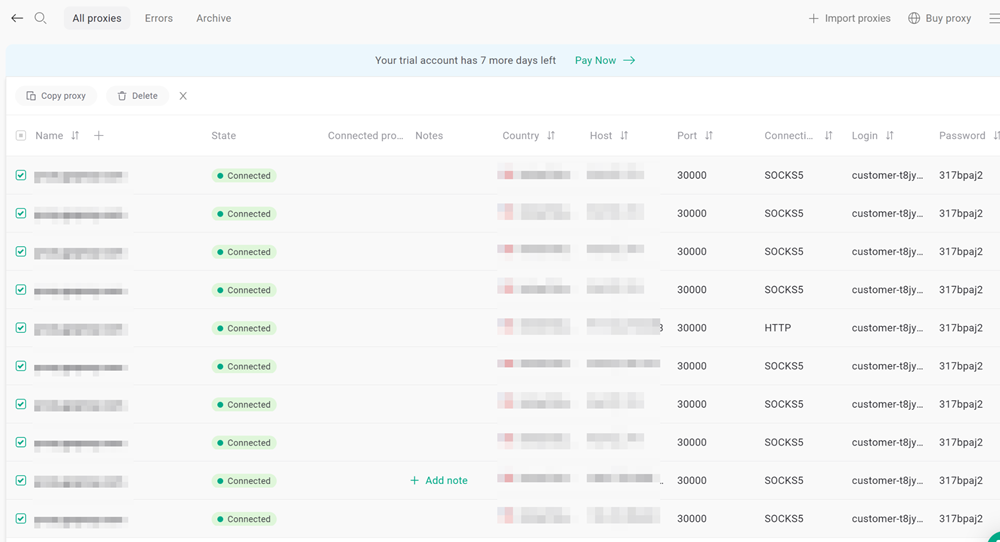
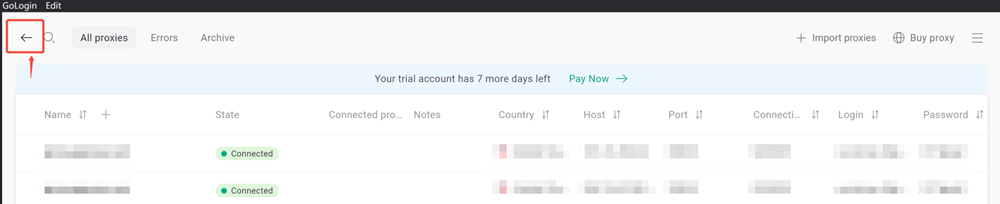
Step 4: Go back to the profile setting page, add new profiles.

Step 5: Select the proxies you added just now via "Choose saved proxy"
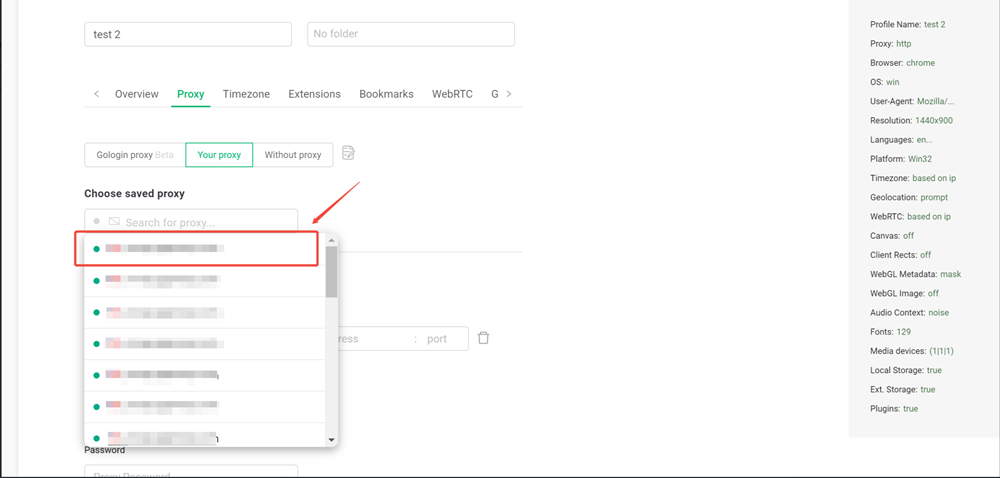
Step 6: Click "Create Profile" to save the proxy setting,
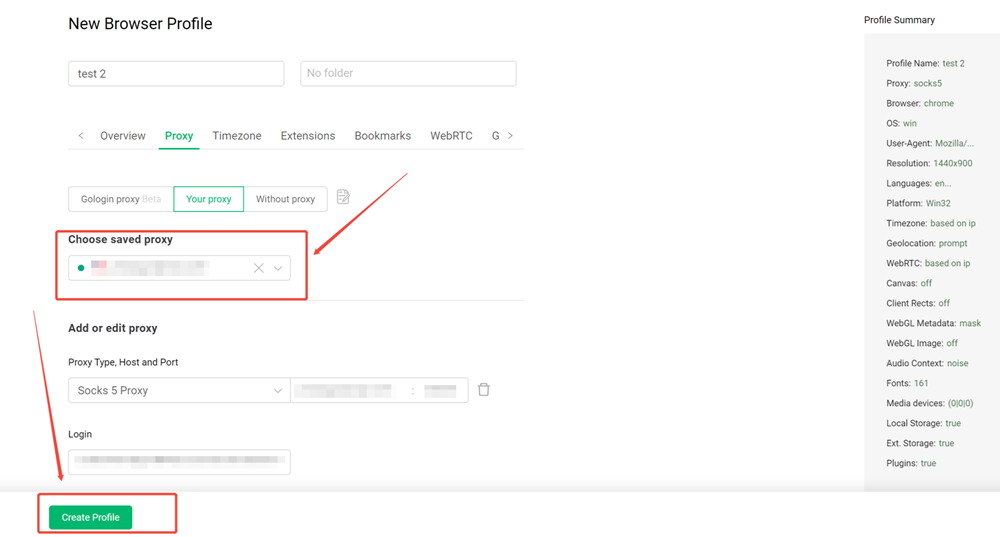
Step 7: Now, click "Run" to surf with your proxy!

