


















How to Create A Sub-User Account | OkeyProxy Guide
If you want your team members to use your proxy plan, OkeyProxy provides two options depending on the type of proxy:
- Rotating Proxies: You can create sub-users for your team, allowing them to access the proxy without sharing your main credentials.
- Static Proxies: You can directly share your proxy information with your team members.
For Residential Proxies/Mobile Proxies/Datacenter Proxies (Pay/GB) plan:
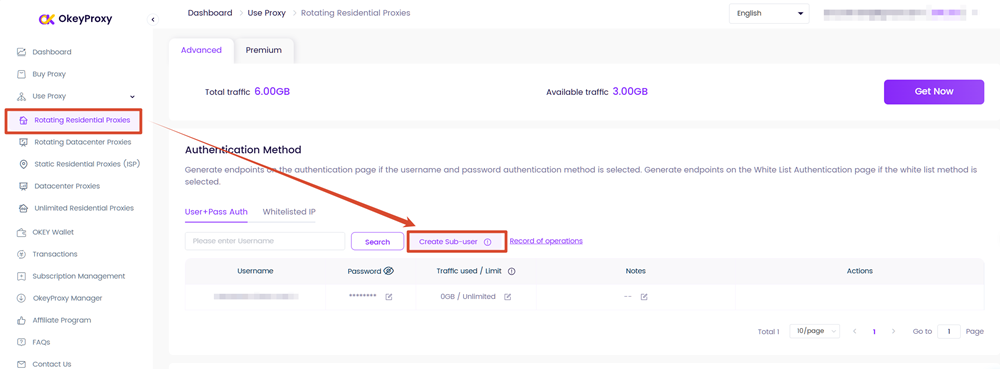
Step1: Go to Dashboard, choose your plan under "Use Proxy", click "Creat Sub-user" under "Proxy Setup" section.
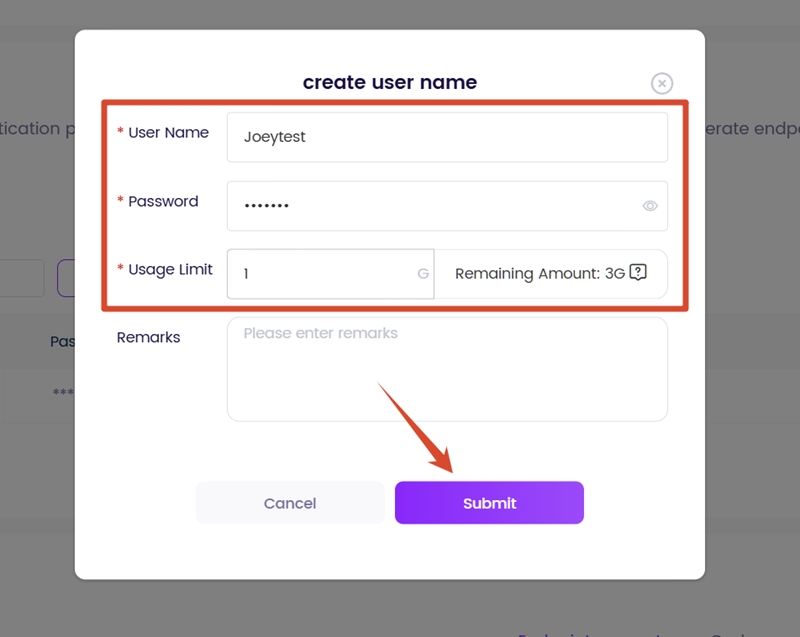
Step2: Create username and password, set traffic limit, fill in remark if necessary. Click "submit".
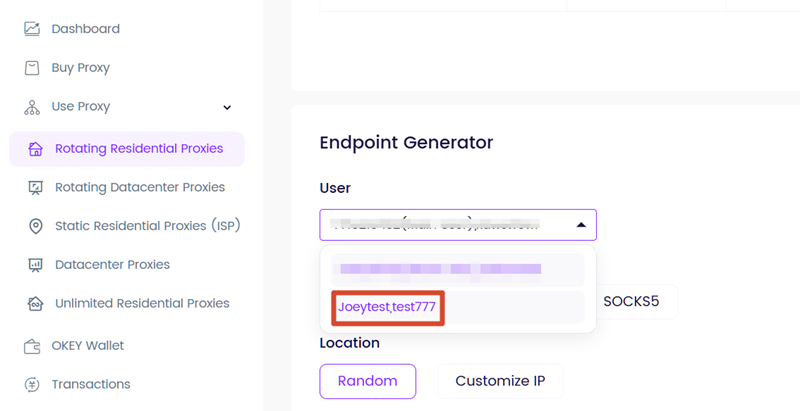
Step3: Scroll down to the Endpoint Generator section, click the drop-down box of "USER,PASS" to choose the sub-user.
Step4: Share the Address, Port, Username, Password.
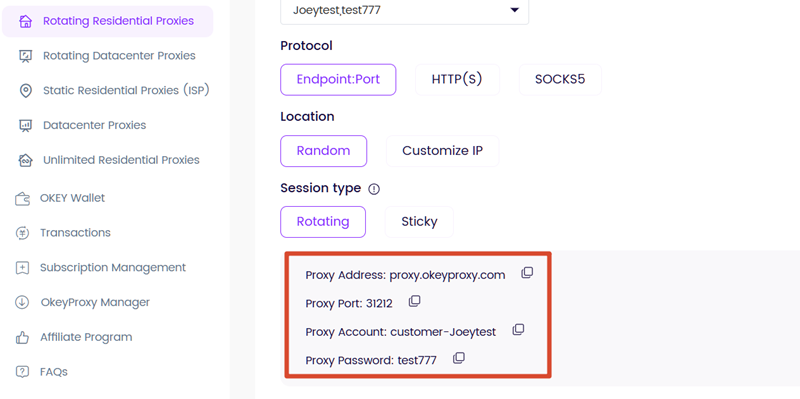
Here you go! Now your team can share your plan.
For Static Residential Proxies/Datacenter Proxies (Pay/IP) plan:
Step1: Go to Dashboard, choose your plan under "Use Proxy", find your IP information in "IP List".
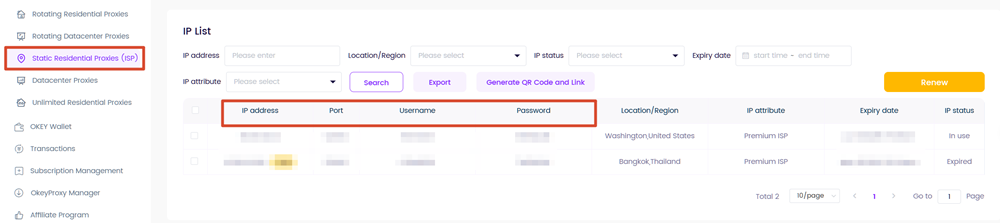
Step2: Share the IP address, Port, Username, Password to your team.
Here you go!Now your team can share your plan.
