


















How to Buy Twitter Accounts Safely: Guide for Digital Marketers
Launching a brand on X (formerly Twitter) is fiercely competitive. 🚀 Building new profiles from scratch takes months of grinding. New accounts face relentless security hurdles — mandatory phone verification, shadowbans, and aggressive CAPTCHA challenges slow you down before you even start.
That's why experienced digital marketers skip the wait. They research how to buy Twitter accounts that already carry history, authority, and verified credentials. This strategy lets you jump straight into active community outreach and campaign scaling.
This guide covers everything you need: the account types available, a safe buying blueprint, red flags to avoid, and how to protect your investment long-term with residential proxies.
⚠️ Disclaimer: Purchasing user profiles violates X's official Terms of Service (ToS). Account ownership under X's ToS belongs solely to the original creator and cannot be sold or transferred. X may suspend or permanently ban any account involved in an ownership transfer. This guide is written strictly for technical research and global marketing analysis. Please ensure compliance with all local legal standards and ethical practices before proceeding.
Who Needs to Buy Twitter Accounts?
Buying established profiles isn't just for big agencies. Many types of digital professionals use this strategy to hit targets faster. Here's who benefits most:
- 🏢 Founders and SaaS Business Owners: Need immediate market authority. An established account lets you pitch products with built-in credibility from day one — no awkward "0 followers" credibility gap.
- 📣 Agencies and Niche Marketers: Managing multiple client campaigns simultaneously. Buying localized or topic-specific profiles dramatically cuts setup time and accelerates campaign launch.
- 🎬 Digital Content Creators: Need broad initial reach to beat the algorithm. Starting with an authoritative profile means your videos, threads, and content get noticed faster — not buried.
- 🛒 E-commerce and Affiliate Marketers: Need social proof fast. A high-follower account signals legitimacy to potential buyers before they even click your link.
Types of Twitter (X) Accounts You Can Buy
The marketplace groups profiles into distinct categories based on features and verification status. Know the terminology before you spend a single dollar. 💡
📱 PVA Accounts (Phone Verified Accounts)
PVA means the profile has an authentic mobile number linked during registration. This basic verification step earns a higher initial trust score from X's systems. PVA accounts are significantly less likely to trigger CAPTCHA challenges during login. They're the standard entry-level option for bulk marketing operations.
⏳ Aged Accounts
These profiles were registered anywhere from 1 to 10+ years ago. Time is a powerful trust signal for X's automated security systems. Older accounts get far more operational freedom than freshly created ones. They can post more frequently, follow more users, and run ads with a much lower suspension risk. Age directly correlates with account survivability.
👥 High-Follower Accounts
These profiles come with a real, pre-existing follower base — ideal for brands needing immediate social proof. Launching an announcement to an audience of thousands builds instant trust. However, always verify that followers are genuine humans, not bot networks. Fake followers hurt your engagement rate and flag the algorithm.
✅ X Premium / Blue Verified Accounts
These premium profiles carry the official blue verification checkmark. The advantages are significant: higher visibility in comment threads, longer video upload limits, priority ranking in search, and access to advanced advertising platforms. Buying a pre-verified profile saves you the subscription setup and accelerates access to premium features immediately.
🎯 Niche-Targeted Accounts
These profiles were built around a specific topic — crypto, fitness, tech, fashion, finance. The audience is already pre-qualified. If your brand aligns with the niche, engagement rates are far higher than a general-purpose account. This category is particularly valuable for affiliate marketers and niche content brands.
Before You Buy: Account Quality Evaluation Checklist ✅
Never rush into a purchase. A thorough pre-sale evaluation is the difference between a great investment and a fast ban. Run through this checklist on every account before committing funds.
- ✔️ Registration Date: Verify the exact creation date. Older = safer. Aim for accounts at least 1–2 years old for marketing use.
- ✔️ Follower Quality: Use tools like SparkToro or HypeAuditor to spot bot-inflated follower counts. Check follower-to-engagement ratios — low engagement on a "high follower" account is a red flag.
- ✔️ Post History: Review the account's historical content. Avoid profiles with prior spam activity, policy violations, or politically controversial content that could attract negative attention.
- ✔️ Suspension History: Ask sellers directly. Accounts that have been previously suspended and reinstated are at much higher risk of future bans.
- ✔️ Login Method & 2FA Status: Confirm whether 2FA is active and whether you'll receive the full authentication credentials (email + password + 2FA key or auth token).
- ✔️ Email Access: Verify that the recovery email tied to the account will be fully transferred or changed to your own. Without email access, you risk getting locked out permanently.
- ✔️ Active Ads or Restrictions: Check whether the account has active ad campaigns, billing issues, or any current restrictions before purchase.
⚠️ Common Scams to Avoid
The account marketplace is unfortunately filled with bad actors. 🛑 Learn to spot the red flags before you lose your budget.
- Fake Follower Inflation: Sellers inflate follower counts with bots to justify higher prices. Always check the engagement rate. An account with 50K followers but 10 likes per post is worthless.
- No Escrow, No Deal: Sellers who refuse escrow and demand direct payment are almost always scammers. Never pay upfront without a trusted middleman holding the funds.
- Credential Reclaiming: Unscrupulous sellers deliver credentials, then use the linked email or phone number to trigger a password reset and reclaim the account. Change all credentials immediately after purchase.
- Recycled Banned Accounts: Some sellers reactivate previously suspended accounts and resell them. These accounts are ticking time bombs — X's systems still flag them internally.
- Fake "Aged" Accounts: Some vendors create new accounts and alter public-facing metadata. Always request third-party verification of the registration date through tools like Wayback Machine lookups.
Step-by-Step Guide: How to Buy Twitter Accounts Safely
Follow this structured process to complete your purchase with minimum risk. Rushing any step is where money gets lost. 💸
Step 1: Choose a Reputable Vendor or Platform
Stick to platforms with documented buyer protection policies. The marketplace generally falls into three main categories:
- Bulk Digital Stores: Platforms like AccsMarket let you buy large batches of PVA or aged accounts. Best for wide-reach marketing campaigns where volume matters more than prestige.
- Escrow Marketplaces: FameSwap, PlayerSells, or Z2U use secure escrow systems. Your payment is held until you confirm full ownership transfer. This is the safest option for high-value accounts.
- Marketing Community Forums: BlackHatWorld (BHW), EpicNPC, and Webmaster forums have active buy/sell sections. Review seller feedback scores carefully. Negotiate directly and always request escrow even here.
Step 2: Define Your Requirements
Match your purchase to your actual campaign goal. Running a high-volume marketing matrix? Buy a bulk batch of affordable PVA aged accounts. Building a flagship brand page? Invest in a high-quality Blue Verified profile. Entering a specific niche market? Prioritize follower quality and topical alignment over raw follower count.
Step 3: Vet the Account Credentials
Always review asset quality before any payment or transfer. Confirm the registration date. Audit historical engagement metrics to rule out bot followers. Check post history and compliance status for prior penalties. Run the full checklist from the evaluation section above — every single item.
Step 4: Secure Delivery of Account Credentials
After the transaction completes, the seller delivers credentials — typically a .txt or .csv file. A legitimate credential package must include all of the following fields:
Username | Password | Email Address | Email Password | Auth Token (or 2FA Secret Key)
If any field is missing, halt the transfer until the seller provides complete information. Missing email access is a dealbreaker.
Step 5: Secure the Account Immediately
Once credentials arrive, lock down the profile before doing anything else. Speed matters here. ⚡
🚨 Critical Security Note: Never log into newly purchased accounts from your everyday browser. Your real IP address and device cookies will trigger immediate account flags.
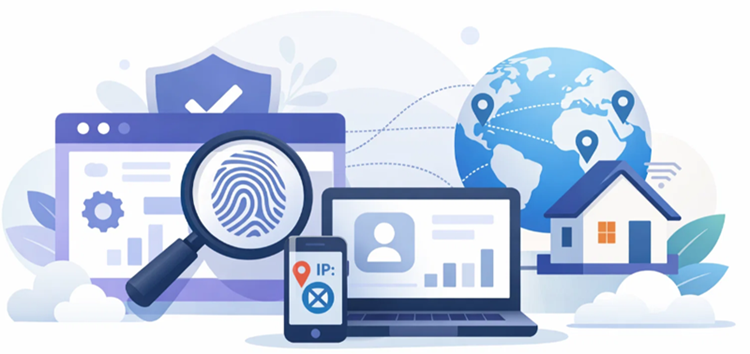
- Use Anti-Detect Browsers: Open every profile inside an isolated environment like GoLogin or AdsPower. These tools create completely separate browser fingerprints for each account, preventing X's tracking scripts from linking your profiles together.
- Assign Unique Residential Proxies: Map each browser profile to a dedicated residential proxy. Match the proxy's geographic location to the country where the account was originally registered.
- Update All Credentials Immediately: Change the default password and recovery email the moment you log in. Enable two-factor authentication (2FA) right away to lock out the previous owner.
- Gradual History Cleanup: If you want to remove old posts, do it slowly — over several weeks. Bulk-deleting hundreds of posts in minutes looks automated and triggers suspension algorithms.
Account Warm-Up: The Step Most Buyers Skip 🔥
Buying the account is step one. Keeping it alive long-term requires a proper warm-up period. Skipping this phase is one of the most common reasons purchased accounts get banned within days.
X's systems flag sudden behavioral changes — a dormant account suddenly posting 50 times a day is an instant red flag. Follow this warm-up timeline after purchase:
- Days 1–3 (Observation Phase): Do not post anything. Log in once daily. Browse the feed naturally. Follow 5–10 accounts in your niche. Let the platform register normal human behavior patterns.
- Days 4–7 (Light Engagement Phase): Begin liking and retweeting content. Post 1–2 times per day maximum. Keep content simple and organic — no promotional links yet.
- Week 2 (Gradual Activation): Increase posting to 3–5 times per day. Start engaging in comment sections. Update profile photo and bio gradually, not all at once.
- Week 3+ (Full Operation): Begin normal marketing activity. Introduce links, promotions, and follower outreach steadily. Monitor engagement metrics and account health daily.
Patience here directly translates to account longevity. Don't rush it.
The Biggest Danger After Buying: The Immediate Ban 🚫
Many marketers encounter the same frustrating problem. They find a great vendor, buy high-quality aged profiles, and get a "Permanent Suspension" notice the moment they log in. This is almost always a connection management failure — not a vendor problem.
The Hidden Danger of IP Association
X's anti-fraud AI scans every incoming connection in real time. Log into multiple purchased profiles from your local IP, a cheap VPN, or a shared datacenter proxy — and you'll trigger an alarm immediately. These low-grade IPs carry histories of spam abuse and are pre-blacklisted. When the system detects multiple profiles connecting from the same flagged IP block, it links them and bans the entire batch at once.
The fix is simple: use clean, dedicated residential proxies. One account, one IP, no exceptions.
Comparison Table: Account Survival Rate by Connection Type
| IP Connection Type | Initial Login Survival Rate | Platform Trust Rating | Best Used For |
|---|---|---|---|
| Free VPNs / Cheap Datacenter IPs | Less than 20% | ❌ Extremely Low | Not recommended. High risk of instant checkpoints or permanent bans. |
| Rotating Residential Proxies | Around 50% | ⚠️ High (but inconsistent) | High-volume data scraping. Too risky for account management due to IP rotation. |
| Static Residential Proxies | Over 95% | ✅ Extremely High | Best choice. Ideal for account matrices, ad campaigns, and flagship brand pages. |
🔐 Why OkeyProxy Is the Essential Tool for Protecting Bought Twitter Accounts
Follow the golden rule of multi-account management: 1 Account = 1 Isolated Browser Profile = 1 Unique Residential IP. Never share. Never mix. Never reuse.
OkeyProxy gives you the clean, reliable network infrastructure to make this rule effortless to maintain — at any scale.
- 🌐 150M+ Authentic Residential IPs: OkeyProxy connects you through a premium pool of genuine residential IPs from real home ISPs worldwide. X sees these connections as ordinary users in cities like New York, London, or Tokyo — not proxy traffic. No flags. No bans.
- 🔒 Premium SOCKS5 Static Proxies: Unlike rotating proxies that change your IP mid-session, OkeyProxy's static residential proxies give you a permanent, clean IP address per account. This is critical for protecting high-value business profiles and verified Blue accounts over the long term.
- 🌍 200+ Country Coverage: Bought an account registered in Germany? Japan? Brazil? OkeyProxy lets you match the proxy location precisely to the account's registration country — making your login history seamless and geographically consistent from day one.
- ⚡ Fully Compatible with Anti-Detect Browsers: OkeyProxy integrates natively with GoLogin, AdsPower, and other leading multi-accounting browsers. Setup takes minutes, not hours.
👉 Don't let a cheap proxy destroy your investment. Sign up for OkeyProxy today, claim 1 free static residential proxy test node, and give your purchased accounts the protection they need from the very first login. Your accounts are only as safe as the connection behind them.
Frequently Asked Questions (FAQ)
Q: Is buying Twitter accounts legal?
A: Buying and selling Twitter accounts is not explicitly illegal under most jurisdictions. However, it directly violates X's Terms of Service. X may suspend or permanently ban any account involved in a transfer. There is always a risk of losing the account even after a legitimate purchase from a reputable vendor.
Q: What is the safest marketplace to buy Twitter accounts?
A: Escrow-based platforms like FameSwap or PlayerSells are the safest options because your payment is held until ownership is fully confirmed. Avoid direct peer-to-peer transfers without an escrow system. Community forums like BlackHatWorld can also work, but always verify seller reputation scores before committing.
Q: Why do bought Twitter accounts get banned immediately after login?
A: Immediate bans after purchasing are almost always caused by logging in from a flagged IP address — a datacenter IP, free VPN, or shared proxy that X's AI has already blacklisted. The fix is to use a dedicated static residential proxy that matches the account's original registration country, combined with an anti-detect browser.
Q: How long should I warm up a purchased Twitter account?
A: A minimum of 2–3 weeks is recommended before running any promotional campaigns. Start with passive browsing and light engagement, gradually increasing activity over time. Sudden spikes in posting frequency or follower outreach after account acquisition are a primary trigger for automated suspension systems.
Final Strategic Insights
Understanding how to buy Twitter accounts is a genuine shortcut for accelerating international marketing campaigns and building immediate brand authority. It saves months of tedious profile building. 📈
But buying is only the beginning. Long-term success requires discipline: evaluate thoroughly before purchase, secure credentials immediately, warm up accounts gradually, and maintain a clean connection setup at all times.
The formula is straightforward: pair every purchased profile with a dedicated anti-detect browser environment, route every login through a static residential proxy from a trusted provider like OkeyProxy, and scale activity slowly. Keep your digital footprints separate. Stay patient during warm-up. And never mix IPs across accounts.
Do this right, and your purchased accounts become a stable, secure marketing network that drives real, measurable business growth. 💼
