


















Tinder Proxy: The Complete Guide to Stay Undetected in 2026
Tinder is the world's most popular dating app, with millions of users swiping, matching, and meeting every day. However, Tinder is also one of the most aggressive platforms when it comes to account enforcement. One small misstep can trigger a shadowban or a permanent account block. For users who travel frequently, manage multiple profiles, or need to bypass a regional restriction, a Tinder proxy has become an essential tool.
Using a proxy allows you to mask your real IP address and project a different digital location. In this complete guide, we cover everything you need to know about using a proxy for Tinder in 2026: how it works, which types are safe to use, how to set one up, and how to avoid the platform's increasingly sophisticated detection systems.
What Is a Tinder Proxy?
A Tinder proxy is an intermediary server that sits between your device and Tinder's servers. When you connect through a proxy, your internet traffic is routed through that server first. Tinder only sees the IP address of the proxy — not your real IP address or physical location.
This is meaningfully different from a standard VPN. While a VPN encrypts your entire internet connection, most VPNs route traffic through data center IP addresses, which Tinder's security systems can identify and flag with relative ease. A quality proxy, by contrast, uses residential or mobile IPs — addresses that look identical to those of regular home or cellular users. This makes a well-chosen proxy far harder for Tinder to detect and block.
It is important to understand that a proxy alone only changes your IP address. It does not alter your device fingerprint, phone number, photos, or other identifying signals that Tinder also tracks. For full protection, a proxy must be combined with other measures, which are detailed throughout this guide.
Why Do You Need a Proxy for Tinder?
There are several practical reasons why users turn to a proxy for Tinder. Most come down to needing more freedom and control than the standard app allows.
Bypassing Geographical Restrictions
Tinder is blocked in certain countries and on many school or workplace networks. A proxy lets you connect through a server in an unrestricted region, making your traffic appear to originate elsewhere. This is the most straightforward reason to use a proxy.
Managing Multiple Accounts
Tinder's algorithm actively looks for "linked accounts." If two or more profiles share the same IP address, they are at risk of being banned together in a chain reaction. Assigning a separate and dedicated Tinder proxy to each profile isolates the accounts completely, preventing any single ban from affecting the others.
Bypassing IP Bans After a Shadowban
When Tinder bans an account, it logs the associated IP address. Attempting to create a new account from the same Wi-Fi connection will result in an instant ban. A fresh proxy IP gives you a clean slate, allowing you to register a new profile without being flagged at the network level.
Protecting Your Account from Shared Network Reputation
Tinder assigns trust scores to IP addresses. If your home IP is shared with another user who has violated Tinder's policies, your account may be penalized by association. Using a dedicated proxy ensures your IP has a clean history and is not contaminated by another user's behavior.
Location Spoofing and Passport-Style Browsing
Tinder Passport is a paid premium feature that lets you change your visible location. A residential proxy can achieve the same effect — letting you appear in a different city or country — without a subscription. This is particularly useful for travelers who want to connect with people in a destination before they arrive.
How Tinder Detects and Bans Accounts in 2026
Understanding Tinder's detection systems is critical before choosing and deploying a proxy. In 2026, the platform uses a layered approach that goes well beyond simple IP checking.
IP Address Tracking
This is the most basic layer. Tinder logs the IP address used to register and log in to every account. Shared or banned IPs are flagged immediately. A proxy addresses this layer directly.
Device Fingerprinting
Tinder collects a unique hardware signature from your device, including the device ID, advertising ID (IDFA on iOS, GAID on Android), phone model, operating system version, and network configuration. If a new account is created on a device whose fingerprint is already linked to a banned profile, the new account is flagged instantly, regardless of the IP address used. A proxy does not resolve this — an anti-detect browser or a different physical device is required.
Phone Number and Email Verification
Your phone number and email address are primary account credentials. Reusing a number or email associated with a banned account will result in an immediate ban. A clean, unused SIM card and a new email address are necessary for a genuine fresh start.
Facial Recognition and Image Hashing (Face Check)
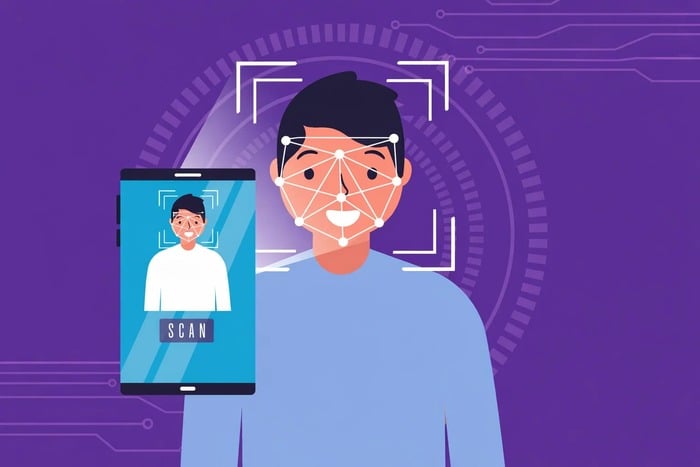
In 2026, Tinder has introduced mandatory biometric verification in many regions through a feature called "Face Check." This system creates a mathematical hash of your facial geometry — a "FaceVector" — which is stored and used to prevent banned users from creating new accounts, even with different credentials. The biometric data is also shared across all Match Group apps, including Hinge and Plenty of Fish. Separately, Tinder uses perceptual hashing (pHash) to fingerprint uploaded photos, allowing it to match new profiles to banned accounts through image similarity alone.
Behavioral Analysis
Tinder's AI monitors usage patterns continuously. Swiping at non-human speed, mass-messaging, or exhibiting other bot-like behaviors triggers its automated moderation systems, regardless of IP or device. Acting like a real user remains essential even with the best proxy setup.
Types of Tinder Proxies: Which One Should You Use?
Not all proxies are equally effective for Tinder. Choosing the wrong type is the fastest path to a ban. Here is a clear breakdown of the three main proxy types available in 2026.
| Proxy Type | Trust Level | Ban Risk | Best Use Case |
|---|---|---|---|
| Mobile Proxies (4G/5G) | Very High | Very Low | Professional account management; bypassing bans. |
| Residential Proxies | High | Low | Location spoofing; privacy-focused casual use. |
| Datacenter Proxies | Low | Very High | Not recommended for Tinder. |
1. Mobile Proxies (4G/5G) — The Top Choice
Mobile proxies use IP addresses assigned by real cellular network carriers. Because millions of legitimate users share the same pool of mobile IPs, Tinder cannot block them without also blocking a vast number of real customers. This makes mobile proxies the safest and most detection-resistant option for Tinder in 2026. They are the recommended choice for professional account management and for anyone who has been previously banned.
2. Residential Proxies — The Versatile Option
Residential proxies use IP addresses assigned by real Internet Service Providers to home users. To Tinder, traffic from a residential proxy looks identical to a person swiping from their living room. These proxies offer excellent coverage across virtually any city or country, making them the best choice for location spoofing. They are also well-suited for general privacy and for managing a smaller number of accounts.
✨ Editor's Choice: OkeyProxy for Tinder
For the most reliable connection, we recommend OkeyProxy. They provide 150M+ top-tier residential IPs that fit every Tinder strategy. New users can contact support to get a free trial and test the speed and stability before buying!
- Static Residential Proxies: Perfect for account longevity. Use these if you want to keep one account stable and logged in for a long time without triggering security checks.
- Rotating Residential Proxies: Best for high-volume tasks. These are ideal for creating multiple accounts or bypassing rate limits.
3. Datacenter Proxies — Avoid for Tinder
Datacenter proxies originate from commercial server infrastructure rather than real user devices. They are cheap and fast, but Tinder's security systems identify this type of traffic as non-human with high accuracy. Most datacenter IP ranges are already flagged as suspicious by Tinder. Using them risks an immediate ban and is not recommended for any account you care about keeping.
How to Set Up a Tinder Proxy: Step-by-Step
Setting up a proxy correctly is essential for staying anonymous. Follow these steps for a proper Tinder proxy configuration.
Step 1 — Choose a Reliable Proxy Provider
Never use free proxy lists. Free proxies are almost universally unreliable, frequently leak real IP addresses, and are already blacklisted by Tinder. Purchase proxies from a reputable commercial provider. Look for services that offer genuine mobile or residential IPs, clear pricing with no hidden data limits, and responsive customer support. Confirm before purchasing that the provider explicitly supports social media and dating platforms.
Step 2 — Configure the Proxy on Your Device
On Android, go to Wi-Fi settings, long-press your connected network, and select "Modify Network." Enable advanced options, set Proxy to "Manual," and enter the proxy server address, port, username, and password provided by your proxy service. Save the settings and verify the configuration using an IP-checking tool such as "What is my IP?" — the displayed IP should match your proxy's IP, not your real one. On iOS, go to Settings → Wi-Fi → tap the info icon next to your network → scroll to HTTP Proxy → select Manual and enter the same details.
Step 3 — Use an Anti-Detect Browser for Multiple Accounts
If your goal is to manage more than one Tinder account, a proxy alone is not enough. You must also address device fingerprinting. Anti-detect browsers such as Multilogin, AdsPower, or BitBrowser allow you to create completely isolated browser profiles, each with a unique device fingerprint — including unique operating system, screen resolution, language settings, and more. When each profile is paired with its own dedicated proxy IP, every account appears to Tinder as a separate physical device, used by a different person, on a different network.
Step 4 — Prepare a Clean Account Identity
If you are starting a new account after a ban, address all of Tinder's detection layers, not just the IP. Use a new email address, a new phone number from a real (non-VoIP) SIM card, and original photos that have not been previously uploaded to Tinder. Avoid reusing any element tied to the banned account. If Face Check is active in your region, be aware that biometric data from the previous account may still be on file.
Best Practices: How to Keep Your Tinder Account Safe
Even with the best Tinder proxy in place, your behavior and overall setup must hold up to scrutiny. Tinder's AI monitors activity continuously. The following practices are essential for long-term account safety.
Do Not Change Locations Abruptly
Switching from a New York IP to a London IP within minutes is a strong signal of proxy use. Tinder refers to this informally as "teleporting." Always wait at least 12 to 24 hours before changing your proxy location to a different country. Gradual, geographically plausible location transitions are far less likely to trigger a review.
Pair Your Proxy with an Anti-Detect Browser
A proxy changes your IP address. An anti-detect browser changes your device fingerprint. These two tools solve different parts of the same problem and should always be used together when managing multiple accounts or rebuilding after a ban.
Simulate Natural Human Behavior
Do not swipe at automated speeds or send bulk messages. Real users pause to examine photos, read bios, and interact at a human pace. Tinder's behavior analysis flags accounts that swipe excessively — exceeding roughly 200 swipes per day is considered abnormal. Maintain a complete, original profile with high-quality photos and a genuine bio. Incomplete or bot-like profiles attract moderation attention.
Never Use Free Proxies
Free proxies are a fast route to a permanent ban. They are shared with many other users, are almost always already blacklisted by major platforms, and frequently leak the real IP address through DNS or WebRTC vulnerabilities. The cost savings are not worth the risk to your account.
Avoid Datacenter IPs
Stick to mobile or residential IP addresses. Datacenter IPs are the first thing Tinder's security system flags. No amount of behavioral caution will compensate for a fundamentally suspicious IP type.
Use One Dedicated Proxy Per Account
Never share a single proxy IP across multiple Tinder profiles. Assign one unique proxy to each account. This prevents Tinder from linking profiles through a shared IP and ensures that a ban on one account does not cascade to the others.
Frequently Asked Questions
Is using a Tinder proxy against the rules?
Using a proxy to access Tinder is not explicitly mentioned in Tinder's Terms of Service, but managing multiple accounts, automating interactions, and bypassing bans are violations. Proxies are tools — how they are used determines whether the activity complies with the platform's policies. For privacy or location-based use with a single account, the risk profile is low.
Can Tinder detect a proxy?
Tinder can detect datacenter proxies with high accuracy and can also identify poorly configured residential proxies that exhibit suspicious patterns. High-quality mobile and residential proxies from reputable providers are significantly harder to detect because they use IPs that are indistinguishable from those of legitimate mobile or home users.
Will a proxy bypass a Tinder shadowban?
A proxy addresses the IP-level component of a shadowban. However, if your device fingerprint, phone number, or photos are also flagged, changing your IP alone will not fully resolve the issue. A complete fresh start — new IP, new device environment, new credentials, and new photos — is the most reliable path back to a clean account.
What is the difference between a proxy and a VPN for Tinder?
A VPN encrypts all of your device's internet traffic and routes it through a remote server, which is effective for general privacy and bypassing network blocks. However, most VPN services use datacenter IPs that Tinder can identify. A residential or mobile proxy uses real ISP-assigned IPs that appear as genuine user traffic. For Tinder specifically, a quality proxy from a reputable provider is typically more effective than a standard VPN.
How many Tinder accounts can I manage with one proxy?
One proxy IP should be assigned to exactly one Tinder account. If multiple accounts share the same IP, Tinder's system will link them and may ban all of them together. For multiple accounts, each needs its own unique proxy.
Conclusion
Using a Tinder proxy remains one of the most effective tools for managing your presence on the platform in 2026, whether your goal is bypassing a ban, expanding your location, or safely running multiple profiles. However, Tinder's detection systems have become substantially more sophisticated this year, encompassing not just IP addresses but also device fingerprints, phone numbers, and biometric facial verification.
A proxy solves the IP layer of that detection stack. To stay safe comprehensively, pair it with an anti-detect browser, use clean and original account credentials, and always behave like a real user. Stick to mobile or residential IPs from trusted commercial providers and avoid free proxies entirely. With the right setup and disciplined behavior, it is entirely possible to use Tinder without restrictions and keep your accounts secure for the long term.
