


















Super Proxy Integration Guide: Using SOCKS5 Proxies with OkeyProxy
Super Proxy is a mobile proxy app that lets you route all traffic from your iPhone or Android device through an HTTP or SOCKS5 proxy—without needing root or jailbreak access.
Instead of configuring proxies app by app, Super Proxy works at the system level. It uses a local service to tunnel all network traffic through a proxy server. This means every app on your device—browsers, social apps, automation tools, or internal apps—can connect through the same proxy automatically.

In simple terms, Super Proxy acts as a bridge between your device and the proxy server, making proxy usage much easier on mobile devices. It supports:
- SOCKS5 proxies
- HTTP proxies via the HTTP CONNECT method
- Free use on both iOS and Android
This makes it especially useful for testing, restricted networks, automation, or privacy-focused mobile workflows.
Integrating Super Proxy with OkeyProxy
Setting up Super Proxy with OkeyProxy is straightforward and doesn't require advanced technical knowledge. As long as you have valid proxy credentials, the integration works smoothly.
Here's the basic process:
Step 1: Get your OkeyProxy credentials
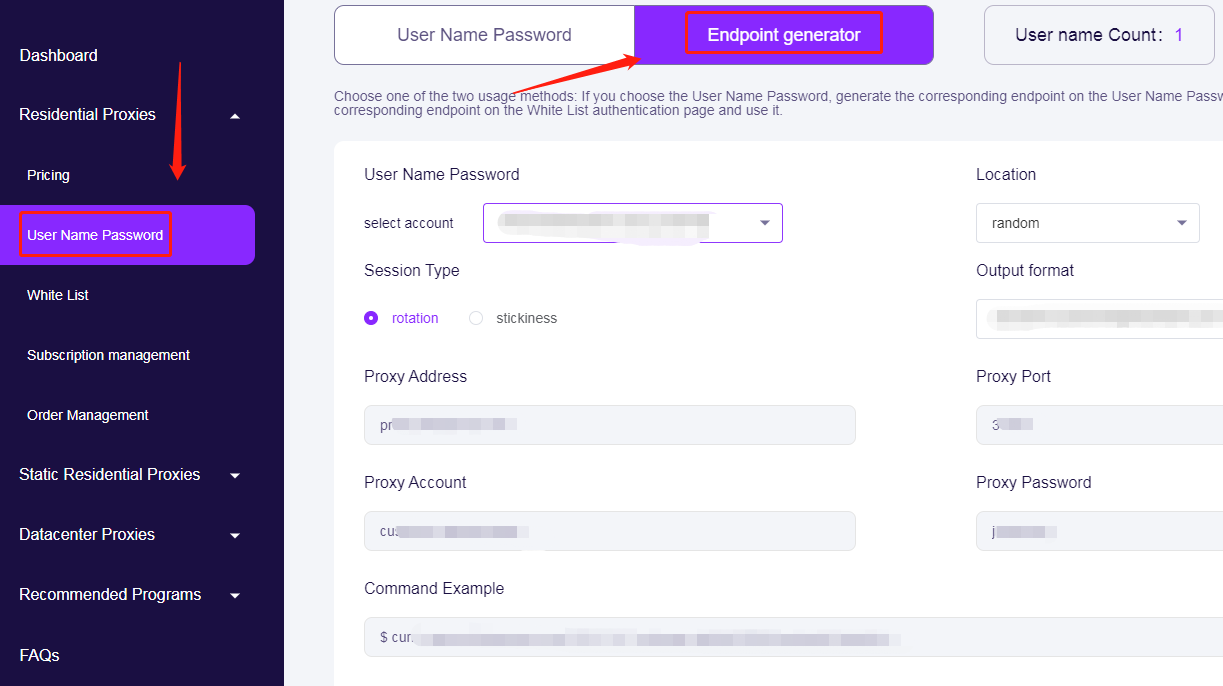
From the OkeyProxy dashboard, obtain your proxy details:
- Proxy type (SOCKS5 or HTTP)
- Host / IP
- Port
- Username and password
Note: You can visit the official OkeyProxy website and log in or create an account to access the dashboard. From the left sidebar, select the proxy type you need—such as Residential Proxies, Static Residential Proxies, or Datacenter Proxies. Then click "Pricing" to view the available plans for that proxy type. After purchase, you will get an "Endpoint Generator" under the [User Name Password] in the proxy type. You'll find all the proxy details you need to configure and use your connection.
Step 2: Install Super Proxy on your device
Download Super Proxy from the App Store (iOS) or Google Play (Android).
Step 3: Add a new proxy configuration
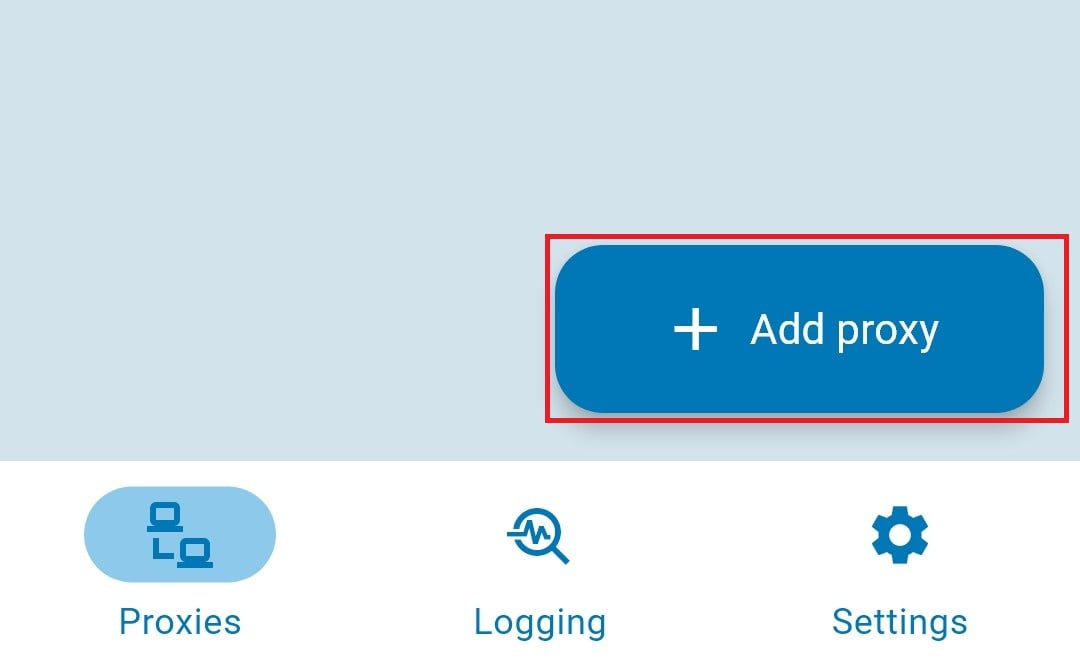
Open Super Proxy and tap the "+ Add Proxy" button at the bottom to add a proxy and create a new configuration profile.
Fill in the following fields:
- Profile Name: Choose any name for your proxy profile.
- Protocol: Select HTTP or SOCKS5.
- Server (e.g., xxx.xxx.xxx.xxx).
- Port (e.g., 12345).
Set up authentication:
- Authentication Method: Select Username/Password.
- Username: Enter your proxy username.
- Password: Enter your proxy password.
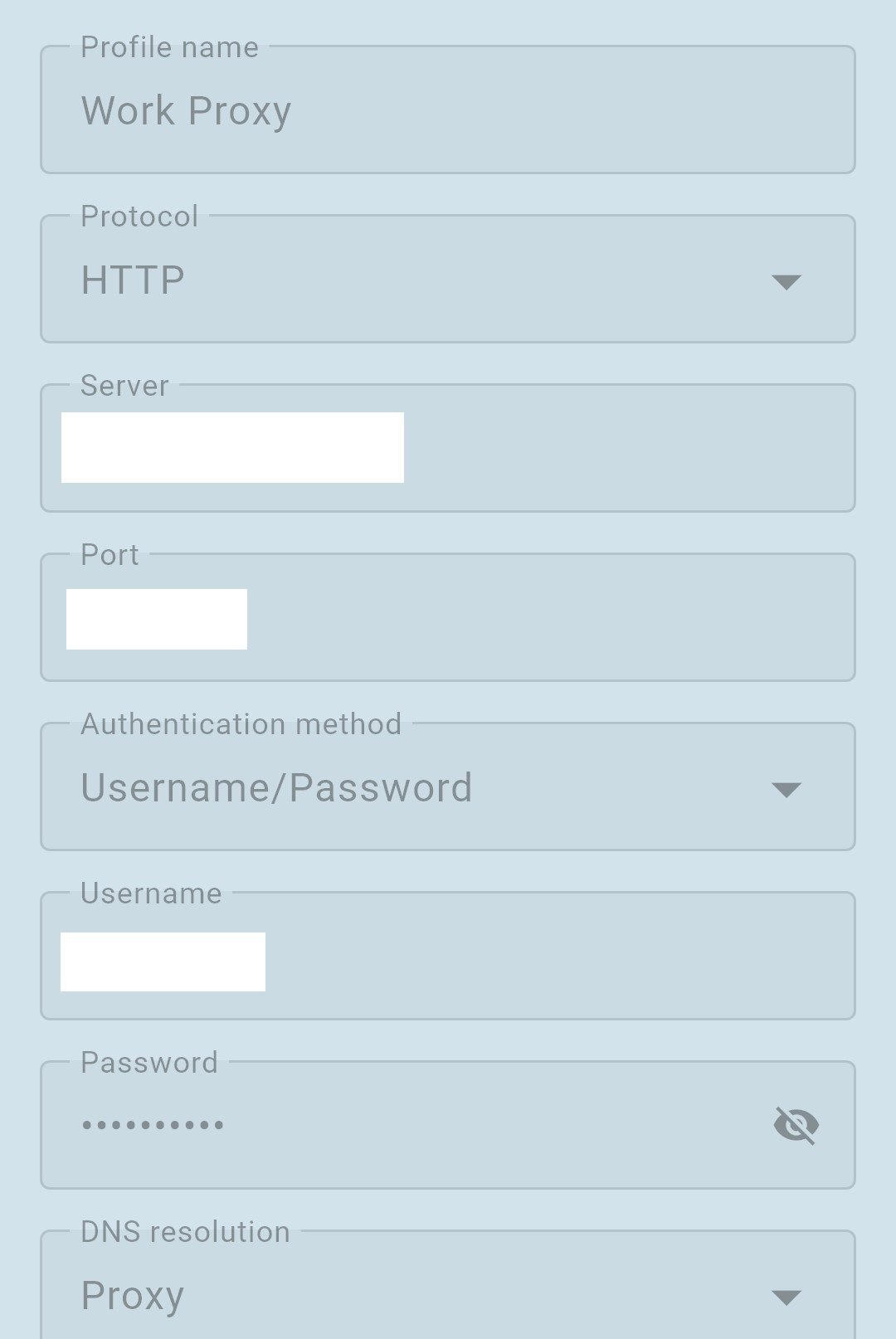
Once all fields are filled in, click the "Save" button in the top-right corner to save the configuration profile.
Step 4: Enable the Proxy
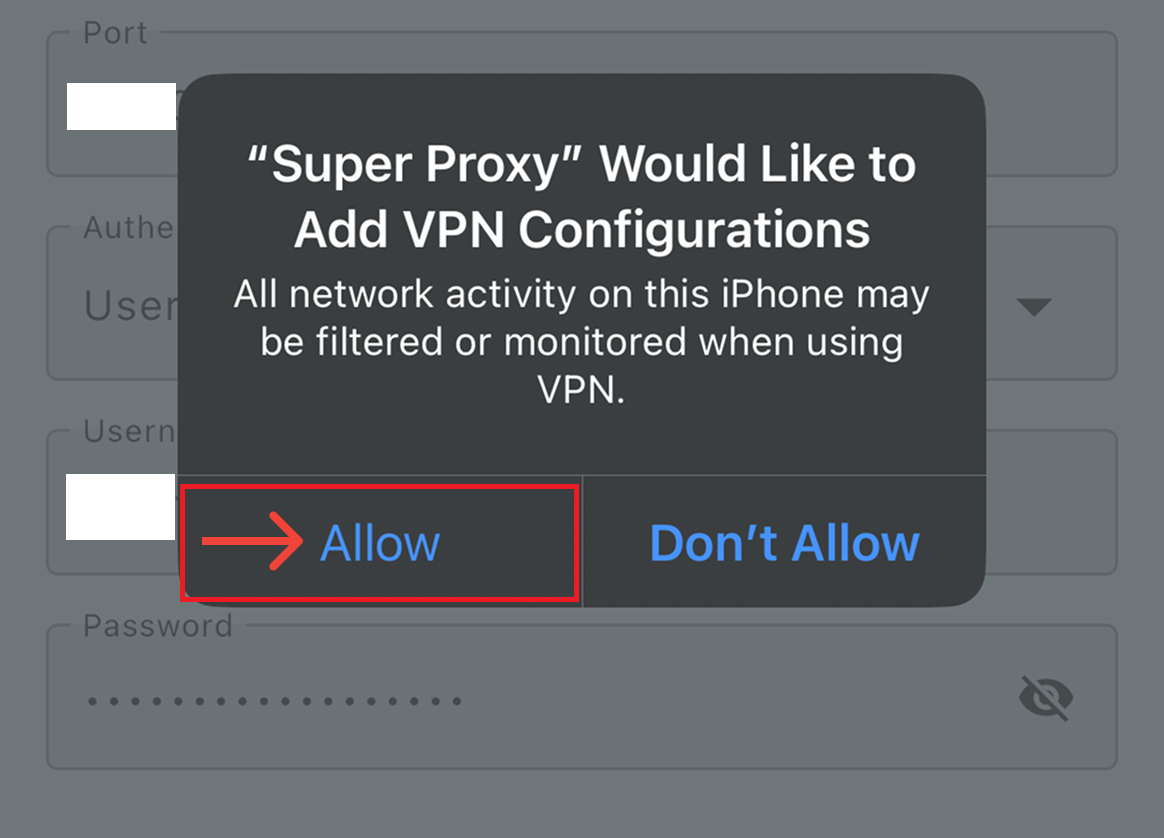
Tap the "Start" button to enable the proxy. When a pop-up window appears, tap "Allow" to accept the VPN configuration.
Step 5: Verify the connection
You can open a browser or IP-checking site to confirm that your IP address matches the OkeyProxy location.
After setup, all supported apps on your device will automatically use the OkeyProxy connection—no extra configuration required.
Why Proxy Quality Matters When Using Super Proxy
Super Proxy handles the routing, but the actual performance, stability, and detection risk depend entirely on the proxy itself. If the proxy IPs are low quality or overused, issues like blocks, slow connections, or app failures can still happen.
This is where proxy quality makes a real difference.
High-quality proxies help ensure:
- Stable connections across all apps
- Lower risk of IP bans or CAPTCHAs
- More natural traffic behavior
- Better compatibility with sensitive platforms
OkeyProxy operates a network of 150M+ real residential IPs across 200+ countries and regions, making it a strong choice for SOCKS5 proxy use cases. The IPs are well-suited for mobile traffic patterns and work reliably with Super Proxy's system-level routing.
Because OkeyProxy supports multiple proxy types and flexible configurations, it integrates seamlessly with Super Proxy and works across different devices and scenarios—whether you're testing apps, accessing restricted networks, or running mobile automation workflows.
Final Note
Super Proxy simplifies proxy usage on mobile devices, but pairing it with a reliable proxy provider is what really unlocks its potential. With a solid setup and clean IPs, the combination can be both practical and dependable for everyday use.
