


















Fake IP Address Explained: What It Is, Common Methods, and Real Risks
Searching for ways to use a "fake IP address" has become increasingly common. Whether it's to protect privacy, avoid tracking, or bypass regional restrictions, many people are looking for simple ways to mask their real IP online. However, what you find in search results is often confusing—random IP generators, free proxy lists, and tools that promise anonymity with a single click.
The problem is that not all "fake IP" solutions actually work—and some can even make things worse. To understand what's safe and what isn't, it's important to first clarify what a fake IP address really means.
What Is a Fake IP Address?
A "fake IP address" doesn't usually mean inventing a random set of numbers. In practice, it refers to using a different IP address than your real one when accessing the internet, so websites can't easily identify your true location or device.

Why Do People Use a Fake IP Address?
People use alternative IP addresses for several reasons:
- To protect personal privacy
- To avoid IP-based tracking or profiling
- To access geo-restricted content
- To reduce the risk of blocks during scraping or automation
- To manage multiple accounts without linking them together
What Information Does Your IP Address Reveal?
Your IP address can expose more than many people realize, including:
- Approximate location (country, city, ISP)
- Network type (residential, mobile, data center)
- Connection reputation and past activity history
This is why IP addresses play such a big role in detection and blocking systems.
Fake IP Address vs. IP Spoofing
It's important not to confuse fake IP usage with IP spoofing.
Fake IP (via proxies or VPNs): You use a legitimate, routable IP assigned by a proxy or VPN provider.
IP spoofing: You forge packet headers to pretend to be another IP, which is typically illegal, unstable, and unusable for normal browsing.
Most people looking for a "fake IP address" are actually looking for safe IP masking, not spoofing.
Common Ways to Get a Fake IP Address
There are several legitimate tools that allow you to appear online with a different IP. Each comes with trade-offs.
Comparison of Common Methods
| Method | How It Works | Pros | Cons |
|---|---|---|---|
| Proxy Server | Routes traffic through another IP | Flexible, app-level control | Quality varies greatly |
| Residential Proxy | Uses real household IPs | Looks natural, low detection | Usually paid |
| VPN | Encrypts traffic via VPN server | Easy to use | Often flagged, shared IPs |
| Free Proxy Lists | Public proxy IPs | Free | Unsafe, unstable, overused |
Among these options, residential proxies are generally the most reliable when realism and trust matter. Because they use real ISP-assigned IPs, they blend in better with normal user traffic compared to VPNs or data center proxies.
This is why many professionals prefer paid residential proxy services over "fake IP" shortcuts.
Providers like OkeyProxy focus on residential and ISP-backed proxies, which makes them a more practical option for tasks that need stability, location accuracy, and lower detection risk—especially compared to random free solutions or fake IP generators that don’t provide real network routing.
Why You Should Avoid Free Proxies and Fake IP Generators
Many search results for "fake IP address" lead to random IP generators. These tools simply generate numbers that look like IP addresses—but they don't actually route your traffic through them.
How Fake IP Generators Really Work
- They generate random IP formats (e.g. 192.168.x.x)
- They do not change your real IP
- Websites will still see your actual connection IP
In other words, these tools don't provide anonymity at all.
Free proxy servers are also risky:
- Often logged or monitored
- Frequently reused and already flagged
- Can inject ads or malicious scripts
- Extremely unstable
Instead of protecting your privacy, they often increase security risks.
Common IP-Related Risks
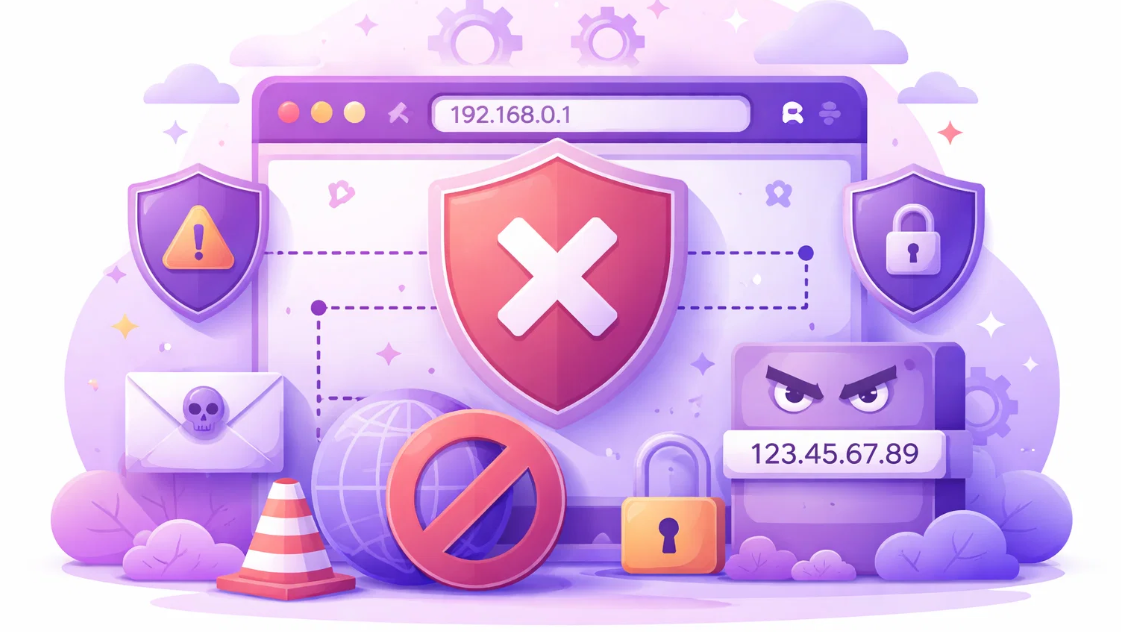
Using a fake or masked IP address without the right tools can create more problems than it solves. Below are some of the most common risks associated with low-quality or improper IP masking methods.
① IP Bans and Blocks
Websites actively track IP reputation. If an IP has been used for spam, scraping, or abusive behavior in the past, it may already be blacklisted. Reusing such IPs—especially from free sources—can result in instant blocks or limited access.
② Account Linking and Suspensions
Many platforms analyze IP patterns to detect multiple accounts controlled by the same user. Shared or reused IPs can lead to account linkage, which often results in suspensions or permanent bans.
③ Data Leaks and Privacy Issues
Some free proxies and fake IP tools do not encrypt traffic or may log user activity. This exposes sensitive data such as login credentials, cookies, or session tokens to third parties.
④ Inconsistent Location Signals
Low-quality IP masking tools can cause mismatches between IP location, browser settings, and device behavior. These inconsistencies are easy for modern detection systems to spot and can trigger security challenges.
⑤ False Sense of Anonymity
One of the biggest risks is assuming that simply changing an IP equals privacy or anonymity. Without proper IP reputation, clean headers, and stable connections, a "fake IP" may offer little real protection.
These risks are exactly why using proper tools matters more than using "fake" ones.
A reliable proxy solution like OkeyProxy gives you:
- Legitimate, routable IP addresses
- Clean traffic history
- Predictable behavior and stability
Conclusion
A "fake IP address" isn't about random numbers or quick hacks—it's about safely replacing your real IP with a legitimate alternative that websites accept as normal traffic.
Free IP generators and public proxies may look tempting, but they rarely deliver real protection. For anyone who values privacy, stability, or accuracy, using proper tools like residential proxies is a far safer and more practical approach.
Understanding the difference can save you from unnecessary risks—and help you stay in control of your online presence.
