


















How to Set Up A Proxy on Android | OkeyProxy Guide
Guides
OkeyProxy
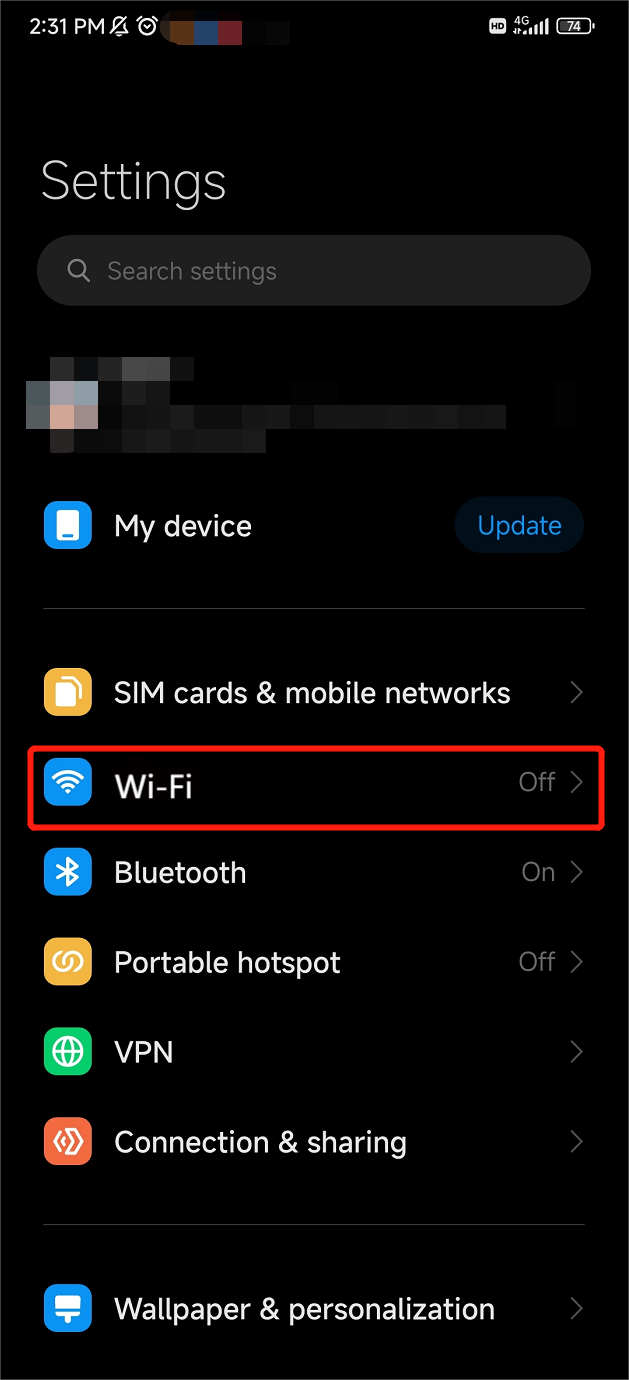
Step 1: Open your system "Settings".
Step 2: Find the "Wi-Fi" function and enter it.
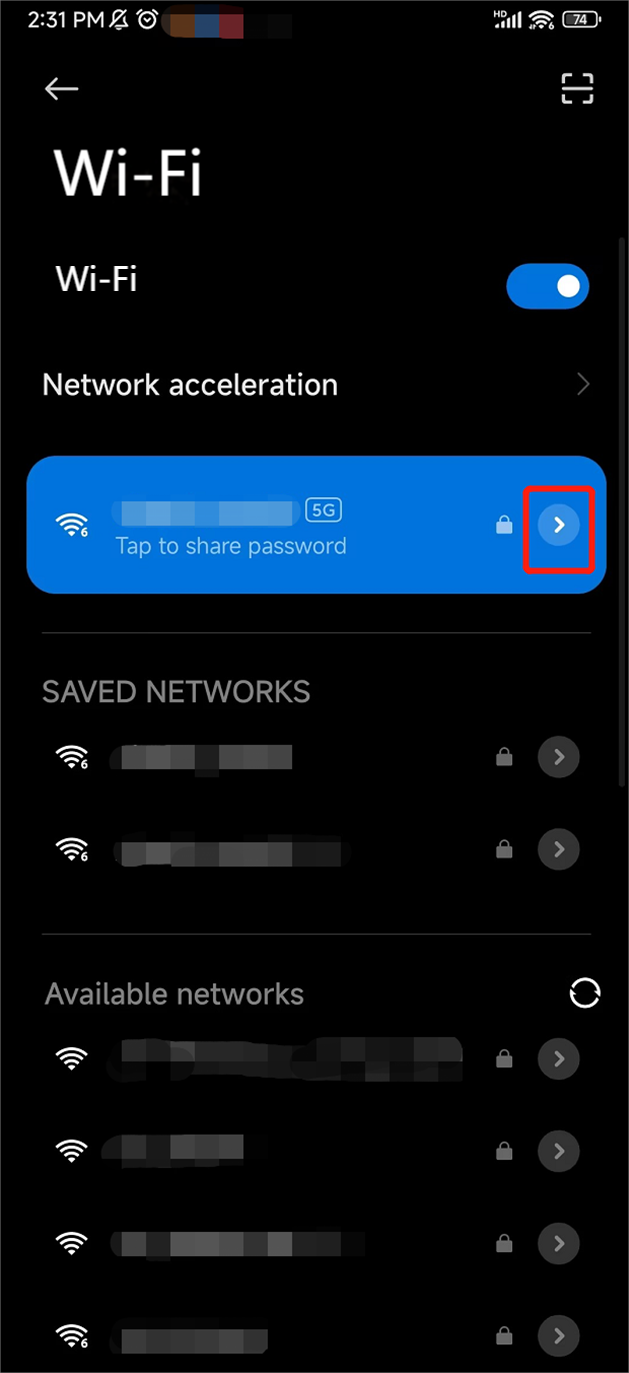
Step 3: Select one connected Wi-Fi, and tap the arrow to go ahead.
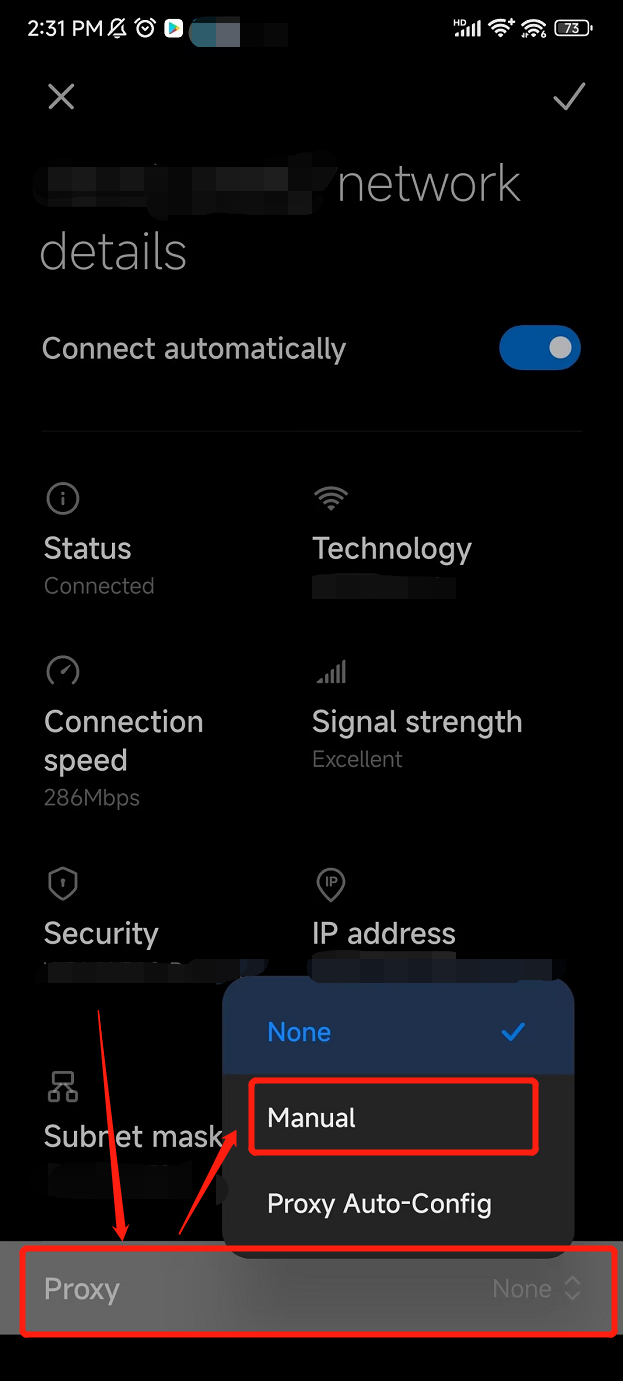
Step 4: Switch the "Proxy" function in your Wi-Fi "Details" to "Manual" as shown in the picture below.
Step 5: Edit the "Hostname", "Port" and "Bypass for" to the proxy parameters in your Endpoint/Proxy Generator.
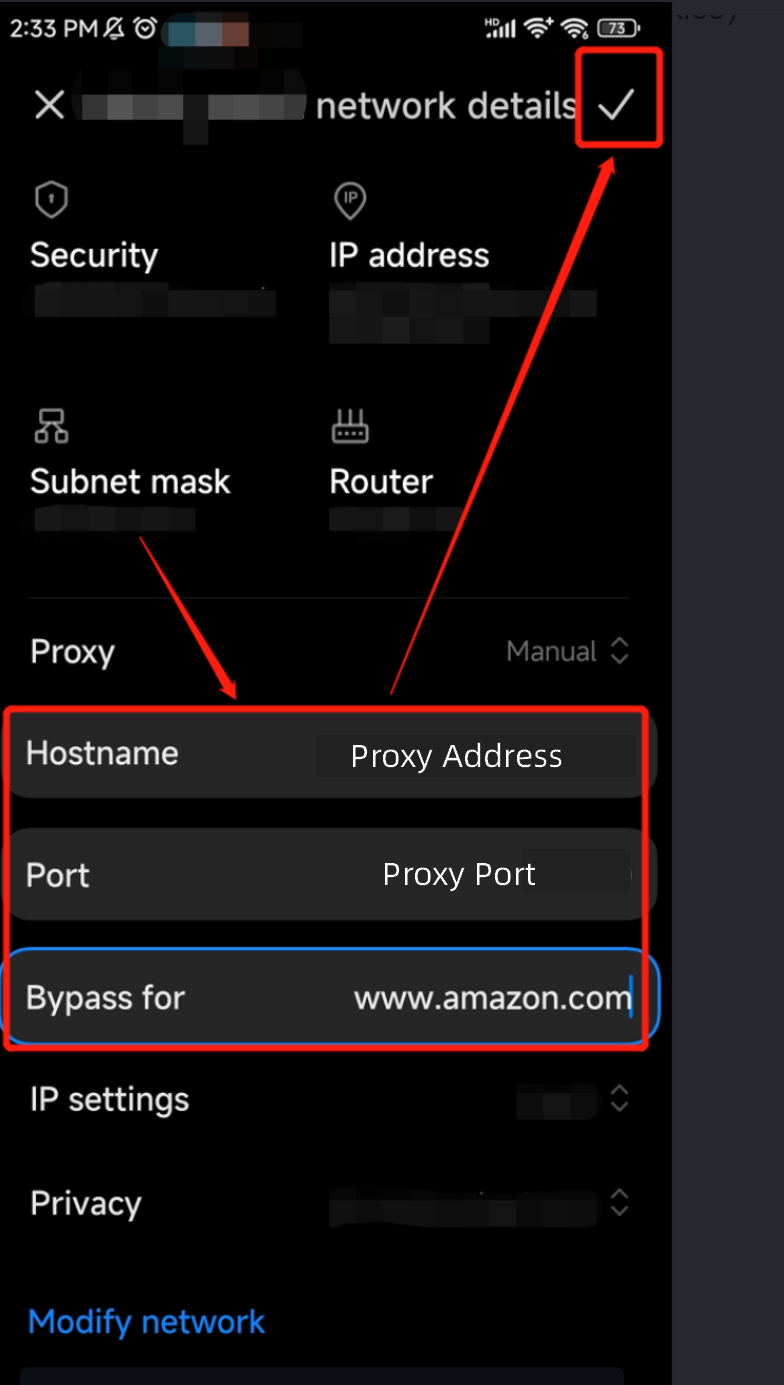
Step 6: Tap the "Check mark" icon to complete the configuration. Now, all the configurations have been completed, and you can use IP detection tools to check whether your IP has switched to the proxy IP.
