


















How to Bypass IP Ban: 11 Proven Methods That Work
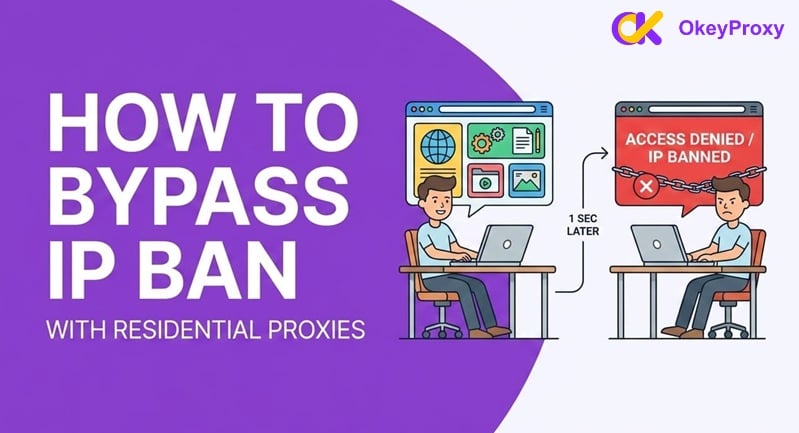
Getting hit with an IP ban is like running into a brick wall. One minute you're working or browsing, and the next, you're staring at an "Access Denied" screen. Whether you're a business doing research or just a regular user caught in a security filter, it's a massive headache. But don't worry—getting around it is usually easier than it looks. This guide covers exactly how to bypass an IP ban using safe, compliant, and professional methods — so you can get back online fast.
What Is an IP Ban? Understanding Your Digital Identity
An IP (Internet Protocol) address is your device's unique identifier on the internet. Every request you send to a website carries this address. An IP ban means the server has added your address to a blocklist, automatically rejecting every request you make — typically via a firewall rule or security plugin.
The Two Main Types of IP Bans
- Temporary Bans: The most common type. They usually last between a few hours and 48 hours, triggered by behaviors the server flags as suspicious — such as too many requests in a short time.
- Permanent Bans: More serious. The site blacklists your IP indefinitely, typically after repeated Terms of Service (ToS) violations or repeated security triggers. Requires active action to resolve.
Identifying which type you are facing determines the right solution below.
Why Did Your IP Get Banned? Common Triggers
In 2026, website security systems are more sensitive than ever, powered by AI-driven bot management. You may have been banned without intentional wrongdoing. Common triggers include:
- Excessive Request Volume (Rate Limiting): The leading cause. Sending too many requests per second — common during web scraping or SEO audits — causes the server to flag you as a DDoS attack.
- Shared IP Reputation: If you use a cheap VPN or public Wi-Fi, you share an IP with many others. If someone else on that IP misbehaved, the entire address gets blacklisted — taking you down with it.
- Geographic Restrictions: Some websites are accessible only from certain countries. IPs outside permitted regions are blocked outright.
- Security False Positives: Firewalls like Cloudflare occasionally misidentify legitimate traffic as malicious. You can be banned through no fault of your own.
- Bot Detection Triggers: If your requests follow too regular a pattern — identical timing, no mouse movements, no human delays — bot detection systems will flag and block you.
- ToS Violations: Creating multiple accounts, posting prohibited content, or attempting unauthorized access leads to immediate IP blocks.
- Competitor Blocking: Some businesses actively block IP ranges associated with known competitors to protect proprietary data.
How Modern IP Ban Systems Work in 2026 (Beyond the IP Address)
This is the most important thing most guides miss: in 2026, websites do not just ban your IP address. They use multiple layers of identification simultaneously. Changing your IP alone often is not enough.
The Three Layers of Modern Detection
- IP-Level Detection: The classic method. Your IP address is checked against blacklists, flagged ranges, and known data center or VPN IP pools.
- Browser Fingerprinting: Websites collect data about your device — operating system, browser type, screen resolution, installed fonts, WebGL renderer, Canvas fingerprint, and timezone — to build a unique "fingerprint." Even if you change your IP, this fingerprint can identify you as the same banned user.
- TLS & HTTP/2 Fingerprinting: Advanced systems analyze the technical pattern of how your browser or script establishes a connection. Automation tools like Python's
requestslibrary have distinct TLS signatures that differ from real browsers — making them detectable even through a fresh IP.
This is why a full bypass strategy must address all three layers, not just the IP. Keep this in mind as you choose your method below.
11 Methods to Bypass an IP Ban
We have organized these from simplest to most advanced. Start from the top if you are a casual user; jump to the network solutions if you are a professional.
Part 1: Basic Fixes (For Casual Users)
Method 1: Restart Your Router
Most home internet connections use dynamic IP addresses — temporary addresses your ISP assigns and periodically rotates. Unplugging your router for 5–10 minutes (sometimes overnight works better) prompts your ISP to assign a new IP address when it reconnects.
- ✅ Pros: Free, zero technical knowledge required.
- ❌ Cons: Does not work on static IP plans or when your ISP uses long lease times. Does nothing for browser fingerprint-based bans.
- 👤 Best for: Home users on dynamic connections who triggered a minor temporary ban.
Method 2: Switch to Mobile Data
Your mobile carrier uses a completely different IP range from your home ISP. Simply disable Wi-Fi on your phone and use 4G/5G data — or enable a Personal Hotspot for your laptop. For a fresh IP immediately, toggle Airplane Mode on for 30 seconds, then off.
- ✅ Pros: Instant, very high success rate. Mobile IPs carry high trust scores — sites are reluctant to block them aggressively.
- ❌ Cons: Uses your data cap; cannot target a specific location; impractical for large-volume or server-based operations.
- 👤 Best for: Emergency access or quickly verifying whether your ban is IP-specific.
Method 3: Clear Cookies and Browser Cache
Websites store tracking cookies in your browser. Even after changing your IP, these cookies can re-identify you as the banned user. Always clear your cookies, cache, and browsing history before reconnecting with a new IP — otherwise your ban may persist regardless of what else you do.
- ✅ Pros: Essential prerequisite for every other method to work effectively.
- ❌ Cons: Logs you out of all sites. Does not fix fingerprint-level bans on its own.
- 👤 Best for: Every situation. Always do this first.
Part 2: Network Solutions (The Professional Choice)
Method 4: Use Residential Proxy Servers (Most Effective)
A proxy server acts as a middleman between you and the target site — the website sees the proxy's IP, not yours. Residential proxies are the gold standard: they use real IP addresses assigned by ISPs to actual homes, making them almost indistinguishable from legitimate user traffic.
For ongoing work, rotating residential proxies automatically assign a new IP for each request or at set intervals, preventing any single IP from being flagged. Meanwhile, for tasks requiring a consistent session — such as logging in or completing multi-step transactions — static ISP proxies are the ideal choice, as they provide a dedicated, stable IP address to ensure a seamless user journey.
- ✅ Pros: Massive IP pools, high success rate against sophisticated detection, flexible per-app routing, supports automation.
- ❌ Cons: Quality residential proxies are a paid service. Proxies alone do not solve browser fingerprint detection.
- 👤 Best for: Businesses, data researchers, SEO professionals, and anyone needing reliable, scalable access.
If consistent, ban-free access is critical to your work, OkeyProxy is built for exactly this. With a pool of 150M+ residential IPs across 200+ regions and full SOCKS5 support, OkeyProxy lets you rotate IPs on demand — making it effectively impossible for any website to pin down and ban your traffic. Start with OkeyProxy today and experience the difference a professional residential proxy network makes.
Method 5: Use a VPN Service
A VPN encrypts your traffic and routes it through a server in another city or country, replacing your real IP with the VPN server's address. It is easy to set up and adds a layer of encryption to your connection.
- ✅ Pros: Simple to use, widely available, good for personal privacy.
- ❌ Cons: Major platforms (Netflix, Amazon, many SaaS sites) actively block known VPN IP ranges. Poor choice for professional or high-volume use.
- 👤 Best for: Bypassing geo-restrictions or one-off casual access needs.
| Feature | VPN | Residential Proxy (e.g., OkeyProxy) |
|---|---|---|
| Bypass Success Rate | Moderate — VPN IP ranges are widely blacklisted | Very High — Real home IPs, hard to detect |
| IP Authenticity | Data center IP (easily flagged) | Real residential IP |
| IP Rotation | Limited server pool, shared with many users | 150M+ IPs, fully rotatable |
| Session Control | Whole-device only | Sticky sessions supported |
| Best For | Casual browsing, geo-unblocking streaming | Professional scraping, automation, multi-account management |
Method 6: Use the Tor Browser
Tor routes your traffic through three volunteer-operated nodes worldwide, creating a highly anonymous path that completely masks your original IP. It is free and open-source.
- ✅ Pros: Strong anonymity, free to use.
- ❌ Cons: Very slow — unsuitable for video or heavy data work. Many high-security and mainstream sites actively block known Tor exit nodes.
- 👤 Best for: Journalists, activists, or users in heavily censored regions.
Part 3: Advanced Anti-Detection Strategies
Method 7: Use Anti-Detect Browsers
As covered above, changing your IP alone cannot defeat browser fingerprinting. Anti-detect browsers like AdsPower or NSTBrowser solve this by generating a unique, realistic browser fingerprint for each session — spoofing Canvas data, WebGL renderer, fonts, timezone, and more. When combined with a residential proxy, the target website sees a completely different person on a completely different device.
- ✅ Pros: Addresses fingerprint-based detection that proxy-only solutions cannot. Essential for managing multiple accounts.
- ❌ Cons: Paid tools with a learning curve. Most effective when paired with quality residential proxies like OkeyProxy.
- 👤 Best for: Digital marketers, SEO professionals, and multi-account managers.
Method 8: Handle CAPTCHAs Proactively
In 2026, many IP blocks are not hard bans — they are CAPTCHA challenges. A site will serve a CAPTCHA instead of a 403 error, and failing to solve it results in a full block. For automated workflows, integrating a CAPTCHA-solving service (such as CapSolver or 2Captcha) is an essential part of any anti-ban stack. If you are browsing manually, simply solve the CAPTCHA when prompted — passing it often clears the temporary flag on your IP.
- ✅ Pros: Prevents temporary CAPTCHA challenges from escalating into hard IP bans.
- ❌ Cons: Adds cost and complexity to automated pipelines.
- 👤 Best for: Developers running scraping or automation scripts at scale.
Method 9: Check for Hardware ID (HWID) Bans
On some gaming platforms and high-security applications, the ban goes deeper than your IP — the platform records your hardware ID (motherboard serial number, drive ID, etc.). In these cases, a VPN or proxy alone will not restore access. You may need a dedicated HWID spoofer or a different device entirely.
- ✅ Pros: Only real fix for deep hardware-level bans.
- ❌ Cons: Technical to implement; risk of making things worse if done incorrectly.
- 👤 Best for: Gamers and heavy platform users facing persistent bans despite IP changes.
Method 10: Contact Your ISP or Appeal the Ban
Two legitimate routes worth trying in parallel:
- Contact your ISP: If your home IP is permanently blacklisted across multiple sites, call your provider and request a "Public IP Refresh." Some ISPs do this for free; others charge a small fee. Best for users on static IPs.
- Appeal directly to the site: Send a polite email to
[email protected], explaining that you believe your IP was caught in a false positive filter — especially if you were on shared Wi-Fi or a shared IP. Many admins will unblock honest, legitimate users. This is the most compliant and permanent solution when it works.
- ✅ Pros: Addresses the root cause; long-lasting fix; fully compliant.
- ❌ Cons: Slow; success depends on ISP policies or the site's support responsiveness.
- 👤 Best for: Legitimate businesses and accidental bans on static IPs.
Method 11: Wait Out a Temporary Ban
If you are not in a hurry, most minor temporary bans clear automatically after 24 to 48 hours. Security systems are designed to throttle bad behavior, not permanently block it — so for minor offenses, patience is a valid strategy.
- ✅ Pros: Zero cost, zero effort.
- ❌ Cons: Costs you time and productivity. Does nothing for permanent bans.
- 👤 Best for: Anyone with no urgent deadline and a minor, one-time offense.
How to Prevent Future IP Bans: Best Practices for 2026
Once you regain access, the goal is to stay accessible. Follow these rules to avoid getting banned again:
- Respect rate limits: If you use automation tools, add human-like delays between requests. Do not hammer endpoints at machine speed.
- Never use free proxies or VPNs: Their IPs are almost universally blacklisted. They will get you re-banned faster than your original IP.
- Rotate residential IPs regularly: Use a quality service like OkeyProxy to spread traffic across a large pool of clean, residential IPs so no single address takes too many hits.
- Vary your browser fingerprint: Pair your proxies with an anti-detect browser to ensure each session looks like a distinct user from a distinct device.
- Maintain request header consistency: Ensure your User-Agent, Accept-Language, and other headers match what a real browser for that IP's region would send.
- Monitor your IP reputation: Use tools like MxToolbox or similar IP reputation checkers to catch blacklistings early, before they affect your business.
Frequently Asked Questions About IP Bans
Q: Is it legal to bypass an IP ban?
A: In most contexts, yes. Changing your IP address for legitimate purposes — such as market research, public data collection, or recovering from a false positive — is a standard privacy practice. However, you must always comply with local laws and the target site's Terms of Service. Using these methods to commit fraud, hacking, or harassment is illegal regardless of the technique used.
Q: How long does a temporary IP ban last?
A: Typically between 1 and 24 hours. If a ban persists beyond 48 hours, it is likely permanent, or your IP is on a major shared reputation blacklist that requires active remediation.
Q: Why did changing my IP not fix the ban?
A: Modern detection goes beyond IP addresses. The site may be using browser fingerprinting or cookie tracking to re-identify you even after an IP change. Clear your cookies and, for persistent cases, use an anti-detect browser alongside your new IP.
Q: Can I use a free proxy to bypass an IP ban?
A: We strongly advise against it. Free proxies use IPs that are already blacklisted by the vast majority of major websites, and many are known to log and sell your traffic data. A reputable paid residential proxy service is both safer and far more effective.
Q: What is the difference between a residential proxy and a datacenter proxy?
A: A datacenter proxy uses IPs from cloud servers — easily identified and blocked. A residential proxy uses IPs assigned by real ISPs to real home devices, making the traffic appear indistinguishable from a genuine user. For bypassing sophisticated IP bans, residential proxies are significantly more effective.
Conclusion
An IP ban is a serious obstacle, but as this guide shows, there are clear, legitimate solutions for every situation — from a simple router restart to a full professional-grade setup combining residential proxies and anti-detect browsers.
For casual users, starting with Methods 1–3 is usually enough. For professionals who cannot afford downtime — businesses running data collection, marketers managing multiple accounts, or developers running automation at scale — the only reliable long-term answer is a quality residential proxy network. OkeyProxy offers exactly that: 150M+ clean residential IPs, flexible rotation and sticky sessions, precise geo-targeting, and SOCKS5 support — everything you need to stay online and stay undetected.
