


















Puppeteer vs Selenium: Which Tool Should You Use?
Choosing the right browser automation tool can make or break your project. Whether you're building a web scraper, an SEO auditor, or an automated testing suite, the debate often comes down to Puppeteer vs Selenium. In 2026, JavaScript-heavy SPAs are the norm and bot detection is smarter than ever—making this choice more critical than ever. This guide breaks down the key technical differences, real performance data, and the clearest use cases to help you decide fast.
What Is Selenium? (The Cross-Browser Titan)
Selenium has been the industry standard in browser automation for over two decades. First released in 2004, it remains the dominant choice in enterprise QA environments thanks to its unmatched breadth of browser and language support.
Language Support
Selenium's biggest strength is its polyglot nature. It officially supports Python, Java, C#, Ruby, JavaScript, Kotlin, PHP, and more. If your team already works in Python or Java, you can adopt Selenium without changing your stack.
The WebDriver Architecture
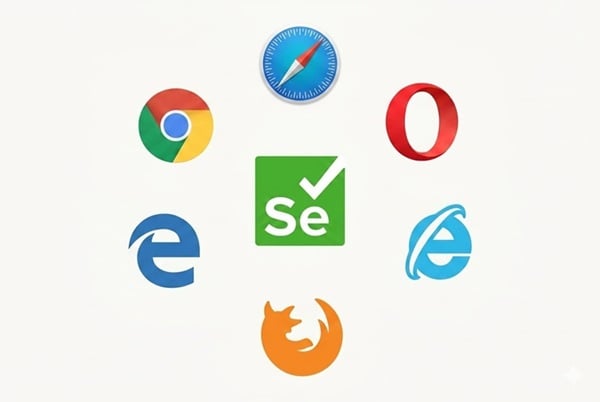
Selenium operates via the WebDriver protocol—an HTTP-based bridge between your code and the browser. Every major browser (Chrome, Firefox, Safari, Edge, and even Internet Explorer) has its own driver binary. When your script sends a command, it travels over HTTP to the driver, which then instructs the browser. This makes Selenium the natural tool for cross-browser testing, but the round-trip HTTP overhead is also its biggest performance bottleneck.
Note: Selenium 4 adopted the W3C WebDriver standard, making communication more stable than earlier versions. However, managing driver versions that match your browser release remains a maintenance burden.
What Is Puppeteer? (The Google-Backed Speedster)
Puppeteer is a modern Node.js library maintained by the Google Chrome team. Rather than aiming for universal browser support, it focuses on doing one thing extremely well: controlling Chrome and Chromium with precision and speed.
Direct Control via Chrome DevTools Protocol
Instead of routing commands through an external driver over HTTP, Puppeteer uses the Chrome DevTools Protocol (CDP)—a persistent WebSocket connection that talks directly to the browser. There is no middleman. This bidirectional, event-driven channel is why Puppeteer is consistently faster and less flaky than Selenium for Chrome-based tasks. It also enables low-level capabilities like intercepting and modifying network requests, capturing performance metrics, and generating PDFs natively.
Built for Headless, Built for the Modern Web
Puppeteer was designed from the ground up for headless operation. While Selenium supports headless mode, Puppeteer's implementation is more stable—especially in containerized environments like Docker or Linux CI servers. Setup is simple: a single npm install puppeteer automatically downloads a compatible version of Chromium, getting you from zero to a working script in minutes.
Key Differences: Puppeteer vs Selenium
To choose between Puppeteer vs Selenium, you must understand where they differ in daily use. Here is a breakdown of their primary technical gaps.
Browser & Language Support
Selenium wins on breadth. It supports nearly every browser—including Safari for cross-device testing and even Internet Explorer for legacy environments—across a wide range of programming languages. Puppeteer is limited to Node.js (JavaScript/TypeScript) and primarily targets Chromium. Its Firefox support exists but remains experimental and is not production-ready. If you need to validate behavior on Safari for iPhone users, Selenium is your only real option.
Speed & Performance
In raw speed, Puppeteer leads. Its WebSocket-based CDP connection eliminates the per-command HTTP round-trips that slow Selenium down. Puppeteer's event-driven architecture also handles async tasks naturally—it can wait for a specific network request to complete before proceeding, rather than relying on fixed sleep timers. For high-volume scraping (thousands of pages per hour), the advantage compounds significantly. Selenium's polling model and required WebDriverWait boilerplate are a primary source of test flakiness.
Setup & Maintenance
Puppeteer's "zero-config" install is a genuine convenience. Selenium requires you to manually download and maintain browser driver binaries (like ChromeDriver or GeckoDriver) that must precisely match your installed browser version—a recurring headache when browsers auto-update. This driver management overhead is one of the most common complaints from teams maintaining Selenium suites.
Ecosystem & Automation Scope
Selenium integrates with enterprise test grids like Sauce Labs and BrowserStack and also extends to mobile automation via Appium. Puppeteer's ecosystem is more scraping-and-tooling-oriented, with a rich plugin ecosystem (via puppeteer-extra) for tasks like stealth, ad-blocking, and CAPTCHA solving. Both offer screenshot and PDF generation, though Puppeteer's PDF output is more mature.
Comparison Table: Puppeteer vs Selenium at a Glance
Use this table to quickly compare the core features of Puppeteer vs Selenium.
| Feature | Selenium | Puppeteer |
|---|---|---|
| Browser Support | Chrome, Firefox, Safari, Edge, IE | Chrome, Chromium, Firefox (experimental) |
| Language Support | Python, Java, C#, Ruby, JS, Kotlin, PHP | JavaScript, TypeScript (Node.js only) |
| Architecture | WebDriver over HTTP (external driver) | Chrome DevTools Protocol over WebSocket |
| Speed | Moderate (HTTP round-trips per command) | Fast (persistent bidirectional connection) |
| Headless Mode | Supported (requires configuration) | Native & optimized |
| Setup | Moderate (manual driver management) | Easy (Chromium bundled on install) |
| Auto-Waiting | No (manual WebDriverWait required) |
Partial (event-driven, but not as advanced as Playwright) |
| Network Interception | Limited | Native & powerful |
| Best For | Cross-browser testing, enterprise QA, legacy systems | Scraping, performance auditing, PDF generation, Chrome-only pipelines |
Use Cases: Web Scraping, Testing & SEO
For most users, the choice between Puppeteer vs Selenium depends on their specific scraping or SEO needs. Let's look at when each tool shines.
When to Choose Selenium
Selenium is the right call when cross-browser coverage is non-negotiable—for instance, verifying that your web app renders correctly on Safari for macOS and iOS, or on legacy versions of Firefox. It also fits naturally into enterprise Java or Python environments with existing CI/CD pipelines, test grids (BrowserStack, Sauce Labs), and large test suites. If your organization has years of Selenium investment, there is rarely a compelling reason to migrate an existing suite.
When to Choose Puppeteer
Choose Puppeteer when you need speed and Chrome-specific control. If you're scraping thousands of pages from a JavaScript-heavy application built with React, Vue, or Next.js, Puppeteer's CDP connection handles dynamic content rendering with far less overhead. It's also the better tool for Visual SEO workflows: generating bulk screenshots to audit layout shifts, capturing full-page renders, or producing automated PDF reports. For Node.js teams, Puppeteer integrates naturally into the existing stack with no context switching.
End-to-End Testing
For greenfield testing projects in 2026, both tools face stiff competition from Playwright (see below). Selenium still has the edge for mature multi-language test organizations, while Puppeteer suits Chrome-only testing within Node.js environments. Neither is the first recommendation for brand-new e2e test suites anymore.
Anti-Detection: Bypassing Bot Protections in 2026
Modern bot detection doesn't just check for a headless flag—it analyzes browser fingerprints, JavaScript API consistency, timing patterns, network behavior, and IP reputation simultaneously. Out of the box, both Puppeteer and Selenium leave detectable automation markers that anti-bot systems like Cloudflare and Akamai can identify within milliseconds.
The Puppeteer Stealth Plugin
Puppeteer's community has developed puppeteer-extra-plugin-stealth, a widely adopted plugin (450k+ weekly npm downloads) that patches the most common automation markers. It works by masking the navigator.webdriver property, replacing the HeadlessChrome user-agent string with a realistic one, adjusting browser fingerprints including media codecs and Chrome runtime objects, and introducing more human-like timing patterns.
In testing against detection pages like SannySoft, vanilla Puppeteer scores 33% "headless"—an immediate red flag for anti-bot systems. With the Stealth plugin, that score drops to 0%, passing fingerprint checks that would otherwise block the session. The plugin is also compatible with playwright-extra for Playwright users.
Important caveat: The Stealth plugin is effective against sites with standard protections, but it is not a silver bullet. Advanced systems like Cloudflare, DataDome, and Imperva layer behavioral analysis and IP reputation scoring on top of fingerprinting. Against these, the plugin alone is insufficient. The missing piece is always the network layer—your IP address.
Selenium's Detection Disadvantage
Selenium's WebDriver architecture exposes more automation signals by design. The separate driver binary, HTTP-based communication patterns, and the navigator.webdriver flag are all well-known detection vectors. While Selenium Stealth plugins exist, they are generally considered less mature and less effective than the Puppeteer ecosystem.
Scaling with Proxies: The Layer Stealth Plugins Can't Replace
Even the most sophisticated stealth configuration will eventually fail if your IP address is flagged. Websites track IP reputation, request frequency, and geolocation as primary signals—independently of browser fingerprints. This is the scaling problem every professional automation engineer hits.
Why Residential Proxies Matter
Residential proxies assign your requests an IP address tied to a real home internet connection, making your traffic indistinguishable from an organic user. Datacenter IPs, by contrast, are trivially easy for anti-bot systems to identify and block en masse. For any scraping or automation project running at scale, residential proxy rotation is not optional—it's foundational.
Integrating OkeyProxy with Puppeteer or Selenium
OkeyProxy is a residential proxy service with a pool of 150M+ IPs across 200+ regions, making it a strong fit for large-scale Puppeteer and Selenium workflows. A few practical advantages worth knowing:
- SOCKS5 support: Both Puppeteer and Selenium perform better with SOCKS5 proxies than HTTP proxies—lower overhead and more reliable authentication. OkeyProxy supports SOCKS5 natively.
- Geo-targeting for SEO: If you're auditing search rankings in London from a server in Singapore, an OkeyProxy UK residential IP delivers the same localized SERP data a real British user would see—not the result skewed by your server's location.
- IP rotation at scale: With a 150M+ IP pool, rotating on every request or every session keeps you well below rate-limit thresholds on even the most aggressive targets.
For Puppeteer specifically, combining proxy rotation with request interception—blocking images, fonts, and non-essential CSS—dramatically reduces bandwidth consumption while keeping your identity masked. It's the most cost-effective way to scale a scraping operation.
2026 Trend: The Rise of Playwright
No honest Puppeteer vs Selenium comparison in 2026 can ignore Playwright. Built by Microsoft—using several of the engineers who originally created Puppeteer at Google—Playwright has become the default recommendation for most new automation projects.
It combines Puppeteer's CDP-based speed with Selenium's cross-browser coverage (Chromium, Firefox, and WebKit), adds native auto-waiting that eliminates most flakiness, and supports multiple languages (JavaScript/TypeScript, Python, Java, .NET). Its per-context proxy isolation also makes IP rotation architecturally cleaner for scraping at scale.
The practical guidance in 2026: if you're starting a new project with no existing codebase constraints, evaluate Playwright first. Puppeteer remains excellent for Chrome-only, Node.js-native workflows. Selenium stays relevant for large enterprise teams already invested in its ecosystem or requiring Safari/IE compatibility. Don't migrate a working Selenium suite just to chase a trend—but don't start one from scratch either.
Frequently Asked Questions
Q: Is Puppeteer faster than Selenium?
A: Yes, in most practical scenarios. Puppeteer's WebSocket-based CDP connection eliminates the per-command HTTP round-trips that add latency in Selenium. For high-volume tasks, this difference compounds into meaningful time savings. Playwright is generally the fastest of the three in benchmarks.
Q: Can I use Selenium with Python for scraping?
A: Absolutely—Selenium with Python is one of the most common setups for web scraping and data science. It's well-documented and integrates smoothly with the broader Python data ecosystem (pandas, BeautifulSoup, etc.). Just be aware of the driver management overhead and plan for proxy rotation if you're scraping at any volume.
Q: Which tool is harder to detect as a bot?
A: Puppeteer with the puppeteer-extra-plugin-stealth plugin is generally easier to hide from standard bot detection than a default Selenium setup. However, both tools will be detected by advanced systems (Cloudflare, DataDome) if you don't pair them with high-quality residential proxies. The stealth plugin reduces your fingerprint exposure; proxies handle your network reputation. You need both.
Q: Should I switch from Puppeteer or Selenium to Playwright?
A: For new projects: yes, evaluate Playwright first. For existing projects that work: don't migrate without a clear reason. The cost of rewriting a stable test suite rarely outweighs the benefits unless you're hitting specific limitations—multi-browser support, auto-waiting reliability, or per-context proxy isolation.
Q: Does Puppeteer support Firefox?
A: Officially yes, but experimentally. Puppeteer added Firefox support, but it's not considered production-ready by most practitioners. If Firefox coverage is important, Selenium or Playwright are the more reliable options.
Conclusion: Puppeteer vs Selenium—Which Should You Use?
The Puppeteer vs Selenium debate doesn't have a universal winner. It depends on your stack, your target browsers, and what you're building.
- Choose Selenium if you need genuine cross-browser coverage (especially Safari or IE), work in a Python/Java environment, or have existing enterprise test infrastructure to maintain.
- Choose Puppeteer if you want maximum speed on Chrome, need low-level DevTools access, are running a Node.js project, or require the best available stealth ecosystem for bypassing bot detection.
- Consider Playwright if you're starting from scratch—it bridges the gap between the two and is rapidly becoming the default for new projects in 2026.
Whichever tool you choose, remember that the single most important factor for professional-scale automation isn't the library—it's your proxy infrastructure. Pairing your Puppeteer or Selenium scripts with rotating residential IPs from a reliable provider like OkeyProxy is what separates a script that works on your laptop from one that runs reliably at scale. Start with a small test batch, validate your setup end-to-end, and scale from there.
