
Stuck staring at a « Blocked by school network » screen again? 🚫 You’re not alone. In this guide, you’ll get the full picture on school proxy servers, the unblocking methods that actually still work in 2026, and how to pick the best web proxy for school — without putting your device or your data at risk.
Understanding School Proxy 🔍
A school proxy is a middleman. 🤝 Instead of your device talking directly to a website, the proxy does the talking for you. It fetches the page, then hands it back to you. The website only ever sees the proxy’s IP address — never yours. To your school’s internet filter, it just looks like you’re visiting the proxy. Where you actually end up stays hidden.
Look for a school proxy that’s free (or fairly priced), works across devices, and takes seconds to set up. The best ones unblock websites and video platforms while still protecting your privacy and browsing history.
Why Do Schools Use Proxy Servers? 🏫
Schools filter the internet to keep the network focused and age-appropriate. Fair enough. But filters are blunt tools — they often catch useful research sites, educational videos, and legitimate tools in the same net as everything else. That’s the real reason « unblocked proxy websites for school » is such a common search. Below is the honest, updated rundown of what still works in 2026, what’s dead, and the trade-offs of each.
Methods of Unblocking Websites for School: What Still Works in 2026 ✅
Approach 1: Use a School Proxy ✅ Still Works
Still the easiest fix. A proxy site hides your IP and reroutes your traffic through a public server, and most work straight from the browser with zero installs.
- Pros: No installation, works on locked-down school Chromebooks, usually free to start.
- Cons: Free tiers get slow at peak hours, only proxies the browser tab (not the whole device), and popular proxy URLs get added to school blocklists over time.
Approach 2: Use a VPN ✅ Still Works (Best for Privacy)
A VPN routes your entire connection through a remote server, hiding your real IP at the network level — not just in one browser tab. That’s why it holds up better than a simple proxy when a school’s filter gets more sophisticated. Running slow? There are ways to fix a VPN that’s not working, and if it keeps failing, a proxy is usually the faster fallback.
- Pros: Encrypts all device traffic, not just the browser; harder for filters to detect; better privacy overall.
- Cons: Often needs an app install, which many managed school devices block outright; can be slower than a lightweight proxy.
Approach 3: Leverage Google’s Cache ❌ No Longer Works
Heads up — this one’s outdated. Google fully retired its cache feature and the cache: search operator back in September 2024, and it isn’t coming back. If you’re still seeing this tip on other « school proxy » roundups in 2026, it’s stale advice. 🗑️
- What to use instead: The Wayback Machine (web.archive.org) still stores snapshots of many public pages and remains genuinely useful for reading content on a site that’s been changed, removed, or is technically unreachable.
Approach 4: Use an HTML-to-PDF Converter ✅ Still Works (Niche Use)
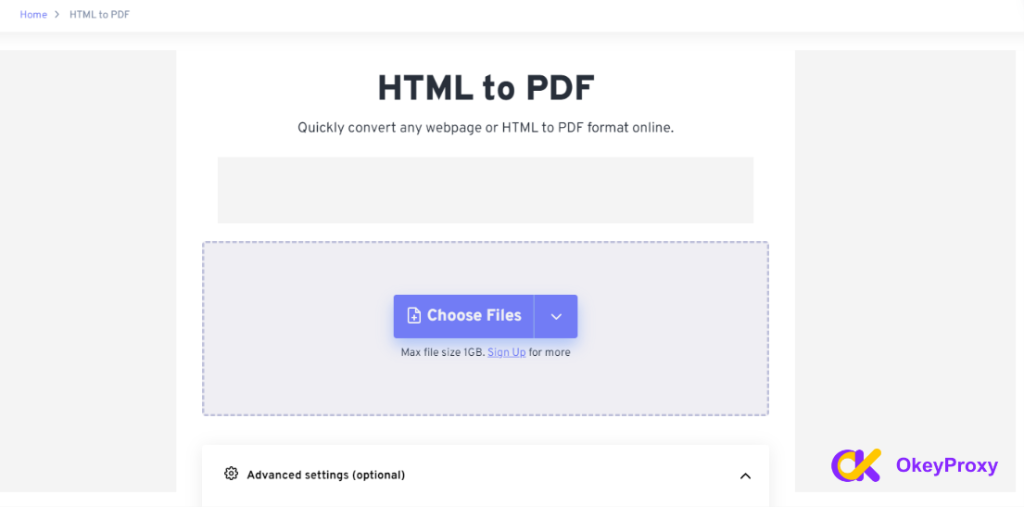
Don’t need to browse the site interactively — just want to read it? An HTML-to-PDF converter fetches the blocked page on your behalf and hands you back a downloadable PDF with the text and images intact. Just paste the URL into a free converter and click « Get PDF. »
- Pros: Great for reading articles or research pages; no login or software needed.
- Cons: Static only — no video, no interactive pages, no logging into accounts.
Approach 5: Unblock Websites Using Chrome Extensions ✅ Still Works (With a Caveat)
Proxy extensions build the same tunneling trick right into your browser toolbar, so you skip visiting a separate proxy site entirely.
- Pros: One click to toggle on/off, no separate tab to manage.
- Cons: Needs install permissions, which managed/locked-down school Chromebooks frequently block — and IT admins can disable extension installs school-wide.
Top School Proxy Websites for Use in 2026 🏆
Free and paid proxies solve the same basic problem — but not the same way. Here’s how they actually differ before you pick one.
Free Proxy Sites: Good for Quick, Low-Stakes Browsing
Free web proxies cost nothing and take zero setup. That’s the appeal. The trade-off: shared servers slow to a crawl when hundreds of students hit them at once, many run on ad revenue (so expect banners, sometimes intrusive ones), and — this matters — several independent 2026 security reviews found free proxies more likely to log your traffic, skip encryption, or, in the worst cases, inject malware. Fine for looking up a quick research page. Risky if you’re ever logging into a real account through one.
- CroxyProxy (Free + Premium): Still one of the most-used names in school proxy searches in 2026. The free tier unblocks most everyday sites — YouTube, social platforms, search engines — with zero setup. It can buffer on video during peak school hours, and premium removes ads and speeds things up if you need it consistently.
- FilterBypass (Free): Solid pick for YouTube, Facebook, and Twitter. Uses AES-256 GCM-level encryption to protect data in transit, and automatically fetches the SSL version of a site if the original lacks it — a small but real privacy boost over a plain unencrypted proxy.
- 4everproxy (Free + Paid VPN tier): Lets you strip JavaScript and cookies and reshape how the page looks, with no speed or file-size caps on the free tier. You can also pick your server country to route around geo-restrictions, and there’s a built-in VPN option if you outgrow the web proxy.
- KProxy (Free): Ships as a browser extension, so you can browse anonymously without repeatedly returning to a proxy webpage. Independent testing in 2026 found it gets past school-style filters more reliably than some competitors, and it encrypts the connection between your browser and the target server.
Paid Proxy Sites: Why Upgrade From Free? 💎
Paid proxies flip every weak point of the free tier: dedicated bandwidth instead of a shared, overloaded server; no ads eating your screen or slowing your page loads; a real privacy policy instead of a black box; and IPs that are far less likely to already be sitting on your school’s blocklist. If you’re relying on a proxy daily — for research, remote class access, or just consistent, reliable speed — paid is the safer long-term call.
5. OkeyProxy (Paid, Residential): Built for exactly this trade-off. OkeyProxy runs on 150M+ authentic residential IPs across 200+ countries, so you’re browsing through real household connections instead of a proxy that’s easy to flag and blocklist. It’s rated for a 99.84% success rate, meaning the pages you need actually load — no repeated retries, no dead ends. It also supports the integrations needed for scraping and location-specific data collection, if that’s part of your workflow. For a school network especially, that combination of authenticity and stability is the difference between « usually works » and « just works. » 👉 Try OkeyProxy free and see the difference in your first session.
How to Get a Proxy on a School Computer 🖥️
- Find a Proxy Server: Search « proxy server » for free options, or skip the hassle with OkeyProxy — no installation required. Stick to a reputable provider; this article only recommends ones that check out.
- Copy the Proxy Server Address: Grab the IP address and port number from your chosen provider.
- Configure Your Web Browser: Open your browser’s network settings, paste in the IP and port, and save.
- Test the Proxy: Load a blocked site. If it opens, you’re set. If not, try a different proxy — not every one survives every school’s filter.
Safety Considerations When Using School Proxies ⚠️
Proxies are a workaround, not a free pass. Use them to reach educational resources that got caught in an overly broad filter — not to dodge rules around inappropriate content.
Not every proxy site is trustworthy. Some carry malware or run phishing schemes behind the scenes. Stick to established providers, and keep your device’s antivirus current.
Also worth knowing: using a proxy may go against your school’s acceptable-use policy, even when the content itself is harmless. When in doubt, loop in a teacher or IT staff member before relying on one regularly.
FAQ ❓
How do I set up a proxy for school Chromebook?
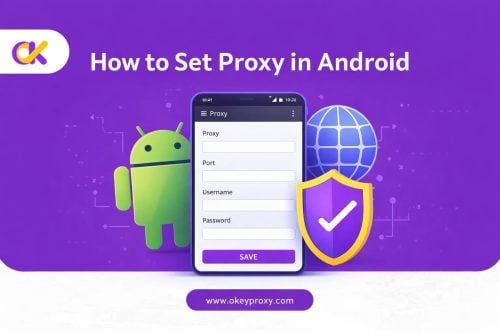
1. Get the proxy’s IP address, port number, and any login details from your provider.
2. Open Settings → Network.
3. Configure the proxy:
- Select your current network.
- Scroll to « Proxy » and tap it.
- Enter the IP address and port number.
- Add a username and password if required.
- Save.
What should I do if the proxy is not working?
Double-check the IP address and port. Reconnect to the network or restart your device. Still stuck? Contact your school’s IT department, or swap to a different proxy — filters and blocklists shift constantly.
Is using a proxy safe?
A proxy provided directly by your school is generally safe by design. If you’re choosing your own, a paid, reputable service like OkeyProxy is far safer than a random free proxy — avoid unknown or public options, since they can quietly compromise your privacy.
Does Google Cache still work as a workaround in 2026?
No. Google shut down cached pages and the cache: operator in September 2024. Use the Wayback Machine instead if you need to view an older or unreachable version of a page.
Conclusion 🎯
School proxies remain one of the fastest ways to reach educational content caught behind an overzealous filter. Proxy sites, VPNs, HTML-to-PDF converters, and browser extensions all still hold up in 2026 — Google’s cache trick doesn’t, so cross that one off your list. Whichever route you take, lean toward reputable, paid options like OkeyProxy when reliability and privacy actually matter, follow your school’s internet policy, and keep browsing for the right reasons: getting your work done. 📚