


















How to Get Around CAPTCHA: 17 Proven Methods for Users & Developers
We have all been there. You are trying to log into a forum, buy a concert ticket, or read an article online. Suddenly, a window pops up — click on all the traffic lights, crosswalks, or bicycles. You click them carefully. Then another puzzle appears. It feels like an endless loop. 😤
This frustration is not unique to developers running web scrapers or data collection bots. If you browse any major tech forum, you will find thousands of threads from everyday people complaining that these security gates are ruining their normal internet experience.
Fortunately, you do not have to accept this friction. Whether you are an everyday internet user tired of clicking fire hydrants, or a professional developer trying to keep an automated pipeline running smoothly, there are proven, legitimate strategies to solve this problem. This comprehensive guide will teach you exactly how to get around CAPTCHA hurdles — covering simple browser habits for non-technical users, advanced infrastructure strategies for data engineers, and the specific tools that make verification checks far less intrusive.
🔍 Understanding the Landscape: What Are CAPTCHA, reCAPTCHA, hCaptcha, and Cloudflare Turnstile?
Before exploring solutions, you need to understand what you are dealing with. CAPTCHA stands for "Completely Automated Public Turing test to tell Computers and Humans Apart." Its core function is to act as a digital gatekeeper — verifying whether an incoming visitor is a real human or an automated software program. Over the years, these systems have evolved into distinct, increasingly sophisticated variants.
Standard CAPTCHA was the original format, typically presenting distorted text strings or simple math equations. While still found on older platforms, it has largely been replaced by more advanced systems due to its vulnerability to basic OCR software.
Google reCAPTCHA is the most widely deployed system on the internet today. Version 2 presents the familiar "I'm not a robot" checkbox and may follow up with image grid challenges. Version 3 — the current standard — operates entirely invisibly in the background, silently analyzing your behavior and assigning a trust score to your session. Sites then decide whether to challenge you based on that score.
hCaptcha, developed by Intuition Machines, Inc., is a privacy-focused alternative to Google's system. It frequently presents more complex image-labeling tasks and geometric matching puzzles, and it is notably more aggressive in its challenge rate than other platforms.
Cloudflare Turnstile is a newer and increasingly common system launched in 2022. Unlike traditional image puzzles, Turnstile runs silent browser-environment checks — analyzing your TLS fingerprint, JavaScript execution context, and behavioral signals — entirely in the background. Most legitimate users pass without ever seeing a challenge. However, it blocks automated HTTP clients and headless browsers almost instantly, making it one of the more technically demanding systems to navigate for developers. ⚠️
Here is a direct comparison of the four major security systems:
| Security System | Owner / Provider | Primary Verification Method | User Friction Level | Key Challenge for Automation |
|---|---|---|---|---|
| Standard CAPTCHA | Open-source / Various | Distorted text, simple math equations | Medium | Basic OCR, largely outdated |
| Google reCAPTCHA v2/v3 | Background behavior scoring, image grids | Low to High (score-dependent) | Behavioral analysis, account trust history | |
| hCaptcha | Intuition Machines, Inc. | Complex image labeling, geometric matching | High | Very aggressive challenge rate |
| Cloudflare Turnstile | Cloudflare | Silent browser environment checks, TLS fingerprinting | Low for humans, very high for bots | Requires full JS environment + fingerprint consistency |
💡 Key Insight: Modern CAPTCHA systems — especially reCAPTCHA v3 and Cloudflare Turnstile — are not primarily puzzle-solving systems. They are trust-scoring systems. The visible puzzle is a symptom that fires after your trust score has already dropped below a threshold. The most effective long-term strategies focus on raising your trust signals upstream, so the puzzle never appears in the first place.
👤 How Regular Users Can Reduce CAPTCHA Friction
If you are an everyday web user who is not writing code but is simply frustrated by constant verification loops, you do not need any technical knowledge to fix this. Several simple browser habits will dramatically reduce how often these puzzles appear on your screen.
① Stay Signed Into a Trusted Google Account
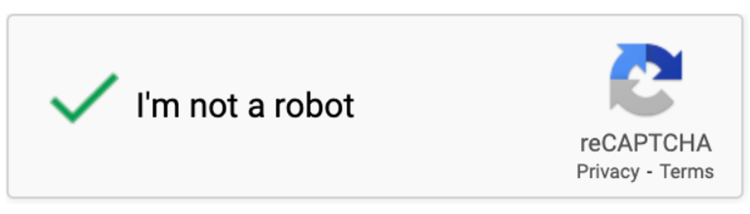
Google's reCAPTCHA system powers verification on millions of websites. The system maintains a running history of your browsing behavior and account age. When you remain signed into a clean, established Google account, reCAPTCHA recognizes you as a real user with a verified behavioral history. In most cases, you will see a simple green checkmark — or no puzzle at all. This single habit eliminates the vast majority of reCAPTCHA friction for ordinary users.
② Always Use a Modern, Mainstream Browser
Security systems inspect your browser environment closely. Rare, heavily modified, or outdated browsers fail standard fingerprint checks and register as suspicious. Stick to the latest stable versions of Google Chrome, Mozilla Firefox, Microsoft Edge, or Apple Safari. Also ensure that JavaScript remains enabled — modern verification systems require it to run their behavioral validation checks. Note that mobile users statistically face more friction: research shows that mobile users are approximately 27% less likely to successfully complete a CAPTCHA compared to desktop users, so using a desktop browser when filling out important forms is a practical advantage. 📱
③ Clear Your Browser Cookies and Cache Periodically
Over months of use, browsers accumulate corrupted session data and stale cache files. When website security systems encounter broken or mismatched session data, they can misinterpret it as a hacking attempt or bot signature. Go into your browser's privacy settings and clear your cookies and cached files occasionally. This resets your local digital footprint and removes hidden errors that can trigger aggressive security challenges.
④ Avoid Low-Quality Shared VPNs
This is one of the most common — and easily fixed — reasons people get flooded with constant verification puzzles. Free or low-cost consumer VPNs route your traffic through IP addresses shared by thousands of simultaneous users. If even a small number of those users are running spam bots or aggressive scrapers, the shared IP gets blacklisted across major security databases. The result: every website you visit sees a flagged IP and throws a CAPTCHA at you. Turn off your shared VPN before accessing CAPTCHA-heavy sites, or invest in a reputable service with dedicated, clean IP addresses.
⑤ Move Your Mouse Naturally Before Clicking
Advanced security systems track your cursor path in real time. Automated bots move in perfectly straight, mathematically precise lines at constant speeds. Real humans meander, pause, and curve their movements. Before clicking an "I am not a robot" checkbox, move your cursor in a casual, slightly curved path across the screen. This organic randomness signals to the backend scoring algorithm that a human is in control, significantly improving your chance of passing with a single click rather than triggering a full image grid. 🖱️
⑥ Install the Browser Extension
For an automated browser-side helper, look for Buster: Captcha Solver for Humans, a free, open-source extension available in the Chrome and Firefox extension stores. When an image grid challenge appears, Buster clicks the audio verification option and uses speech recognition technology to interpret the audio clip and enter the correct answer automatically. It typically resolves the challenge in a few seconds without any action from you.
⑦ Avoid Constant Incognito Mode on Familiar Sites
Private browsing modes delete cookies and session data the moment you close the window. While this is excellent for privacy, it means that every session starts with zero trust history. Security systems treat anonymous, cookie-free visitors as unverified strangers and are far more likely to show them full puzzle challenges. For websites you visit regularly — your email provider, news sites, forums — use your normal browser profile so that accumulated trust scores work in your favor.
⑧ Enable Apple Private Access Tokens (iOS / macOS Users)
If you use modern Apple devices — an iPhone, iPad, or Mac — you have access to a powerful native bypass feature. Go to Settings → [Your Apple ID] → Sign-In & Security → Automatic Verification and turn it on. This feature allows iCloud to send a secure, cryptographically anonymous digital attestation token to participating websites. The token proves your device is genuine and operated by a real human, allowing you to skip CAPTCHA challenges entirely on thousands of supported websites without sharing any personal data. 🍎
♿ Accessibility Note: If you have vision difficulties or motor-control challenges, look for the small wheelchair or accessibility icon on hCaptcha and reCAPTCHA windows. These icons open dedicated accessibility modes that allow you to register for a persistent exemption cookie, which bypasses visual puzzles across participating websites. This is an official, supported channel designed specifically for users who find standard challenges inaccessible.
👨💻 How Developers & Web Scrapers Can Bypass CAPTCHAs Programmatically
For developers building web crawlers, price monitors, automated testing frameworks, or data pipelines, the approach is fundamentally different. You cannot rely on mouse movements or browser accounts. You need infrastructure-level solutions that prevent security challenges from firing in the first place — and reliable fallback systems for when they do.
The most important mindset shift: CAPTCHA is a symptom, not the root problem. Modern anti-bot systems — including Cloudflare, Akamai Bot Manager, DataDome, and PerimeterX — calculate a trust score for every incoming request based on dozens of signals: your IP reputation, TLS fingerprint, request headers, browser environment, JavaScript execution, mouse events, cookie state, and request timing. A CAPTCHA only renders when that trust score drops below the site's threshold. Fixing the upstream signals so your score stays high is faster, cheaper, and more reliable than solving every puzzle after it appears. 🎯
① Optimize HTTP Headers and Rotate Your User-Agent
The fastest way to trigger a permanent block is to send requests with a default or missing software header. Any request that explicitly advertises itself as a Python requests library call or a bare HTTP client gets dropped immediately at the server level. You must build a dynamic header rotation system that sends realistic User-Agent strings matching current browser versions. Additionally, include coherent supporting headers — Accept-Language, Referer, Sec-Ch-UA, Sec-Fetch-Dest, and Sec-Fetch-Mode — to make your traffic fingerprint match a real browser session. Note that rotating User-Agent strings without also updating the associated client hint headers (Sec-Ch-UA) can actually increase detection rates, since mismatched signals are more suspicious than consistent ones.
② Handle TLS Fingerprinting with Browser Impersonation
This is a layer that many developers overlook. Every HTTP client — including Python's requests library — has a unique TLS handshake fingerprint that anti-bot systems can identify. Even with perfect headers, a Python-default TLS fingerprint will still get flagged on sophisticated systems. For Python scrapers, use the curl_cffi library with the impersonate="chrome" parameter. This sends a TLS fingerprint that exactly matches a real Chrome browser, eliminating one of the most common detection vectors at the network layer. 🔐
③ Implement Randomized Request Pacing ("Jitter")
Web servers monitor request frequency and inter-arrival timing closely. A script that opens fifty pages at exactly 2.00 seconds apart — with zero variance — is an obvious bot signature. Implement randomized delays using a "jitter" strategy. Instead of a fixed time.sleep(2), use a randomized delay function that waits anywhere from 1.5 to 4.5 seconds between actions, with occasional longer pauses that simulate reading time. Also vary your request patterns: scroll events, occasional backtracking, and realistic session durations all contribute to a healthier behavioral trust score.
④ The Foundation Layer: Deploy Rotating Residential Proxies 🌐
Even with perfect headers, TLS impersonation, and realistic timing, a scraper will still accumulate blocks if it sends thousands of requests from a single IP address. Datacenter IP ranges are cheap but are flagged instantly — major security databases catalog them because real internet users do not live inside datacenters.
To achieve genuine, sustainable anonymity at scale, you need to route your scripts through high-quality residential proxies — IP addresses assigned to real households by legitimate internet service providers. This is where infrastructure quality directly determines your success rate.
For professional-grade, production-ready data operations, OkeyProxy delivers the infrastructure reliability that serious scraping teams depend on:
- 🌍 150M+ real residential IPs spanning 200+ countries
- 🔄 Automatic IP rotation, so no single address accumulates suspicious traffic volume
- 📍 Precise geo-targeting down to city level, enabling localized data collection from any target market
- ✅ Reduction in CAPTCHA trigger rates — because residential IPs carry the native trust level of real household connections
When your scraping scripts run through OkeyProxy's residential network, target websites see your crawler as a normal local user — not a suspicious datacenter bot. This native trust level is the single most impactful infrastructure investment for teams serious about data collection at scale.
👉 Start Your Free OkeyProxy Trial → Get Residential IPs Today
⑤ Use Stealth Plugins with Browser Automation Frameworks
Browser automation tools like Puppeteer, Playwright, and Selenium expose internal JavaScript variables that website security scripts actively check. For example, navigator.webdriver is set to true in automated browser instances, and click events generated programmatically have isTrusted: false. Security scripts look for exactly these signals. To mask them, integrate specialized evasion packages:
- For Puppeteer: install
puppeteer-extra-plugin-stealth - For Playwright: use
playwright-stealthor considerundetected-chromedrivervariants - For Cloudflare Turnstile specifically: full stealth browser mode is often required, as Turnstile checks canvas rendering, WebGL context, and audio API fingerprints in addition to standard webdriver flags
These packages modify the underlying browser environment and inject realistic browser fingerprints, making automated sessions indistinguishable from organic traffic at the JavaScript layer. 🤖
⑥ Integrate Automated CAPTCHA Solving APIs as a Fallback
When prevention fails and a puzzle renders regardless, your pipeline needs a reliable solver integration. Services like 2Captcha and CapMonster operate through a token exchange model:
- Your script detects the challenge and extracts the website's unique public
SiteKey - It sends the SiteKey and page URL to the solver API via an HTTP POST request
- The service resolves the challenge (via ML models or human workers) and returns a validation token
- Your script injects the token into the page's hidden form field (
g-recaptcha-response,h-captcha-response, orcf-turnstile-responsedepending on the system) and submits
⚠️ One critical implementation note: the IP address and session used to request the solver token must match the ones used to submit the form. Mismatched sessions cause token rejection even when the solve itself was successful. Solver APIs work best as a fallback layer — not as a primary strategy — because they add 5 to 30 seconds of latency per challenge and carry per-solve costs that compound at scale.
⑦ Extract and Re-use Validated Session Cookies
Once a verification challenge is successfully cleared, websites typically write an exemption cookie to your session. Google, for example, uses cookies such as GOOGLE_ABUSE_EXEMPTION to signal to its servers that a session has already passed validation and should not be challenged again for several hours. You can exploit this behavior deliberately: solve a challenge once inside a controlled browser, export the validated session cookies, and inject them into your automated scripts. This technique allows your pipeline to inherit the trust of a verified session, bypassing subsequent challenge screens without any solver integration. 🍪

⑧ Use Anti-Detect Browsers for Multi-Account Automation
If your automation involves managing multiple storefronts, social media profiles, or ad accounts, standard browser instances will eventually leak fingerprint data that links your accounts together, triggering mass bans. Professional anti-detect browsers like AdsPower or Multilogin create hundreds of isolated virtual browser profiles, each with its own unique canvas fingerprint, cookie storage, operating system signature, audio API output, and WebGL rendering data. Combined with per-profile residential proxy assignments, each account appears to originate from a completely independent device and user, dramatically reducing cross-account detection and security challenges.
⑨ Build Local OCR Models for Legacy Text CAPTCHAs
For older websites still using basic text-based challenges — distorted alphanumeric strings, simple math equations, or line-obscured characters — you do not need external solver APIs. Python's open-source ecosystem provides solid local options. The Tesseract-OCR engine handles straightforward distorted text with reasonable accuracy after basic image preprocessing (grayscale conversion, noise reduction, contrast enhancement). For more complex variants, a simple Convolutional Neural Network (CNN) trained on a few hundred labeled examples using TensorFlow or PyTorch can achieve very high accuracy with negligible inference latency and zero ongoing per-solve cost. 🧠
⚖️ Ethical, Legal, and Best Practice Guidelines
Understanding how to reduce or bypass verification friction opens significant possibilities for automation and data collection. But this knowledge carries clear responsibilities. There is a meaningful distinction between productive data analysis and harmful automated behavior, and staying on the right side of that line is both an ethical and legal obligation.
Always direct these techniques toward legitimate use cases: academic research, competitive price monitoring, automated software testing, accessibility tooling, and SEO auditing. Never use automation to bypass login screens for unauthorized access, extract private user data, reproduce copyrighted content without permission, or overload a small site's servers with traffic volumes it cannot sustain — high-frequency crawling against an under-resourced server is functionally equivalent to a denial-of-service attack.
Respect each site's robots.txt file. While not legally binding in all jurisdictions, ignoring crawl directives is widely considered an ethical violation and can create legal exposure in some regions. Keep your data operations clean, documented, and defensible — it protects your business and helps maintain the open, accessible internet that everyone benefits from. 🤝
✅ Summary and Core Takeaways
Reducing CAPTCHA friction does not require a cybersecurity degree. The key is matching your approach to your context.
For everyday users, the solution is a set of simple browsing habits. Keep your Google account signed in, use mainstream browsers with JavaScript enabled, avoid shared consumer VPNs on important sites, move your mouse naturally, and let native device features like Apple's Private Access Tokens handle verification behind the scenes. These habits alone eliminate the vast majority of unwanted challenges.
For developers and scraping teams, the winning strategy is layered and prevention-first. Start by understanding that CAPTCHAs are a symptom — the real target is your trust score. Fix upstream signals: use TLS-impersonating HTTP clients, maintain coherent and realistic header sets, implement randomized request pacing, and preserve session cookies across requests. Add stealth plugins to your browser automation stack to eliminate automation fingerprints at the JavaScript layer. Then — most critically — ensure your entire pipeline runs through high-quality residential IP infrastructure.
