


















How To Scrape Zillow Reviews in US with Proxies In 2025
On May 2025, Zillow Group reported that Zillow’s platform attracted over 227 million unique visitors in Q1 2025, underscoring its dominance in the US real estate market. For analysts, investors, and real estate professionals, Zillow reviews are a goldmine of data, revealing buyer sentiment, agent performance, and regional trends.
This article outlines how to scrape these reviews and addressing technical hurdles to ensure reliable data collection.
What is Zillow?
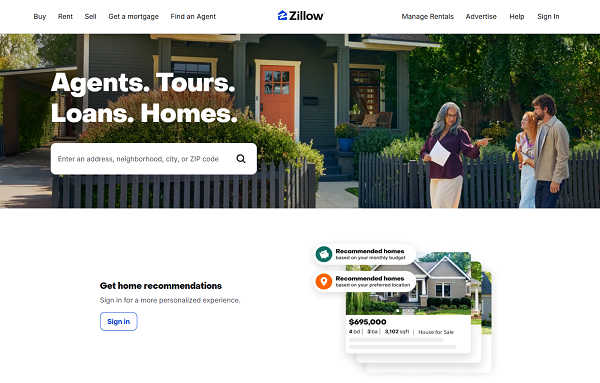
Zillow is a leading online real estate marketplace in the United States, launched in 2006, that connects home buyers, sellers, renters, and real estate professionals. It provides a platform where users can browse property listings, view estimated home values (Zestimate), find real estate agents, and access market data.
Zillow also hosts user-generated reviews of properties, agents, and real estate services, making it a valuable resource for understanding market trends and consumer experiences. Key benefits include:
1. Understand Customer Preferences
Reviews reveal what buyers and renters value in agents or properties, such as responsiveness, negotiation skills, or property condition. For example, a real estate agency can analyze reviews to identify traits of top-performing agents and train others accordingly. This helps tailor services to meet client expectations.
2. Track Market Trends and Sentiment
By aggregating reviews across regions, businesses can gauge sentiment toward specific markets or neighborhoods. For instance, scraping reviews might show that buyers in a city prioritize energy-efficient homes, guiding developers to focus on sustainable features. This data informs strategic decisions in marketing and investments.
3. Competitive Analysis
Reviews provide insights into how agents or agencies perform compared to others. A brokerage could scrape reviews to benchmark its agents’ ratings against industry averages, identifying strengths or areas for improvement. This helps refine branding and client acquisition strategies.
4. Improve Marketing Strategies
Analyzing review data highlights common pain points or praises, enabling targeted marketing. For example, if reviews frequently mention slow communication, a company could emphasize its fast response times in ads. Scraped data ensures campaigns resonate with customer needs.
5. Identify High-Performing Agents
For agencies or investors, reviews can pinpoint top-rated agents based on ratings and feedback. Scraping allows sorting agents by performance metrics, helping firms recruit talent or partner with reliable professionals for transactions.
6. Support Investment Decisions
Investors can use review data to assess property desirability in specific areas. Positive reviews about a neighborhood’s amenities or safety can signal a good investment opportunity, while negative feedback might highlight risks. This complements other data like price trends.
7. Automate Large-Scale Research
Manually reading thousands of reviews is time-consuming. Scraping automates data collection, allowing businesses to process large volumes of feedback quickly. For example, a market analyst could scrape reviews from multiple cities to compare buyer satisfaction across regions.
The Value of Zillow Reviews
Zillow reviews capture authentic user experiences, from property purchases to agent interactions. Scraping this data allows businesses to analyze customer preferences, such as whether buyers value communication or pricing expertise, and tailor their strategies accordingly.
However, Zillow’s anti-scraping protections, including IP rate limits and CAPTCHAs, pose challenges for large-scale data extraction.
Step By Step Guide On How To Scrape Zillow Reviews Using Proxy
To scrape Zillow reviews efficiently, a structured process combining coding techniques and proxy integration is essential. The following steps provide a roadmap for success, ensuring compliance with ethical standards.
Step 1: Analyze Zillow’s Review Page Structure
Start by examining Zillow’s review pages using your browser’s Developer Tools (right-click, “Inspect”). Reviews are typically contained within HTML elements like <div> tags with classes such as review-item. Understanding this structure helps target specific data points, including reviewer names, star ratings, and comments.
Zillow’s JavaScript-heavy pages require tools like Selenium or Playwright to render dynamic content. This guide uses Python with Selenium for its widespread adoption and ease of use.
Step 2: Prepare Your Scraping Environment
Set up a Python environment to manage dependencies cleanly. Install the required libraries with these commands:
python -m venv zillow_scraper
source zillow_scraper/bin/activate # On Windows: zillow_scraper\Scripts\activate
pip install selenium python-dotenv webdriver-manager
Create a .env file to store proxy credentials securely, reducing the risk of exposing sensitive information in your code.
Step 3: Build the Scraping Script
Below is a Python script using Selenium to scrape Zillow reviews. It navigates to an agent review page, extracts data, and saves it to a CSV file for analysis.
from selenium import webdriver
from selenium.webdriver.chrome.service import Service
from webdriver_manager.chrome import ChromeDriverManager
from dotenv import load_dotenv
import os
import csv
load_dotenv()
def scrape_zillow_reviews():
options = webdriver.ChromeOptions()
options.add_argument("--headless")
driver = webdriver.Chrome(service=Service(ChromeDriverManager().install()), options=options)
# Navigate to a Zillow review page
url = "https://www.zillow.com/reviews/agent/sample-agent"
driver.get(url)
# Extract reviews
reviews = []
review_elements = driver.find_elements_by_css_selector(".review-item")
for element in review_elements:
review = {
"reviewer": element.find_element_by_css_selector(".reviewer-name").text,
"rating": element.find_element_by_css_selector(".rating").text,
"comment": element.find_element_by_css_selector(".review-text").text,
"date": element.find_element_by_css_selector(".review-date").text
}
reviews.append(review)
# Save to CSV
with open("zillow_reviews.csv", "w", newline="", encoding="utf-8") as f:
writer = csv.DictWriter(f, fieldnames=["reviewer", "rating", "comment", "date"])
writer.writeheader()
writer.writerows(reviews)
driver.quit()
if __name__ == "__main__":
scrape_zillow_reviews()
Adjust the CSS selectors based on Zillow’s actual HTML, which you can verify using Developer Tools. This script assumes a sample page structure.
Step 4: Use Proxies to Bypass Restrictions
Zillow restricts requests from a single IP to roughly 400–600 per hour, depending on server load. Exceeding this triggers CAPTCHAs or temporary bans, disrupting scraping efforts. Proxies mitigate this by routing requests through multiple IPs, maintaining access to Zillow’s servers.
Proxy Types Explained
● Residential Proxies: Tied to real residential IPs, these mimic genuine user behavior, making them less likely to be flagged. They are ideal for scraping Zillow’s protected pages.
● Datacenter Proxies: Hosted in data centers, these offer speed and affordability but are more detectable due to their non-residential origins.
● Rotating Proxies: These cycle through a pool of IPs, either per request or at set intervals, minimizing the risk of rate-limiting during extensive scraping.
For Zillow, residential proxies provide the best balance of stealth and reliability. Rotating residential proxies further enhance performance by automatically switching IPs, supporting high-volume data collection.
How To Scrape Zillow Review With OkeyProxy
OkeyProxy provides a reliable solution for scraping Zillow reviews, offering over 150 million residential IPs across 200+ countries. Its rotating proxy feature ensures seamless IP cycling, while its intuitive dashboard simplifies setup for developers and non-technical users alike.
With OkeyProxy, you can access geo-specific reviews and maintain uninterrupted scraping.
Proxy Setup Steps
1. Register with OkeyProxy and choose a residential proxy plan.
2. Obtain your proxy server details (IP, port, username, password) from the OkeyProxy dashboard.
3. Update your Selenium script to include proxy settings:
proxy_server = os.getenv("PROXY_SERVER")
proxy_username = os.getenv("PROXY_USERNAME")
proxy_password = os.getenv("PROXY_PASSWORD")
options.add_argument(f"--proxy-server={proxy_server}")
# Authenticate proxy (if required by provider)
seleniumwire_options = {
"proxy": {
"http": f"http://{proxy_username}:{proxy_password}@{proxy_server}",
"https": f"http://{proxy_username}:{proxy_password}@{proxy_server}",
}
}
driver = webdriver.Chrome(
service=Service(ChromeDriverManager().install()),
options=options,
seleniumwire_options=seleniumwire_options
)
4. Add credentials to your .env file:
PROXY_SERVER=proxy.okeyproxy.com:8080
PROXY_USERNAME=your_username
PROXY_PASSWORD=your_password
5. Run a test scrape with one URL to confirm the proxy is routing correctly.
Step 5: Manage CAPTCHAs and Dynamic Elements
Zillow may display CAPTCHAs during intensive scraping. Integrate CAPTCHA-solving services like 2Captcha with Selenium to automate resolution. For dynamic content, add explicit waits to ensure reviews load completely:
from selenium.webdriver.support.ui import WebDriverWait
from selenium.webdriver.support import expected_conditions as EC
from selenium.webdriver.common.by import By
WebDriverWait(driver, 10).until(EC.presence_of_all_elements_located((By.CSS_SELECTOR, ".review-item")))
This prevents errors from partially loaded pages.
Step 6: Store and Process Data
Save scraped reviews to a CSV or JSON file for easy analysis. Use pandas to aggregate data, such as calculating average ratings or identifying common keywords in comments. For large-scale projects, store data in a database like SQLite for efficient querying.
Developer Tips for Optimization
● Reduce Bandwidth: Block non-essential resources (e.g., images) in Selenium to speed up scraping:
driver.execute_cdp_cmd("Network.setBlockedURLs", {"urls": ["*.png", "*.jpg"]})
● Geo-Specific Scraping: Leverage OkeyProxy’s regional IPs to target reviews from specific US states, ensuring localized insights.
● Robust Error Handling: Add retry logic for failed requests:
from selenium.common.exceptions import WebDriverException
for attempt in range(3):
try:
driver.get(url)
break
except WebDriverException as e:
print(f"Attempt {attempt + 1} failed: {e}")
● Automate Scheduling: Use schedule or cron to run your scraper during low-traffic hours, reducing detection risks.
Disclaimer
Zillow’s Terms of Service prohibit unauthorized scraping, and excessive requests can strain its servers. To scrape ethically, focus on public data, limit request frequency, and avoid collecting personal information. Check with a legal expert to ensure compliance with regulations like the DMCA or state privacy laws, and explore Zillow’s APIs for approved data access.
FAQs
1. Why does my scraper get blocked on Zillow?
Zillow’s anti-bot systems detect repetitive requests from a single IP. Using OkeyProxy’s rotating residential proxies spreads requests across multiple IPs, minimizing blocks.
2. How do I set up OkeyProxy with my script?
Retrieve proxy details from the OkeyProxy dashboard, add them to your .env file, and configure your script to route traffic through the proxy server. Test with a single request to verify.
3. Are residential proxies better than datacenter proxies for Zillow?
Residential proxies are less likely to be detected due to their real-user IPs, making them preferable for Zillow. Datacenter proxies are faster but risk flagging.
4. How can I scrape reviews from a specific US region?
OkeyProxy’s geo-targeting lets you select IPs from specific states or cities, allowing you to access localized reviews for targeted analysis.
5. What if Zillow’s page structure changes?
Regularly inspect Zillow’s HTML with Developer Tools to update CSS selectors. Use Selenium’s debugging features to troubleshoot and adapt to layout changes.
Conclusion
Scraping Zillow reviews empowers real estate professionals with actionable insights, but it demands a strategic approach to overcome technical barriers. By pairing Selenium with OkeyProxy’s residential proxies, you can collect data reliably and ethically. Explore OkeyProxy’s free trial to streamline your scraping projects and unlock market intelligence.
