In the modern digital marketing landscape, Facebook (now operating under the parent company Meta) maintains some of the strictest account creation and management policies in the world. For most users, having a single personal profile is sufficient. However, for digital agencies, large-scale advertisers, and market researchers, these restrictions present a significant hurdle.
If you are managing an advertising agency that needs to oversee hundreds of distinct client assets or run diverse ad campaigns across multiple regions, manually creating and setting up individual profiles becomes an impossible task. The Facebook profile creator bot has emerged as a specialized solution for professionals who need to scale their social media presence without the manual labor of traditional registration.
What is a Facebook Profile Creator Bot?
At its core, a Facebook profile creator bot is a software application or script engineered to automate the generation of multiple Facebook accounts. While a standard user interacts with the platform through a browser, these bots use automation frameworks—most commonly built with Python, Selenium, or Puppeteer—to mimic human interaction with the Facebook registration page. They are designed to navigate the complex security mechanisms Meta has in place, such as CAPTCHAs and identity verification prompts, to successfully register a new user profile.
The sophistication of a Facebook profile creator bot lies in its ability to handle more than just clicking buttons. To ensure the accounts are not immediately flagged as “fake,” these bots manage a wide array of data points and security features. These often include Phone Verification (PVA) integration and proxy management, which are essential for making each automated registration look like a unique, organic event from a real person.
The Core Functions of a Profile Creator Bot
To be effective, a bot must do more than just sign up; it must “build” a profile. High-quality bots typically handle the following tasks automatically:
- Automated Data Input: The bot fills in names, birthdays, and genders using databases of realistic human information to avoid triggering pattern recognition.
- Media Management: They can auto-upload profile pictures and cover photos to ensure the account looks active and complete from the moment it is created.
- Bio Generation: Advanced bots use AI or predefined templates to generate “About” sections and personal bios, giving the profile a distinct personality.
- Identity Verification (PVA): Handling the most difficult part of registration—email or SMS verification—by integrating with third-party SMS API services to bypass two-factor authentication (2FA) and phone verification hurdles.
Legitimate Use Cases for a Facebook Profile Creator Bot
It is important to acknowledge from the outset that creating or using bots to generate fake Facebook profiles is a violation of Meta’s Terms of Service. In some jurisdictions, using such tools for fraudulent activities can even lead to legal repercussions. However, the demand for a Facebook profile creator bot persists because there are several legitimate, professional scenarios where managing multiple profiles is a business necessity rather than a malicious intent.
Understanding these use cases helps distinguish between harmful spamming and strategic business automation. For companies operating at a global scale, these tools are often the only way to manage a complex social media ecosystem efficiently. Transitioning from manual to automated management allows these teams to focus on strategy rather than repetitive data entry.
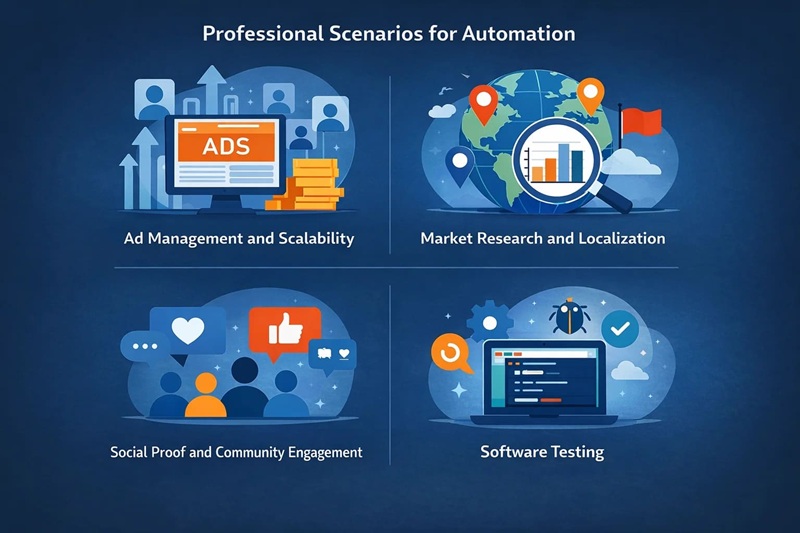
Professional Scenarios for Automation
- Ad Management and Scalability: Agencies often need to run multiple ad accounts. If one account is flagged due to a minor policy misunderstanding, having a backup structure of managed profiles ensures that a client’s entire advertising campaign doesn’t go dark overnight.
- Market Research and Localization: To truly understand a competitor’s strategy in a different country, researchers use “buyer personas.” A Facebook profile creator bot helps create localized accounts that allow researchers to see the specific ads and content being served to users in different geographic regions.
- Social Proof and Community Engagement: Brands often manage multiple “community” accounts to foster engagement within their own groups or to provide social proof. These accounts help maintain a healthy, active dialogue around a brand’s products.
- Software Testing: Developers building third-party applications or plugins that integrate with Facebook’s API need numerous user types to test compatibility and find bugs across different account ages and privacy settings.
The Technical Essentials for Success
Using a Facebook profile creator bot is not as simple as running a script and walking away. Meta’s AI is incredibly adept at identifying automated behavior. To succeed, you must build a technical ecosystem that masks the “bot-like” nature of your activity. Without the right combination of tools, even the best script will result in accounts being banned within minutes of creation.
The first and most critical component is Automation Logic. The bot must not only enter data but must do so with varying speeds and “jitter” to simulate a human typist. Beyond the script itself, several layers of infrastructure are required to hide the fact that multiple accounts are coming from the same machine.
Anti-Detect Browsers and High-Quality Proxies
If you use a standard browser like Chrome to create multiple accounts, you are essentially signing a “death sentence” for your profiles. Standard browsers leak your browser fingerprint—a collection of data points including your hardware specs, OS, and even your fonts. Tools like AdsPower o Multilogin are essential. These anti-detect browsers allow each bot instance to have a completely unique digital fingerprint.
Equally important is the source of your internet connection. Facebook keeps a close watch on IP addresses. If ten accounts are created from the same IP, they will all be banned. This is where high-quality proxies become the backbone of your operation.
Maximize Your Bot’s Success Rate with OkeyProxy
To avoid detection, you need more than just a proxy; you need a residential identity. OkeyProxy is a top HTTP & SOCKS5 proxy provider that meets your every proxy need. With over 150 millones de IP residenciales reales, OkeyProxy ensures your bot looks like a real home user, not a script in a data center.
👉 Get OkeyProxy Residential IPs for Your Bot Now!
Additional Requirements: PVA and Masking
- PVA (Phone Verified Accounts) Creators: Herramientas como PVACreator are often used alongside bots to automate the SMS verification process, which is the single biggest hurdle in account creation.
- Fingerprint Masking: Advanced bots change the Canvas, WebGL, and AudioContext signatures of the browser. This ensures that even if Facebook looks at the “hardware” of the visitor, every bot appears to be using a different graphics card and sound system.
How a Facebook Profile Creator Bot Works
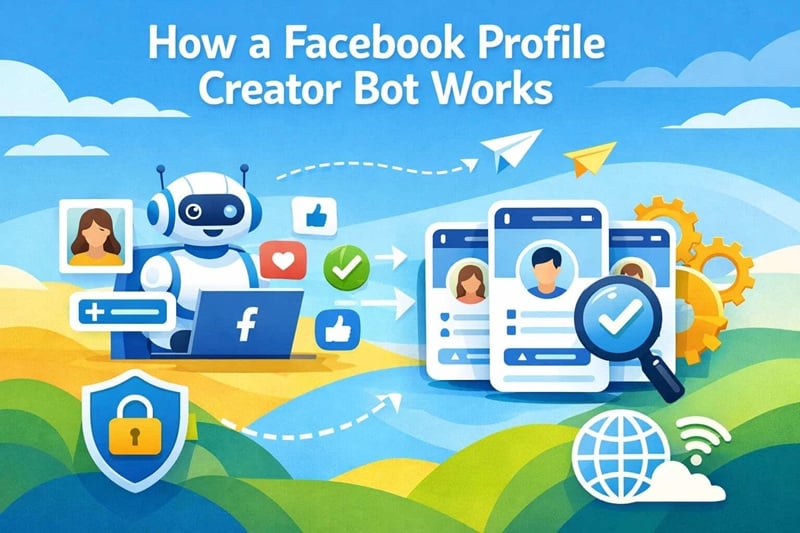
The working principle of these bots is a blend of data management and browser automation. Most professionals look for scripts on platforms like GitHub (such as the auto-account-facebook-bot) or invest in premium, paid software solutions that come with lifetime updates to keep up with Facebook’s frequent security patches. The logic follows a “distribution” model where the workload is spread across different identities.
The process typically begins with the bot calling an API from a proxy provider like OkeyProxy to secure a clean IP. Then, it opens an anti-detect browser profile with a pre-configured fingerprint. The bot then navigates to the mobile version of Facebook (m.facebook.com), as the mobile registration flow is often slightly less aggressive in its initial bot-detection than the desktop version. After entering the randomized but realistic user data, the bot interacts with an SMS service to receive a verification code, enters it, and saves the account “cookies” for future use. This cookie management is vital; it allows the user to log back into the account later without needing to re-verify the identity.
Challenges: Why Most Bots Fail
Despite the advanced technology available, many users find that their Facebook profile creator bot fails to deliver long-lasting accounts. The primary reason is that Meta doesn’t just look at the registration; they monitor the account’s behavior for the first 48 to 72 hours. If a bot’s logic is too rigid, it falls into the trap of “Pattern Recognition.”
Common obstacles include:
- Checkpoints: Facebook may trigger a “Checkpoint” immediately after creation, asking the user to “Upload a photo of yourself” or “Verify your ID.” If your bot doesn’t have a strategy to handle these, the account is lost.
- Shadowbanning: Sometimes, the account is successfully created, but it is “shadowbanned.” This means you can post and interact, but your content is invisible to everyone else on the platform, making the account useless for marketing.
- Speed Traps: Human beings do not fill out a registration form in exactly 2.5 seconds every time. Bots that move too fast are flagged instantly.
Best Practices for Better Survival Rates
To overcome these challenges, emphasize human-like delays. Your script should include random pauses, “scrolling” actions, and even mouse movements that don’t follow a straight line. Furthermore, the “warm-up” period is essential. Once an account is created, let it sit for a few days, occasionally liking a post or following a page, before using it for any commercial activity.
Ethics and Compliance in Automation
As we have noted, the use of a Facebook profile creator bot sits in a “grey” area of digital ethics. While the technology itself is a feat of engineering, its application must be handled with care. Responsible automation is the key to longevity in the digital marketing world. Using these tools to spread spam, misinformation, or engage in malicious activities not only ruins the platform for everyone but also invites legal action and permanent bans for your business.
Professionals should always prioritize Protección de datos. Ensure your bot is not scraping or misusing the private data of other users. If your goal is to manage multiple profiles for a legitimate business, consider if official tools like Meta Business Suite o Creator Studio can meet your needs first. These tools are designed to work within Meta’s ecosystem and provide a much safer, albeit more limited, way to manage your digital assets. For those who must use automation, staying compliant with local data protection laws (like GDPR or CCPA) is a non-negotiable requirement.
Conclusión
En Facebook profile creator bot is a powerful asset in the toolkit of the modern digital professional, but it is not a “set-and-forget” solution. Success requires a deep understanding of browser fingerprints, high-quality residential proxies, and human-like behavioral modeling. As Meta’s security continues to evolve, the tools we use must become more sophisticated, shifting away from simple scripts to comprehensive identity management systems.
By focusing on high-quality infrastructure and ethical implementation, businesses can scale their social media operations and reach new heights of efficiency. However, the most successful automators are those who remember that at the other end of the screen is a platform designed for humans—the more “human” your bot acts, the more successful your automation will be.
Preguntas frecuentes
Can you have multiple accounts on Facebook?
According to Facebook’s official Terms of Service, individuals are only allowed to have one personal account. However, businesses can manage multiple “Pages” and “Ad Accounts” through a single Business Manager. For those who need multiple distinct profiles for research or testing, using an anti-detect browser and unique proxies is the only way to manage them without the accounts being linked and banned.
What are the limits of creating Facebook accounts?
There is no public “hard limit” on the number of accounts you can create, but Facebook uses rate-limiting based on your IP address and device ID. If you try to create more than 1 or 2 accounts from a single IP or device within a short window, you will likely trigger a block or a mandatory phone verification checkpoint.
What type of proxy should I choose when creating Facebook accounts?
For account creation, Apoderados Residenciales are the only viable choice. Centros de datos proxy are easily identified and blacklisted by Meta. Residential proxies provide the trust and legitimacy of a real home connection, which is essential for bypassing initial security filters. SOCKS5 is generally the preferred protocol for its speed and ability to handle more complex data transmissions.