


















How to Scrape LinkedIn Comments Safely and Effectively with OkeyProxy in 2025
LinkedIn comments are valuable data sources for insights into audience sentiment, engagement patterns, and lead generation opportunities. However, scraping it can be challenging due to LinkedIn’s strict anti-bot systems and terms of service. This guide provides step-by-step three methods to scrape LinkedIn comments safely and effectively for different demands, all leveraging OkeyProxy’s residential proxies to remain undetected.
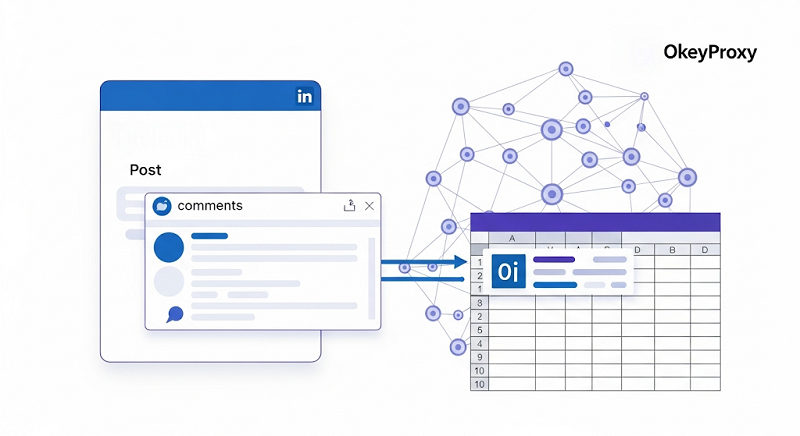
Why Scrape LinkedIn Comments?
Scraping LinkedIn comments enables:
Analyze Engagement: Understand audience sentiment and feedback on your posts or competitors’ content.
Generate Leads: Identify active commenters for tailored outreach.
Save Time: Automate manual tasks like collecting feedback or contact details.
Conduct Research: Gather data for market analysis or competitor insights.
Optimize Content: Discover trending topics and FAQs to inform your strategy.
Challenges include LinkedIn’s anti-scraping measures, account suspension risks, and legal compliance.
Understanding the Risks and Legal Considerations
Before starting, consider these risks:
Account Suspension: LinkedIn’s anti-bot systems may detect automated scraping, risking temporary or permanent bans.
ToS & Legal Compliance: Unauthorized scraping violates LinkedIn’s terms. Ensure compliance by using approved APIs or scraping public data ethically.
Rate Limits: Excessive requests can trigger CAPTCHAs or IP blocks.
Data Privacy: Respect commenter privacy and laws like GDPR.
OkeyProxy’s rotating residential proxies help mitigate detection by masking your IP, adding random delays, and mimicking human behavior. Below are three methods tailored for different skill levels, all enhanced with OkeyProxy.
Tools & Methods Overview
| Method Type | Best For | Setup Complexity | Pros | Cons |
| No-Code Automation | Small-scale, non-technical users | ⭐ | Quick install; no coding required | Limited to ~100–200 comments/post; manual operation |
| Semi-Automated APIs | Medium-scale, minimal coding | ⭐⭐ | Bulk URLs; scheduling; CRM/Sheets integration | Learning curve; subscription cost |
| Code-Based Scraping | Large-scale, full control | ⭐⭐⭐ | Fully customizable; handles infinite scroll/pagination | Requires coding expertise; higher maintenance |
Method 1: No-Code Chrome Extension (Beginner-Friendly)
Browser extensions are perfect for beginners needing a simple, no-code solution to scrape comments from a single post.
1. Choose a Browser Extension
Install a generic and reputable LinkedIn scraper extension that supports proxy integration.
2. Configure OkeyProxy
Sign up and obtain your API key.
In the extension’s settings, enter your OkeyProxy credentials (e.g., http://username:[email protected]:port) in proxy configuration section.
Enable "Rotate IP per request" for anonymity.
3. Access the LinkedIn Post
Log in to LinkedIn (if required) or use a public post URL. Minimize logins to reduce detection risk.
4. Run the Extension
Enter the target post URL.
Set a limit (e.g., 100 comments) to avoid overloading LinkedIn’s servers.
Extract commenter names, profile URLs, comment text, and timestamps.
5. Export Data
Save the scraped comments as a CSV file for analysis.
Tips
Limit runs to under 100 comments per hour.
Enable random 10–20 s delays in the extension settings.
Test with a single post to ensure the extension works.
Use OkeyProxy’s residential proxies to rotate IPs and avoid detection.
Watch for LinkedIn warnings and pause.
Method 2: Scheduled Bulk Scraping with Automation Platform (Intermediate)
Automation platforms offer pre-built workflows for scraping comments from multiple posts, ideal for users needing scalability.
1. Select an Automation Tool
Choose a Semi-Automated Platform that supports LinkedIn comment scraping and proxies.
2. Set Up Okeyproxy
Sign up for Okeyproxy’s premium plan with residential proxies. Configure the proxy settings in the automation tool to route requests through Okeyproxy’s servers.
3. Input Post URLs
Upload a CSV/Google Sheet with multiple post URLs.
4. Define Scraping Parameters
Max comments per post (up to 2,500).
Delay between requests (10–20 s).
Filter keywords or date ranges if needed.
5. Run the Workflow
Schedule daily or weekly runs to gather fresh comments automatically.
6. Export & Integrate
Send results to a CRM, data warehouse, or BI tool.
Best Practices
Test with a free trial of the automation platform.
Use okeyproxy’s high-speed rotating residential proxies to distribute requests.
Schedule during off-peak hours to reduce server load.
Ensure compliance with LinkedIn’s terms by scraping only public data or using approved APIs.
Method 3: Custom Scraping Code with Programming Tools (Professional)
For developers, tools like Selenium or Playwright provide full control and scalability for complex scraping needs.
1. Environment Setup
Install Python and required libraries, e.g., Selenium or Playwright.
Configure a headless browser to use Okeyproxy as HTTP proxy.
2. Configure Okeyproxy
Obtain your Okeyproxy’s API keys and residential proxy list. Integrate into your script (e.g., http://username:[email protected]:port).
3. Write the Scraping Script
Navigate to the post URL with Selenium or Playwright.
Locate comments using CSS selectors or XPath (e.g., div.feed-shared-comments).
Extract text, names, and timestamps with random delays (10–20 s).
4. Handle Pagination
If the post has multiple comment pages, script a loop to click “Load more comments” and scrape additional data.
5. Run & Store
Scrape multiple URLs. Save data in JSON, CSV, or a database.
Code Sample(Selenium)
python
from selenium import webdriver
from okeyproxy_sdk import ProxySession
import time, random, csv
# Initialize OkeyProxy
proxy = ProxySession(api_key="YOUR_OKEYPROXY_KEY")
options = webdriver.ChromeOptions()
options.add_argument(f"--proxy-server={proxy.next()}")
# Set up headless browser
options.add_argument("--headless")
driver = webdriver.Chrome(options=options)
# Navigate and scrape
driver.get("https://www.linkedin.com/posts/[post-id]")
time.sleep(10) # Initial delay
comments = driver.find_elements_by_css_selector("div.feed-shared-comments")
with open("comments.csv", "w", newline="") as file:
writer = csv.writer(file)
writer.writerow(["Comment", "Commenter"])
for comment in comments:
text = comment.find_element_by_css_selector("span.comments-comment-item-content").text
commenter = comment.find_element_by_css_selector("span.comments-comment-item-author").text
writer.writerow([text, commenter])
time.sleep(random.uniform(10, 20)) # Random delay
driver.quit()
Selenium vs. Playwright
Selenium: Widely used, extensive community support, but slower and less efficient with modern web features.
Playwright: Faster, better for dynamic content and modern web apps.
Playwright is more suitable for LinkedIn scraping.
Pro Tips
Rotate proxies per request; reuse sessions sparingly.
Use Playwright for modern web scraping advantages
Add retry logic for failed requests.
Handle infinite scroll with a scroll-to-load function.
Why Use OkeyProxy for LinkedIn Scraping?
OkeyProxy stands out for LinkedIn scraping due to:
Rotating Residential Proxies: Prevents IP bans by rotating IPs from a pool of millions.
High-Speed Connections: Ensures fast scraping without compromising anonymity.
User-Friendly Dashboard: Monitor proxy usage and performance in real-time.
Global Coverage: Access proxies from various regions to bypass geo-restrictions.
Affordable Plans: Offers flexible pricing for all scales.
To get started, sign up here and select a rotating residential proxy plan tailored to your scraping needs.
Practical Tips for All Users
Start Small: Test your chosen method on one post to ensure it works.
Use Delays: Introduce random delays (10-20 seconds) to avoid detection.
Monitor Account Health: Watch for LinkedIn warnings and pause scraping if flagged.
Stay Compliant: Scrape only public data or use approved APIs to align with LinkedIn’s terms.
Budget Wisely: Expect costs around $12-$15 per 1,000 scrapes, depending on proxy usage and tool subscriptions.
Secure Data: Store scraped data securely and comply with data protection laws.
Troubleshooting & Optimization
HTTP 429 (Too Many Requests): Increase delays or switch IPs with OkeyProxy.
HTTP 503 (Service Unavailable): Retry with exponential backoff and a new proxy.
CAPTCHAs: Use a new OkeyProxy IP.
Incomplete Data: Check pagination handling.
Account Restrictions: Pause, switch proxies, or use another account.
Slow Performance: Upgrade to OkeyProxy’s premium proxies.
Selector Issues: Update CSS/XPath after UI changes.
Support: Contact the 7*24 technical support team directly.
Conclusion
Scraping LinkedIn comments offers valuable insights for business and engagement. With OkeyProxy’s rotating residential IPs and the right method—whether no-code, semi-automated, or custom code—you can scrape safely and effectively. Prioritize responsible scraping: respect rate limits, monitor blocks, and ensure compliance with LinkedIn’s evolving terms.
