
In the fast-paced world of digital marketing, Pinterest has emerged as the “silent giant.” It isn’t just a place for DIY crafts or recipes; it is a powerful visual search engine that drives massive traffic to e-commerce sites, blogs, and brands. If you are an influencer, a brand manager, or a developer, your success on the platform depends entirely on staying in the “good graces” of Pinterest’s sophisticated AI.
However, there is a significant hurdle for professionals: Pinterest’s strict “one IP, one user” principle. This policy makes it nearly impossible to manage multiple accounts or perform large-scale market research without facing restrictions. This is where a proxy for Pinterest becomes an essential tool in your marketing kit, allowing you to scale your visual influence securely and professionally.
What Is a Pinterest Proxy?
At its core, a proxy for Pinterest acts as an intermediary server between your device and the Pinterest platform. When you connect through a proxy, your real IP address is hidden and replaced by the IP address of the proxy server. This allows you to manage multiple accounts, navigate regional content filters, and use professional automation tools without triggering security alerts.
How Does It Work?
Think of a proxy as a digital courier. When you want to post a Pin or scrape a trend, your request goes to the proxy server first. The proxy server then forwards that request to Pinterest using its own IP address. Pinterest sees the request as coming from the proxy’s location, not yours. This layer of separation is vital for protecting your main connection and ensuring your digital footprint remains clean and distinct for every account you manage.
Why Do You Need Pinterest Proxies? (Key Use Cases)
Transitioning from a casual pinner to a professional marketer requires a more robust setup. A proxy for Pinterest is necessary for several high-stakes operations that standard home connections cannot handle.
👥 Managing Multiple Accounts
To dominate a niche, many marketers run five, ten, or even fifty different accounts targeting different audiences. If you log into all these accounts from a single IP address, Pinterest’s security system will “link” them together. If one account accidentally violates a rule, all of them could be banned simultaneously. Using pinterest proxies allows you to assign a unique identity to each account, keeping them safely isolated.
📊 Visual Data Scraping
In 2026, data is the new currency. Marketers use scraping tools to collect trending keywords, high-performing image URLs, and user metadata to stay ahead of the curve. Frequent, automated requests from a single IP will quickly lead to a temporary block. A proxy pool allows you to distribute these requests, making your data collection process smooth and uninterrupted.
🤖 Automation and Consistent Posting
Consistency is the secret to the Pinterest algorithm. Using automation tools to schedule Pins 24/7 is standard practice, but these tools can sometimes trigger “suspicious activity” flags. A high-quality proxy ensures that your automated posts look like regular user activity, preventing your accounts from being flagged as “bot-driven.”
🌍 Global Content Research
Pinterest trends vary wildly by region. What is viral in New York might not be trending in London or Tokyo yet. By using pinterest proxies to establish a presence in specific countries, you can view localized feeds and discover “US-only” or “Europe-only” trends, giving you a competitive edge in global markets.
Residential vs. Datacenter Proxies: Which Is Best for Pinterest?
Not all proxies provide the same level of security. Choosing the right type is the difference between a thriving business and a banned account.
- Datacenter Proxies: These are fast and affordable because they are generated in bulk from servers. However, they are also easily detected by Pinterest’s AI because their IP addresses don’t belong to real internet service providers. They are “high risk” for account management.
- 👍 Residential Proxies (The Recommended Choice): These are the gold standard. They use IP addresses assigned by real ISPs to actual homes. When you use a residential proxy for Pinterest, your activity is indistinguishable from that of a regular person browsing on their home Wi-Fi.
✨ Recommended Provider: OkeyProxy
When it comes to high-trust residential IPs, OkeyProxy is a top-tier choice in 2026. They offer a massive pool of over 150 million clean residential IPs across 200+ countries.
Whether you need Rotating Residential Proxies for scraping or Static ISP Proxies for long-term account management, OkeyProxy provides the stability and “human-like” footprint required to navigate Pinterest’s security layers. Their high-speed connections ensure that even image-heavy pages load instantly, which is critical for visual platforms.
Quick Comparison: Proxy Types
| Feature | Datacenter Proxies | Residential Proxies |
|---|---|---|
| Trust Level | Low (Easily Flagged) | Very High (Human-like) |
| Speed | Very Fast | Fast & Stable |
| Success Rate | Moderate | Excellent |
| Best Use Case | Basic Scraping | Account Management & Scaling |
| Price | Budget-friendly | Premium Investment |
The Threat of the “Shadowban” and How Proxies Prevent It
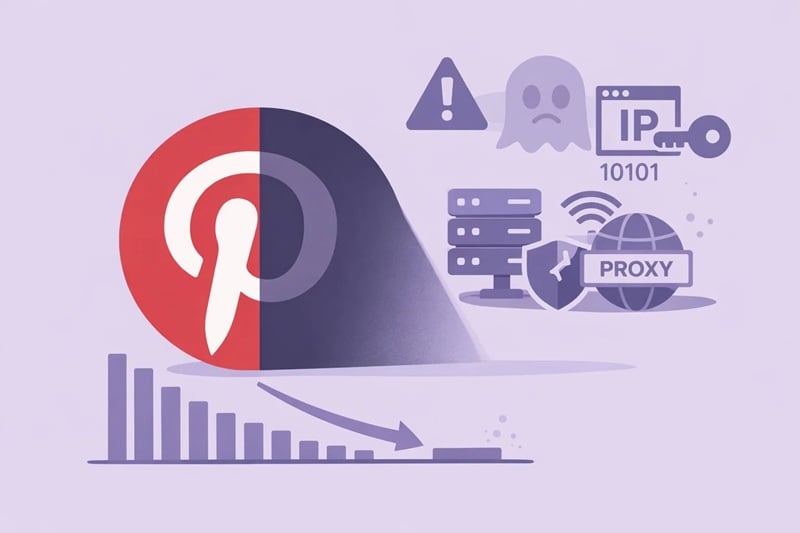
One of the most frustrating experiences on Pinterest is the “Shadowban.” This is a silent restriction where you can still post content, but Pinterest stops showing your Pins to other users. You might not even know it’s happening until you notice your impressions have dropped to nearly zero.
What Causes a Shadowban?
A shadowban often occurs when Pinterest flags your IP address as “spammy.” If you share an IP with someone who has abused the platform, or if you use a low-quality proxy for Pinterest, your account’s reputation is damaged by association.
How Proxies Provide a “Clean Slate”
A high-quality proxy provides you with a clean, high-reputation IP address. By using pinterest proxies from a reputable provider, you ensure that your content is delivered to your target audience’s home feed without being suppressed by the algorithm. It allows you to maintain a “trust score” that keeps your Pins visible and viral.
Pro Tips: How to Use Pinterest Proxies Like an Expert
Simply having a proxy isn’t enough; you must use it correctly to maximize your security and performance.
The 1:1 Principle
For long-term account health, always follow the 1:1 Principle: Assign one dedicated residential IP to one specific Pinterest account. Never use the same IP for multiple accounts if you want to avoid them being linked by the system.
Mimic Natural Human Behavior
Even with a great proxy for Pinterest, “bot-like” behavior can still get you flagged. Avoid pinning 500 images in five minutes. Instead, use your proxy to simulate natural patterns—scroll through the feed, “heart” a few Pins, and spread your posting throughout the day.
Pair with Anti-Detect Browsers
For the ultimate security setup, use your proxies in conjunction with an anti-detect browser. These browsers allow you to create unique “fingerprints” for each account, ensuring that Pinterest sees each session as coming from a completely different device and location.
How to Configure Your Pinterest Proxy
Setting up your proxy is a straightforward process, whether you are using a standard browser or an automation tool.
- Get Your Credentials: Obtain the IP address, port, username, and password from your provider (e.g., OkeyProxy).
- Access Settings: Go to your browser settings or your automation tool’s “Network/Proxy” section.
- Enter Details: Input the credentials. Most professionals prefer the SOCKS5 protocol for its superior speed and security on Pinterest.
- Verify Connection: Use an IP checker website to confirm that your location has changed to the proxy’s location before logging into Pinterest.
Common Mistakes and How to Avoid Them
Even experienced marketers make mistakes. Here are the most common pitfalls to avoid when using a proxy for Pinterest:
- Using Free Proxies: This is the fastest way to get a permanent ban. Free proxies are often overcrowded, slow, and already blacklisted by Meta and Pinterest.
- Inconsistent Locations: Avoid “digital teleportation.” If you log into your account from London and then log in from Los Angeles ten minutes later, Pinterest will flag the account for suspicious activity. Always stick to one region per account.
- Over-Automation: Just because you have a proxy doesn’t mean you should run your bots at maximum speed. Keep your automation settings within “human” limits to stay under the radar.
Conclusion: Securing Your Visual Future
As we move through 2026, the competition on Pinterest will only continue to grow. To scale your brand and reach a global audience, you need a high-trust digital identity that remains safe from bans and restrictions.
The key to a successful strategy lies in using a high-quality proxy for Pinterest. By investing in residential or static ISP proxies from a provider like OkeyProxy, you are not just buying an IP address—you are investing in the security, stability, and growth of your brand. With the right tools and a consistent approach, you can navigate any digital hurdle and ensure your visual content gets the eyes it deserves.
FAQ About Pinterest Proxies
Can I manage 10 Pinterest accounts with just one proxy?
It is not recommended. To prevent your accounts from being linked and banned together, you should use a unique proxy for Pinterest for each account.
What is the best type of proxy for Pinterest automation?
Static ISP Proxies or Residential Proxies are the best choices. They offer the high trust levels needed to avoid detection while providing the stability required for 24/7 automation.
A proxy doesn’t directly change the content of your Pins, but it ensures that your account’s reputation remains high, which prevents your content from being suppressed by a shadowban.
Is it difficult to set up pinterest proxies?
Not at all. Most modern tools and browsers allow you to enter your proxy details in just a few clicks. The most important part is choosing a high-quality provider to start with.