We’ve all been there: it’s lunch break or a free period, you pull out your phone to check the latest trends, and… nothing. The loading spinner circles indefinitely, or a “Connection Error” pops up. Your school’s Wi-Fi has successfully blocked TikTok. While schools have their reasons for these restrictions, it doesn’t make the “Access Denied” screen any less frustrating.
If you are looking for a reliable way to get TikTok unblocked at school, you’ve come to the right place. In this comprehensive guide, we’ll dive deep into why these blocks exist, the difference between a network block and an account ban, and — most importantly — six technical methods to get back on your “For You Page” (FYP) safely and discreetly. From simple DNS tweaks to professional-grade residential proxies, we’ve got you covered.
Disclaimer: This guide is for educational purposes only. Always check your school’s Acceptable Use Policy before attempting any of the methods below, and use them responsibly during permitted times only.
Why Do Schools Block TikTok? Understanding the Barrier
Before we jump into the “how-to,” it is helpful to understand the “why.” School administrators don’t just block apps to be annoying; they use sophisticated systems to manage thousands of students simultaneously. Here are the primary reasons for the crackdown:
- Reducing Distractions: The primary goal of any school is education. TikTok’s algorithm is engineered to be highly engaging, which can lead to a significant drop in classroom productivity if students are scrolling during lessons.
- Legal Compliance (CIPA): U.S. schools that receive federal E-Rate funding are required under the Children’s Internet Protection Act (CIPA) to implement internet safety policies and content filtering technology. While CIPA specifically mandates blocking obscene or harmful visual content rather than social media in general, many schools extend their filtering to platforms like TikTok as a matter of local policy and to address cyberbullying risks.
- Preventing Harmful Content and Trends: Schools have a legal and moral obligation to protect students. Since TikTok hosts user-generated content at massive scale, administrators worry about viral “challenges” that could involve school property or expose students to harmful material.
- Bandwidth Management: Video streaming is data-intensive. If hundreds of students are simultaneously watching high-definition TikToks, it can consume the entire network’s bandwidth and slow down essential educational tools like Canvas, Google Classroom, or research databases.
- Data Privacy and Security: Schools are targets for data breaches. By restricting TikTok, they reduce the risk of student data being harvested or exposed through the school’s local network.
2026 Update: After months of legal uncertainty, TikTok officially resolved its U.S. ownership situation on January 22, 2026. The platform now operates under a new American-majority joint venture (TikTok USDS Joint Venture LLC), with Oracle, Silver Lake, and MGX as managing investors. ByteDance retains a 19.9% minority stake. The app remains fully available in U.S. app stores — so if TikTok is blocked at your school, it is a network-level restriction, not a national ban.
How Schools Actually Block TikTok (The Technical Side)
- DNS Filtering: The most common method. The school’s DNS server is configured to ignore requests for “tiktok.com.” When your device asks where TikTok lives, the DNS server simply says, “I don’t know.”
- Firewall and Deep Packet Inspection (DPI): Modern school firewalls don’t just block domain names — they analyze the “fingerprint” of your data traffic. Even if you access TikTok via an alternate link, the firewall can recognize TikTok’s data patterns and cut the connection.
- Mobile Device Management (MDM): For school-issued devices (iPads, Chromebooks, laptops), IT administrators can push MDM profiles that restrict app installations, block specific websites at the OS level, and prevent changes to network settings. MDM-level restrictions go beyond network filtering and cannot be bypassed by simply switching Wi-Fi networks.
- Content Filtering Software: Tools like GoGuardian or Securly run as extensions or system-level agents on school Chromebooks, monitoring and blocking websites in real time — even when the device is connected to a non-school network.
What Does “TikTok Unblocked” Actually Mean?
When someone searches for “TikTok unblocked,” they are usually dealing with one of two very different problems. It is vital to identify which one you have before trying to fix it.
1. TikTok is Network-Blocked
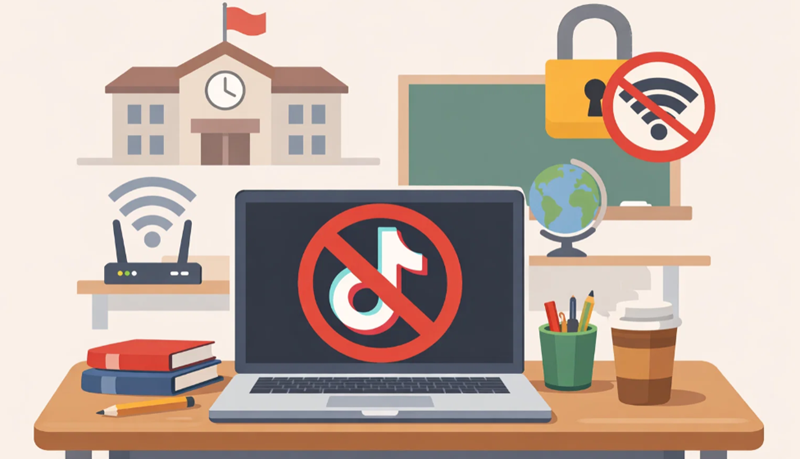
This is the situation this guide addresses. Your school’s Wi-Fi, or the managed device you were issued, is preventing you from connecting to TikTok’s servers. The app won’t load, and the website shows a “Site Blocked” or “Access Denied” message. Your TikTok account is perfectly fine — the network or device is the problem.
2. Your TikTok Account is Restricted or Banned
This happens when TikTok itself restricts your account due to a policy violation, spam behavior, or age-restriction issues. In this case, even on your home Wi-Fi or mobile data, you won’t be able to log in or access certain features.
Note: If your account is banned, you need to appeal directly to TikTok through the in-app support process, or create a new account. The bypass methods in this guide will not resolve account-level bans.
Assuming your account is fine and it is just the school network acting as a gatekeeper, let’s look at your options.
6 Ways to Get TikTok Unblocked at School in 2026
Depending on how strict your school’s IT department is, some of these methods will work better than others. We’ve ranked them from easiest to most advanced.
Method 1: Use Mobile Data / Personal Hotspot
The simplest way to bypass a school firewall is to not use the school’s network at all.
⚙️ How to do it: Turn off Wi-Fi on your phone and use your 4G/5G cellular data. Alternatively, enable “Personal Hotspot” on your phone and connect your laptop or tablet to your phone’s signal.
✅ Pros: Completely bypasses school network controls; your school cannot monitor activity on your personal data connection.
⚠️ Cons: High battery drain on your phone; can quickly eat through your monthly data allowance; won’t help if your school device has MDM or GoGuardian installed, since those can still monitor activity regardless of the network you’re on.
Method 2: Use a VPN (Virtual Private Network)
A VPN creates an encrypted “tunnel” for your internet traffic. The school firewall can see that you are connected to a VPN server, but it cannot inspect the contents of that tunnel to identify TikTok traffic.
⚙️ How to do it: Download a reputable VPN app (such as NordVPN or ExpressVPN) on your personal device, connect to a nearby server, and then open TikTok. If the school’s firewall blocks standard VPN ports, try switching protocols — NordVPN’s “NordWhisper” and similar “stealth” modes are designed to bypass VPN detection by mimicking regular HTTPS traffic.
✅ Pros: Strong encryption; stable connection; one-click setup on most devices.
⚠️ Cons: Quality VPNs require a paid subscription; many free VPNs are slow, unreliable, or sell your browsing data; schools with advanced firewalls may block common VPN ports.
Method 3: Change Your DNS Settings
If the school’s block is purely DNS-based, changing your device’s DNS resolver to a public alternative can bypass it entirely.
⚙️ How to do it: In your device’s Wi-Fi or network settings, change the DNS server to Google’s public DNS (8.8.8.8 / 8.8.4.4) or Cloudflare’s (1.1.1.1). On a phone, this is usually found under Wi-Fi → tap the connected network → Advanced / Configure DNS → Manual.
✅ Pros: Fast; free; no third-party software required; noticeably improves browsing speed in general.
⚠️ Cons: Only effective against basic DNS filtering. Schools using Deep Packet Inspection firewalls will still block TikTok even after a DNS change. Often locked on school-managed devices.
Method 4: Use Web Proxy Mirror Sites
Web proxies act as a middleman — you visit the proxy site, enter “tiktok.com,” and the proxy fetches and relays the page to you. Your school only sees traffic going to the proxy, not to TikTok directly.
⚙️ How to do it: Search for a reputable proxy service such as CroxyProxy or Hidester. Enter TikTok’s URL in the proxy’s search bar.
✅ Pros: No software to install; works on locked-down computers where you cannot install apps.
⚠️ Cons: Usually slow; video playback is often choppy or unreliable; many proxy sites are themselves blocked by school filters; free proxy sites carry significant security risks (see the “Scam Methods” section below).
Method 5: Direct Browser Proxy Configuration (HTTPS Proxy)
Instead of a full VPN app, you can manually configure a proxy server in your browser’s settings — a lighter-weight solution that doesn’t require admin-level installation rights.
⚙️ How to do it: In Chrome, go to Settings → System → Open your computer’s proxy settings, and enter the IP address and port number of a private HTTPS proxy server. You can obtain a private proxy from paid providers for a small fee.
✅ Pros: Lightweight; doesn’t require installing a full application; works in environments where installing software is restricted.
⚠️ Cons: Less secure than a VPN since traffic is not encrypted end-to-end; manual setup can be tricky for beginners; free public proxies are often insecure.
Method 6: Anti-Detect Browser + Residential Proxy
This is the most stable, long-term solution for users on heavily restricted networks. The key difference from a standard VPN is the type of IP address used:
- Datacenter IPs (used by most free VPNs): Easy for firewalls to identify and block because they come from known cloud server ranges.
- Residential IPs (used by residential proxy providers): Appear to be regular home internet connections. School firewalls cannot easily block them without also blocking legitimate home users.
⚙️ How to do it: Use an anti-detect browser (such as Nstbrowser or AdsPower) configured with a residential proxy from a provider like OkeyProxy. This combination masks both your IP address and your browser’s “fingerprint” — the unique set of technical signals your device sends to websites.
✅ Pros: Highest stability and detection resistance; effective even against Deep Packet Inspection; useful for managing multiple TikTok accounts safely.
⚠️ Cons: Requires a basic understanding of proxy configuration; residential proxy traffic typically involves a per-GB cost; more complex initial setup than other methods.
💡 Recommended Residential Proxy: OkeyProxy — Access a pool of 150+ million residential IP addresses across 200+ regions worldwide. Perfect for use with anti-detect browsers, emulators, and web scrapers. Residential IPs look identical to real home users, making them virtually undetectable by school firewalls and platform security systems alike.
Which Method Is Best for You?
| Your Situation | Recommended Method | Why |
|---|---|---|
| You have unlimited data on your phone | Mobile Hotspot (Method 1) | Zero setup, zero risk of school network detection |
| You’re on a school computer and can’t install apps | Web Proxy (Method 4) or DNS (Method 3) | Browser-based solutions work without installation rights |
| The school Wi-Fi uses an advanced firewall / DPI | Anti-detect browser + Residential Proxy (Method 6) | Residential IPs bypass deep packet inspection |
| You want the best balance of speed and ease | Paid VPN (Method 2) | One-click connection for most personal devices |
How to Unblock TikTok on a School Chromebook
School-issued Chromebooks are notoriously difficult to bypass because they are managed via Google Workspace for Education. Administrators can prevent you from opening the Settings menu, visiting the Chrome Web Store, or changing network configurations. Here is what you can still try:
- Use Your Phone’s Hotspot: If the Chromebook allows you to switch Wi-Fi networks, connecting to your phone’s hotspot is the most reliable way to bypass school content filters like GoGuardian — provided GoGuardian is not also running as an OS-level extension (in which case, it will still monitor traffic).
- Chrome VPN Extensions: If the Chrome Web Store is accessible, search for a VPN extension. Extensions such as Touch VPN or SetupVPN are sometimes missed by administrators even when standalone VPN apps are blocked.
- Web Proxy Sites: Since you may not be able to install any software, a browser-based proxy (Method 4) is often your best option. Type the proxy URL into the address bar and use its internal search to navigate to TikTok.
- Change DNS in Chrome OS: Go to Settings → Network → Wi-Fi → tap your connected network → Network tab. Change “Name Servers” to “Custom” and enter
1.1.1.1. Note: This is frequently locked on administrator-managed Chromebooks.
Important note about MDM on school iPads: If your school-issued iPad has an MDM profile installed, network-based solutions (VPN, proxy, DNS change) may not be enough. MDM profiles restrict apps and websites at the operating system level, independently of the network you’re connected to. In this case, the most practical option is always to use your personal phone on mobile data rather than attempting to modify the managed device.
Protect Your Account While Using Bypass Methods
Whichever method you use, take a few steps to keep your TikTok account secure:
- Enable two-factor authentication (2FA) in your TikTok account settings. This adds a critical layer of protection against unauthorized logins, especially important when using shared or public networks.
- Never enter your TikTok login on a third-party proxy site. If a proxy asks you to log in to TikTok on its own page rather than loading the official TikTok interface, close it immediately — this is a phishing attempt.
- Avoid jumping between server regions frequently if you’re using a VPN. Rapidly changing locations can trigger TikTok’s security systems and flag your account as suspicious.
- Keep your TikTok app updated to the latest version to benefit from the newest security and privacy patches.
Avoid These Risks: The Methods That Are Not Worth It
In your search for TikTok unblocked at school, you will run into many dangerous options. Avoid these:
- Random “Unblocker” Extensions: Many free Chrome extensions claiming to unblock websites are actually adware or malware designed to steal saved passwords or inject unwanted ads into your browser.
- Phishing Proxy Sites: Legitimate proxy sites load TikTok’s real interface inside a frame. If a proxy site presents its own TikTok-looking login page, it is stealing your credentials. Close it immediately.
- Free VPNs That Sell Your Data: Many free VPN providers make money by logging and selling your browsing data to advertisers. This is the opposite of privacy. If you use a VPN, pay for a reputable one.
- Sideloading APKs: Never download a “TikTok Mod” or “Unblocked TikTok.apk” from a random website on your Android device. These files almost always contain trojans, spyware, or ransomware.
- Outdated Tutorials: Methods published in 2022 or earlier often ignore how TikTok’s own security systems have evolved. TikTok can flag and temporarily lock accounts that it detects logging in through suspicious or automated connections.
The Ethics: Using TikTok Responsibly at School
While the methods in this guide are technically feasible, it is important to use them responsibly and to be aware of the consequences.
Bypassing school network controls may violate the Acceptable Use Policy (AUP) you agreed to at the start of the school year. For a first offense, schools typically respond with a warning or temporary device confiscation. Repeat violations can result in more serious disciplinary action.
Practically speaking: don’t use TikTok while the teacher is speaking. If you get caught using a bypass method, the IT department will identify it and close that loophole for everyone. Reserve these methods for your lunch break or free periods, keep the volume muted or use headphones, and use your school time for schoolwork first.
Frequently Asked Questions
Why won’t my VPN connect on the school Wi-Fi?
Schools often block the specific ports that VPN protocols use — for example, UDP port 1194 for OpenVPN. To fix this, switch your VPN protocol to WireGuard, NordLynx, or a “stealth” mode if your provider offers one. These protocols either use standard HTTPS ports (443) or obfuscate their traffic to look like normal web browsing, making them much harder for firewalls to detect and block.
Can I get in serious trouble for using a proxy at school?
In most cases, a first offense results in a warning or temporary device confiscation — not expulsion. However, repeatedly bypassing school security systems is a violation of your Acceptable Use Policy and could escalate to more serious consequences depending on your school’s policies. Use these methods at your own discretion and judgment.
Does changing my DNS to 1.1.1.1 work on school Wi-Fi?
It works only if your school uses basic DNS-level filtering and has not implemented Deep Packet Inspection. Many newer school firewall systems use DPI, which analyzes traffic content rather than just domain names, making DNS changes ineffective on their own. It is still worth trying as a first step since it is the simplest and least risky method.
Are there TikTok unblocked sites that require no download?
Yes — web proxies (Method 4) are entirely browser-based and require no downloads or installations. Services like CroxyProxy allow you to access TikTok through your browser without installing anything. Keep in mind that free proxies are often slow, may be blocked by your school’s filter, and can pose security risks if you log in to your account through them.
Is TikTok still available in the US after the 2025 ban?
Yes. After a brief period of uncertainty, TikTok finalized a deal on January 22, 2026, forming a new American-majority joint venture (TikTok USDS Joint Venture LLC) with Oracle, Silver Lake, and MGX as managing investors. ByteDance retained a 19.9% minority stake, staying below the legal threshold that would trigger a ban. The app continues to be available in the Apple App Store and Google Play Store without any changes for regular users. If TikTok is blocked for you, it is a school or local network restriction — not a nationwide issue.
What if my school device has MDM installed?
MDM (Mobile Device Management) restricts apps and websites at the operating system level, which means network-based workarounds like VPNs or DNS changes may not be sufficient. The simplest solution in this case is to use your personal phone on your own mobile data, rather than attempting to modify a school-managed device. Removing an MDM profile from a school-owned device without authorization is likely a violation of your school’s policies and could have more serious consequences.
Closing Thoughts
Accessing your favorite content shouldn’t feel like a high-stakes operation. Whether you opt for the simplicity of a mobile hotspot, the reliability of a paid VPN with stealth protocols, or the advanced stability of an anti-detect browser paired with residential proxies, the key is understanding exactly which type of restriction you’re facing before choosing your method.
Always prioritize your account security — enable two-factor authentication, avoid free proxies that ask for your login credentials, and never sideload unofficial APK files. Use these methods during your breaks, be considerate of others on the network, and keep your focus on schoolwork during class time. Stay safe and enjoy your unblocked TikTok experience!