You’ve spent thirty minutes crafting the perfect description, taking high-quality photos, and setting a competitive price. You click “Publish,” expecting a flood of inquiries, but instead, you are met with a cold, frustrating notification: “This posting is being blocked.” Or worse, the post appears to go live, but it never shows up in the search results—a phenomenon known as “ghosting.” For many sellers and marketers, this feels like hitting an invisible brick wall, leaving you wondering what exactly triggered the Craigslist security sirens.
This article will provide a deep dive into the root causes of why your Craigslist posting is being blocked and offer a comprehensive roadmap—from basic content tweaks to advanced technical strategies like using residential proxies—to ensure your ads stay live and visible.
Common Reasons Why Your Craigslist Posting is Being Blocked
Understanding why a block occurs requires looking at your “digital footprint” through the eyes of the Craigslist automated filters. Transitioning from simple user error to complex technical triggers, we can categorize these reasons into three main pillars: Technical, Content, and Account-based issues.
A. Technical Triggers
Even if your ad is perfect, the “pipes” you use to send it might be contaminated. Craigslist tracks the origin of every request to ensure it comes from a trustworthy source.
IP Reputation
Your IP address is your digital ID card. If you are using a public Wi-Fi network, a flagged VPN, or an IP that has been associated with spam in the past, Craigslist will block you instantly. If you find yourself in this situation, you need to know what to do if your Craigslist IP is blocked. Most standard VPNs use Datacenter IPs, which are easily identified by their ASN (Autonomous System Number). Since “normal” people post from home or mobile networks, a datacenter IP is an immediate red flag.
Geographic Mismatch
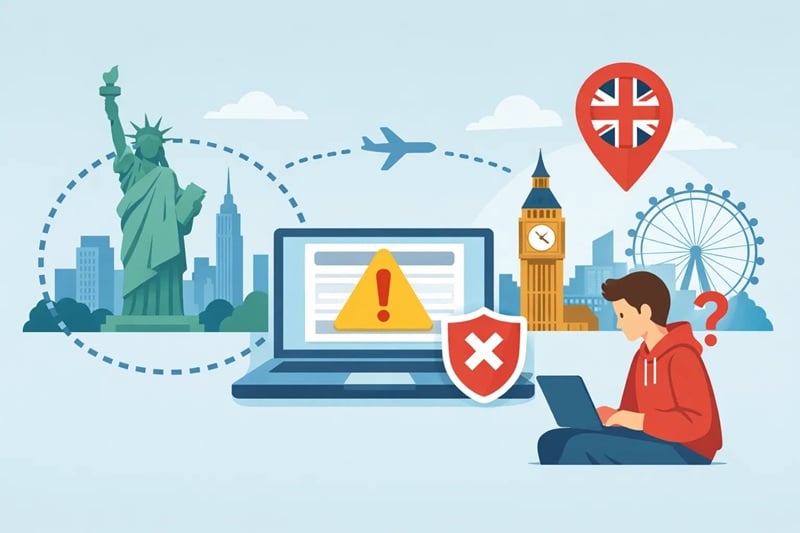
Craigslist is hyper-local. If you are trying to post an ad in New York while your IP address shows you are in London or even just Los Angeles, the system will likely flag the post as suspicious. This “Geo-fencing” is a primary defense against overseas scammers.
Device Fingerprinting
It’s not just about your IP. Craigslist uses scripts to read your browser’s “fingerprint”—this includes your browser type, OS, screen resolution, and even the fonts installed on your computer. If you have a history of deleted posts or banned accounts on that specific device, the system stores “cookies” and local storage data to identify you even if you switch IPs.
B. Content & Metadata Issues
Once you pass the technical gatekeeper, the actual data within your post is scrutinized for patterns associated with “low-quality” or “prohibited” behavior.
Trigger Keywords
Using words like “guaranteed,” “work from home,” “free,” or excessive dollar signs ($$$) can trigger the spam filter. Similarly, including links to external websites—especially shortened URLs like bit.ly—is a high-risk move that often leads to an immediate block.
Duplicate Postings
This is perhaps the most common trap. Craigslist strictly prohibits posting the same ad multiple times within a short window. If you post the same item in the same city twice within 24 hours, the system will delete the duplicates. Furthermore, the terms of service state that you cannot post the same ad in multiple cities or categories within a 48-hour window. Violating this leads to “ID-ing,” where your IP is blacklisted for serial duplication.
Image Metadata (EXIF Data)
Every digital photo contains hidden metadata called EXIF data, which includes the date, camera settings, and often the GPS coordinates of where the photo was taken. If your EXIF data shows the photo was taken in Florida but you are posting in Seattle, Craigslist’s “Smart Filters” may block the post for inconsistency.
Category Errors
Posting a “Help Wanted” ad in the “For Sale” section or spamming multiple irrelevant categories is a quick way to get flagged by the automated system and the user community.
Prohibited Items
Craigslist maintains an extensive Prohibited List. This includes weapons, certain medical services, recalled items, and “affiliate marketing” schemes. Attempting to bypass these filters with “coded language” rarely works against modern AI-based text analysis.
C. Account & Community Issues
Finally, the “human” and “trust” elements of your account play a significant role in whether your post survives the first few hours.
New or Unverified Accounts
A brand-new account with no posting history is under a “probationary” period. These accounts are subject to much lower thresholds for blocking compared to aged accounts with a history of successful, unflagged posts.
Phone Verification (PVA) Issues
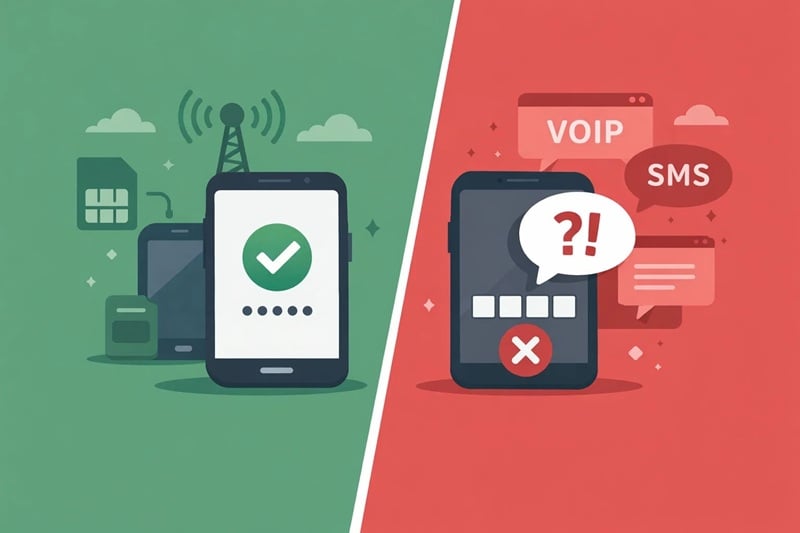
Craigslist requires many categories to be verified via a phone call or SMS. If you use a VOIP or Virtual Number (like Google Voice or cheap online SMS services), the system will likely reject it. They prefer “hard-wired” or traditional mobile numbers from major carriers.
Community Flagging
Unlike automated blocks, “flagging” happens after the post is live. If other users (or competitors) click the “Flag” button because they believe your post is a scam or in the wrong category, Craigslist will automatically remove the post once a certain threshold of flags is reached.
Difference Between “Blocked” and “Ghosted”
Before you can fix the problem, you need to diagnose exactly what is happening to your ad, as the solutions for a direct block and “ghosting” differ significantly.
- Blocked: This is the “loud” rejection. You will see a message stating “This posting is being blocked” or your account will be redirected to a page explaining that your IP or content has been restricted. This is usually a technical or “Prohibited Content” trigger.
- Ghosted: This is the “silent” rejection. Your dashboard says the post is “Active,” and you can even view the post via its direct URL. However, when you go to the category list or search for your keywords, your ad is nowhere to be found. Ghosting is usually the result of a “soft” flag on your IP reputation or device fingerprint—the system doesn’t trust you enough to show your ad to the public, but it doesn’t want to alert you that you’ve been caught.
How to Fix “This Posting Is Being Blocked”: Step-by-Step Troubleshooting
Most blocks are temporary. If you find yourself restricted, the best first step is to stop all activity and wait 24 to 48 hours for the heat to die down. If the problem persists, follow this systematic approach to “clean” your digital presence.
Step 1: Clear Digital Tracks
Standard “incognito mode” isn’t always enough. You need to clear your browser cache, cookies, and webGL storage. For power users, using a fingerprint/anti-detect browser like AdsPower or Incogniton is highly effective. These tools allow you to create a completely unique, isolated browser profile that Craigslist cannot link to your previous banned sessions.
Step 2: Switch Your Network
If your IP is burnt, you need a fresh one.
- Mobile Data: Turn off your Wi-Fi and use your phone’s hotspot. Mobile IPs (4G/5G) are rotated frequently and have a higher trust rating because many people share them.
- Router Reboot: If you have a dynamic IP from your ISP, turning your router off for 10 minutes and restarting it might assign you a new IP address.
Step 3: Use a Verified Account
Avoid posting as a “guest.” Ensure your account is associated with a valid, non-virtual phone number. An aged account that has successfully bypassed the 48-hour rule in the past is your most valuable asset.
Step 4: Content & Media Optimization
- Rewrite Everything: Do not copy-paste the blocked text. Change the title, rearrange the sentences, and avoid “salesy” jargon.
- Sanitize Images: Before re-uploading, use an online tool to strip EXIF metadata from your photos. Alternatively, take a screenshot of your original photo and use the screenshot instead—this creates a “new” file with a different MD5 hash value and no original location data.
- Crop for Uniqueness: Slightly cropping or rotating an image by 1-2 degrees makes it look unique to an automated image-matching algorithm.
Step 5: The Timing Factor
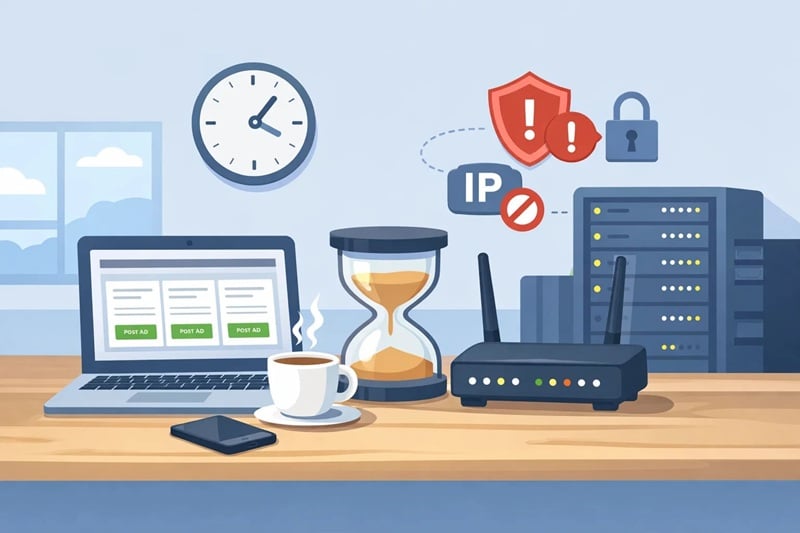
Humans don’t post 50 ads in 5 minutes. To avoid being flagged as a bot, space your postings out. If you are managing multiple ads, wait at least 15-30 minutes between each one. If your ISP-assigned IP is permanently blacklisted, you may need to reach out to your provider, but for most, the solution lies in higher-tier infrastructure.
Advanced Solution: Using High-Quality Proxies
When basic troubleshooting fails, it’s usually because your IP reputation is beyond repair. For those running professional marketing campaigns or managing multiple accounts, high-quality proxies are the only viable path forward.
Why VPNs Fail on Craigslist
Many users turn to a VPN to fix a block, only to find themselves blocked again instantly. This is because 99% of VPN providers use Datacenter IPs. Craigslist maintains a database of these IP ranges. When you connect via a VPN, Craigslist sees a “Server” trying to post an ad, which is a classic bot behavior. To them, a VPN is a mask that only guilty people wear.
The Power of Residential Proxies
Residential Proxies are the gold standard for bypassing Craigslist blocks. Unlike datacenter IPs, residential IPs are assigned by actual Internet Service Providers (Comcast, AT&T, Verizon) to real homes. When you post using a residential proxy, you appear as a genuine local resident browsing from their living room.
- High Trust Score: Since these IPs belong to consumer ASNs, they are rarely blocked by default.
- Hyper-Local Targeting: You can select a proxy located in the exact city or zip code where you want to post, satisfying Craigslist’s geographic checks.
For those seeking a residential proxies provider in this space, OkeyProxy offers a top-tier solution. With a pool of over 150 million real residential IPs covering 200+ countries, OkeyProxy allows you to bypass “This posting is being blocked” errors by providing:
- Clean Residential IPs: Minimal risk of being flagged as a bot.
- City-Level Targeting: Post in New York, London, or Tokyo with a local IP.
- High Stability: Ensure your “Ghosting” issues disappear by using high-reputation IPs that Craigslist trusts.
Best Practices for Sustainable Craigslist Success
To build a reliable presence on Craigslist, it is essential to align your activities with the platform’s community standards and technical expectations. Experienced users who maintain a high success rate follow these specific operational guidelines to ensure their ads remain visible and helpful to the local community.
Tip 1: Prioritize Local Relevance (The 50-Mile Rule)
Craigslist is built on the foundation of local commerce. To provide the best user experience, always ensure your connection originates from the same region as your posting. If you are using OkeyProxy, utilize the city-level or ZIP-code targeting to match your target location exactly. This alignment ensures that your ad is served to the most relevant local audience without triggering geographical inconsistency alerts.
Tip 2: Focus on Readability and Plain Text
For the highest visibility and accessibility, keep your descriptions clear and straightforward. Modern Craigslist filters often flag posts containing raw HTML, excessive special characters, or “ASCII art” as distracting or non-compliant. Using plain text ensures that your message is easily readable across all devices and adheres to the platform’s preference for simple, direct communication.
Tip 3: Establish a Natural User Session
When using a new residential IP or a recently verified account, it is a best practice to engage with the platform as a typical user would. Before posting, spend a few minutes browsing other listings and interacting with the interface. This “settling-in” period helps establish a trustworthy session history, signaling to the system that the account is being managed by a genuine individual rather than an automated script.
Tip 4: Use High-Trust Verification Methods
For categories that require Phone Verification (PVA), always opt for genuine, hardware-based mobile numbers. Avoiding virtual or VOIP numbers and choosing verified physical SIM cards ensures that your account remains in good standing. This commitment to verified identity is the most effective way to demonstrate your credibility to the platform and its users.
Conclusion
The “This posting is being blocked” error is not a death sentence for your marketing efforts; it is simply a signal that your digital identity doesn’t currently meet Craigslist’s trust requirements. By understanding the balance between technical reputation (IPs and fingerprints) and content integrity (keywords and metadata), you can navigate these filters successfully.
For casual users, clearing cookies and switching to mobile data is often enough. However, for those who rely on Craigslist for business, the shift toward Residential Proxies and professional tools like OkeyProxy is a necessary evolution. Match your digital “passport” to your destination, stay within the rules of the community, and you will find that the doors to Craigslist remain wide open.
FAQ Section
Q: How long does a Craigslist block last?
A: A soft block or IP flag usually lasts between 24 and 48 hours. However, if you continue to trigger the filters during this time, the block can be extended indefinitely or lead to a permanent range ban.
Q: Can I use a free proxy for Craigslist?
A: Absolutely not. Free proxies are almost always blacklisted within minutes of going live because they are abused by thousands of users. They also pose a significant security risk to your personal data.
Q: Why is my post live but not showing up in search results?
A: This is “Ghosting.” It usually happens because your IP address has a low trust score or your content is too similar to a previously flagged post. The system “accepts” the post to avoid alerting you, but hides it from the public. Switching to a Residential Proxy is the most effective fix for ghosting.
Q: Does Craigslist block based on my email address?
A: Yes. If multiple posts from a specific email are flagged by users, that email address will be “burned.” You will need to create a new account with a fresh email and, ideally, a fresh IP.