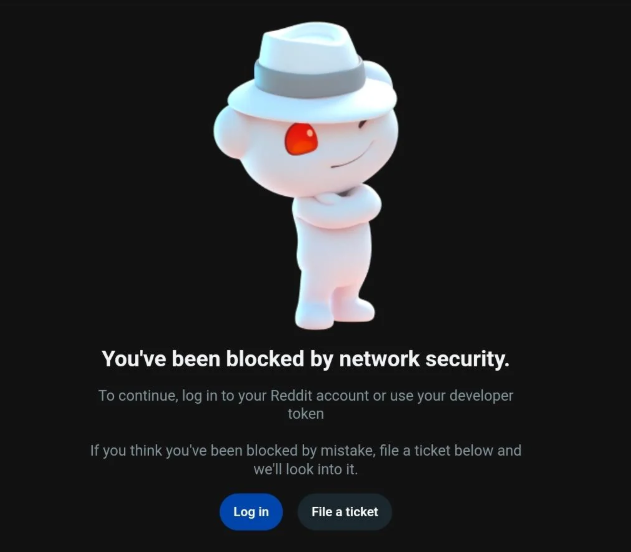
Imagine this: You are deep in a rabbit hole on your favorite subreddit, or perhaps you’re conducting vital market research on the latest consumer trends. Suddenly, the page vanishes, replaced by a stark, clinical message: “You’ve been blocked by network security.”
In this guide, we will analyze the technical “why” behind this roadblock and provide a step-by-step roadmap to restore your access, ranging from simple keyboard shortcuts to professional-grade network solutions.
What is the “Reddit You’ve Been Blocked by Network Security” Error?
When you see this message, you are encountering a Web Application Firewall (WAF), likely powered by F5 or a similar enterprise security suite. Reddit uses these tools to filter out what it perceives as “malicious” or “non-human” traffic.
Unlike an account-level shadowban or a community ban (which usually lets you browse but not post), a network security block happens at the connection layer. It means the system has flagged your IP address, your browser configuration, or your network behavior as a potential threat.
Crucial Note: This error rarely means your account is in trouble. It simply means the “pipe” you are using to connect to Reddit is currently untrusted.
Why Does Reddit Think You’re a Threat? (The Root Causes)
Understanding the trigger is the first step toward a permanent fix. Here are the most common reasons why Reddit’s security system might be flagging your connection:
A. The Firefox “Privacy” Paradox
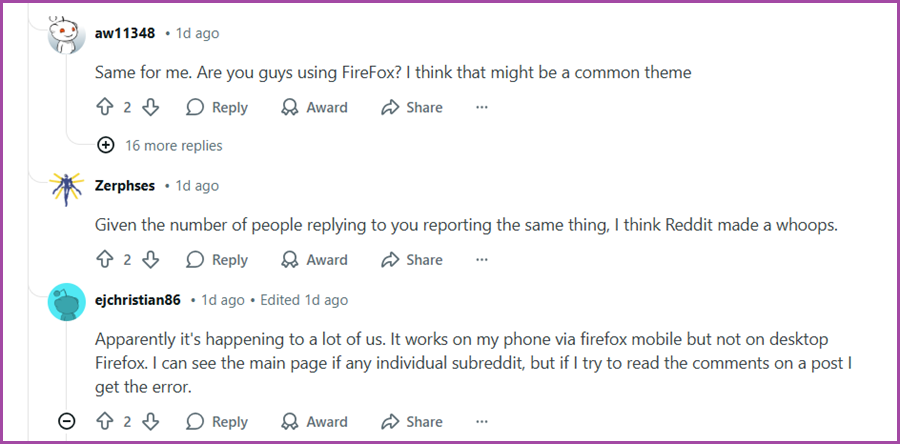
Ironically, being more secure can make you look more suspicious. A significant number of users on the r/help community have reported that this error is disproportionately common on Firefox.
The Reason: Firefox’s “Enhanced Tracking Protection” and certain user-agent settings can make your browser appear “headless” (like a script or a bot) to Reddit’s F5 security filters. When the firewall can’t clearly identify your browser fingerprints, it defaults to a block.
B. Legacy Access: The old.reddit.com Factor
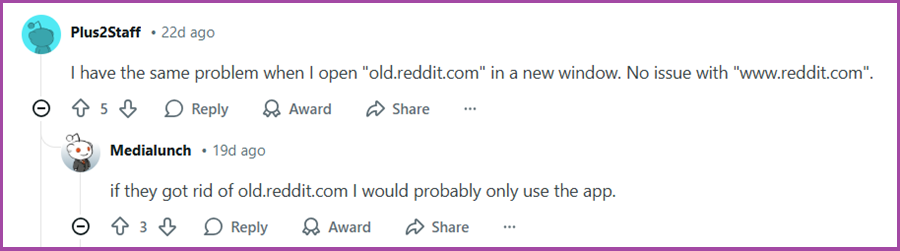
Many long-time users prefer the “Old Reddit” interface. However, old.reddit.com sometimes lacks the modern handshake protocols that new security filters expect. If the security system sees an outdated request pattern coming from a modern IP, it may trigger a block to prevent “credential stuffing” or legacy API abuse.
C. High-Frequency Traffic and Scraping
In 2026, Reddit is a goldmine for training Large Language Models (LLMs). Consequently, their anti-scraping measures are at an all-time high. If you are:
- Refreshing pages too quickly.
- Running multiple tabs of the same subreddit.
- Using automated tools to aggregate data.
Reddit’s system will temporarily “blackhole” your IP address to protect its server resources.
If you are accessing Reddit from a school, office, or a popular VPN service, you are sharing an IP address with hundreds of other people. If just one person on that network violates Reddit’s terms—or if too many people access the site simultaneously from that single IP—the entire network gets flagged. This is why public Wi-Fi is a common trigger for network security blocks.
Quick Fixes: Immediate Actions to Restore Access
Before moving to complex network changes, try these community-vetted “quick wins” that solve the problem for 90% of users.
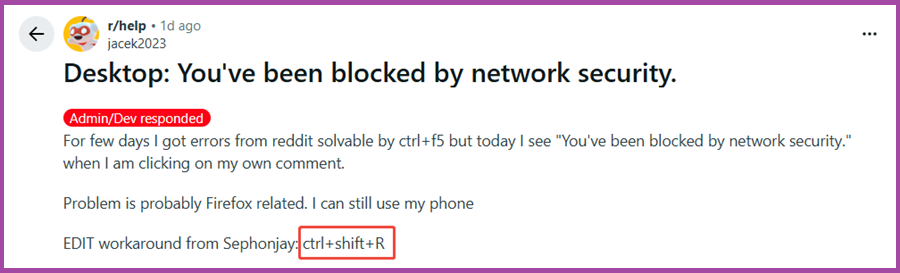
1️⃣ The “Magic” Force Refresh (Ctrl + F5)
As discussed in recent Reddit troubleshooting threads, the most effective fix is often the simplest.
The Fix: Press Ctrl + F5 (or Ctrl + Shift + R).
Why it works: A standard refresh uses cached data. A “Force Refresh” clears the cache for that specific page and forces a clean handshake with Reddit’s security server, often clearing the temporary flag.
2️⃣ Browser Hopping
If Firefox is giving you trouble, try switching to a Chromium-based browser like Chrome, Edge, or Brave. Because these browsers have a more “standard” digital footprint, Reddit’s firewall is less likely to misidentify them as bots.
3️⃣ Incognito / Private Mode
Open Reddit in a Private window. If it works there, the problem is likely a corrupt cookie or a conflicting extension.
Action: If Incognito works, go to your browser settings and clear all Reddit-related cookies.
4️⃣ Audit Your Extensions
Disable ad-blockers or privacy-focused extensions temporarily. Sometimes these tools strip away headers that Reddit’s security system requires to verify your identity.
Advanced Solutions: Managing Your Digital Identity
If the quick fixes fail, the issue lies deeper within your network reputation. Here is how to handle more persistent blocks.
1️⃣ The Problem with Traditional VPNs
For years, the go-to solution for a blocked IP was a VPN. However, in 2026, most major platforms have “Blacklists” of Datacenter IP ranges used by popular VPN providers. When you connect via a standard VPN, Reddit sees an IP from a server farm, which is a major red flag for automation.
The Pivot to Residential Proxies
To maintain a consistent, professional presence on Reddit without interruptions, you need to look like a real person. This is where Residential Proxies become essential.
Unlike VPNs, residential proxies route your traffic through an IP address assigned by an Internet Service Provider (ISP) to a real home. To Reddit’s security system, you don’t look like a “user behind a VPN”; you look like a “genuine neighbor browsing from home.”
🌟 Recommendation: For users requiring high-stability and multi-account management, OkeyProxy’s Residential Proxies offer access to over 150 million real household IPs. Whether you need a Static ISP Proxies for long-term account management or Rotating Residential Proxies for data collection, OkeyProxy provides the high trust score necessary to stay visible on Reddit.
2️⃣ Use Mobile Data (The “Fresh IP” Trick)
If your home or office Wi-Fi is blocked, toggle your smartphone’s Mobile Hotspot. Mobile IP ranges (4G/5G/6G) are rarely blocked by network security filters because they are highly dynamic and used by millions of legitimate users. This is the fastest way to get a “clean” IP on the fly.
3️⃣ Log In to Your Account
Anonymous browsing is scrutinized more heavily than logged-in activity. If you can manage to reach the login page (perhaps via mobile data), logging in creates a session ID that provides a “trust layer” to the security system, often causing the block to lift.
Best Practices to Avoid Future Blocks
Prevention is always more efficient than troubleshooting. Follow these rules to keep your network reputation high:
- Avoid Excessive Refreshing: Give the servers a break. Rapid-fire refreshing is the #1 trigger for rate-limiting.
- Maintain Consistent Geographies: If you use a proxy or VPN, try to stick to the same city or region. Jumping from London to Tokyo in five minutes will trigger security alerts.
- Use High-Quality IP Pools: If your work requires automation or multiple accounts, avoid “free” proxy lists. These are almost always pre-blacklisted. Invest in a provider like OkeyProxy that prioritizes IP “cleanliness.”
- Keep Your Browser Updated: Security handshakes evolve. Ensure you are running the latest version of your browser to support the newest F5 security protocols.
- Be Patient: If you are blocked, wait 30 to 60 minutes. Most automated network blocks are temporary. Aggressively trying to “force” your way back in will only extend the duration of the block.
Conclusion
The “Reddit You’ve Been Blocked by Network Security” error is a frustrating byproduct of a more secure internet. Whether it’s a Firefox glitch, a shared IP issue, or a legacy site error, the solution almost always involves proving your human identity to a firewall.
For the casual user, a Ctrl + F5 or a browser switch is usually enough. For the professional marketer or researcher, maintaining access requires a more robust strategy involving Residential Proxies to ensure your connection carries the highest possible trust score.
Frequently Asked Questions
Q: Is my Reddit account banned if I see this message?
A: No. This is a network-level block. Your account is likely perfectly fine; you just need to change your connection method to access it.
Q: Why does this happen more on Firefox?
A: Firefox’s aggressive privacy features sometimes mask “User-Agent” data that Reddit’s security firewall uses to verify that you aren’t a bot.
Q: How long does a network security block last?
A: Most temporary blocks last between 30 minutes and 2 hours. However, if the IP remains associated with high-frequency bot activity, it can be blocked for days.