Ever tried opening Discord on school Wi-Fi only to get stuck on that annoying “Connecting…” screen forever? It’s a total buzzkill when you just want to check your study group or hang out during lunch. A Discord proxy for school is basically a “middleman” that hides what you’re doing from the school’s firewall. It makes your chat traffic look like regular web browsing so the IT department doesn’t block you. Since school filters are getting way smarter, using a high-quality residential proxy is the only real way to fix those “No Route” errors and keep your voice chat working without getting flagged.
Quick Answer: The “Cheat Sheet” for Discord Proxies
In a rush before the bell rings? Here’s the lowdown on getting back on Discord:
- Why it’s blocked: Schools use filters to stop “non-educational” traffic and save bandwidth.
- The Fix: Use a Residential Proxy (like OkeyProxy). It looks like a home user, so the school firewall ignores it.
- Voice Chat Hack: Use SOCKS5 protocol. If you use HTTP, your voice chat will likely hit a “No Route” error.
Why Does School Wi-Fi Hate Discord?
It’s not just your school—almost every campus blocks Discord. Here’s the real reason the IT department keeps you offline:
1. The Distraction Trap
Let’s be honest: it’s hard to focus on Algebra when your Discord notifications are blowing up with memes or gaming invites. Schools block it primarily to keep everyone’s head in the game (the academic kind).
2. Bandwidth Hogging
Discord is a resource monster. Streaming video, sharing screens, and high-quality voice chat eat up a massive amount of data. If 500 students are on Discord at once, the school’s internet would crawl for everyone else trying to do actual work.
3. Keeping Things Safe
Schools have to follow strict rules about what students can see. Since Discord has millions of private servers, it’s impossible for schools to monitor for bullying or NSFW content, so they just pull the plug on the whole app to be safe.
What is a Discord Proxy for School and How Does it Work?
Think of a proxy as a “secret tunnel.” Usually, when you try to go to Discord, the school firewall sees the request and says “Nope!” and blocks it. When you use a proxy, your device talks to the proxy server first. The school firewall sees you talking to a random IP address and thinks, “Okay, that looks harmless,” and lets you through. The proxy then passes the data to Discord for you.
The Different Types of Proxies: Which One Should You Pick?
Before you jump in, you need to know that not all proxies work the same way. Choosing the wrong type is the #1 reason why students get “No Route” errors or get blocked again after five minutes. Here are the three main types you’ll run into:
- Residential Proxies: These use IP addresses from real home internet connections (ISPs). To a school firewall, your traffic looks like a regular person browsing from home, making them almost impossible to block.
- Datacenter Proxies: These come from big server warehouses. They are super fast and cheap, but because the IPs are clearly labeled as “servers,” smart school firewalls can spot and block them easily.
- Web Proxies: These are websites where you type in a URL to browse “inside” their page. They are the easiest to use but are usually very slow and won’t work for the actual Discord app or voice chat.
| Proxy Type | Stealth Level | Speed/Voice Chat | Recommendation |
|---|---|---|---|
| Residential | ⭐⭐⭐⭐⭐ (Highest) | Fast & Stable | Best for everything |
| Datacenter | ⭐⭐⭐ (Medium) | Very Fast | Good for text chat |
| Web Proxy | ⭐ (Low) | Laggy | Emergency text only |
Top 5 Best Discord Proxies for School in 2026
Not all proxies are created equal. In 2026, the “Free Proxy Lists” found on Google are almost always blocked or compromised. Here are the top 5 professional-grade options ranked by reliability and performance.
| Provider | Best Use Case | Pros | Cons |
|---|---|---|---|
| OkeyProxy | Ultimate Stealth & Voice Chat | 150M+ Residential IPs; SOCKS5 support; Difficult for schools to block. | A smaller, specialized brand with lower mainstream visibility. |
| CroxyProxy | Quick Browser Access | No installation required; works on Chromebooks; Free tier available. | Very slow for voice chat; heavy ads on free version. |
| Webshare | Budget-Conscious Students | Affordable private proxies; fast data center speeds. | Data center IPs are more likely to be blocked by smart firewalls. |
| Bright Data | High-End Performance | Enterprise-grade reliability; perfect for coding/data students. | Complex interface; expensive for casual users. |
| Proxy-Seller | Long-Term Static Access | Dedicated IPs; static addresses that don’t change all year. | Limited residential IP pool. |
1. OkeyProxy (Our Top Recommendation)
OkeyProxy is the gold standard for a Discord proxy for school. The reason is simple: they offer over 150 million Residential IP addresses. While schools can easily block a data center IP from a company like Amazon or Google, they cannot block residential IPs because they look like real home users. Using OkeyProxy makes your Discord traffic look like it’s coming from a random house in your city, making you effectively invisible to IT filters.
2. CroxyProxy
If you are using a locked-down School Chromebook where you cannot install apps or change system settings, CroxyProxy is your best friend. It is a web-based proxy—you simply go to their website, type in Discord.com, and it loads within your browser window. It’s perfect for checking text messages, but it often struggles with the high-latency requirements of Discord Voice chat.
Webshare is ideal for students who want a “private” lane but don’t have a huge budget. Their private proxies are much faster than free lists and offer a clean dashboard. However, since they primarily use data center IPs, a very strict school firewall might eventually catch on and block the server range.
4. Bright Data
Bright Data is the “heavyweight” of the industry. If you are a computer science student or someone who needs 100% uptime for a complex project, Bright Data is the most reliable. However, for most students just looking to chat with friends, its complexity might be overkill.
5. Proxy-Seller
If you hate it when your IP address changes constantly, Proxy-Seller is a great choice. They provide SOCKS5 “Static” proxies. This means you can buy one IP and use it for the entire semester. This is particularly useful for Discord because frequent IP changes can sometimes trigger Discord’s own security “bot detection” systems.
Step-by-Step Guide: How to Set Up Your Discord Proxy
Setting up a proxy is easier than you think. You can refer to our step-by-step guide:
Method 1: Using the Discord Desktop App (Windows/Mac)
Since the Discord desktop app doesn’t have its own built-in proxy menu, it automatically follows your computer’s global network settings. Here is how to route your Discord traffic through a proxy on Windows or macOS:
FTaking Windows users as an example:
- Press the Windows Key + I to open Settings.
- Go to Network & Internet ⮕ Proxy.
- Under “Manual proxy setup,”toggle Use a proxy server to On.
- Enter the Proxy IP Address and Port provided by OkeyProxy.
- Click Save. Once saved, restart Discord, and it will begin routing through the proxy tunnel.
Method 2: Using an Anti-Detect Browser
If your school monitors which apps are open, use an anti-detect browser like AdsPower on your laptop. Configure your residential proxy inside the browser, and then open Discord via the web browser. This hides the fact that the Discord app is even running.
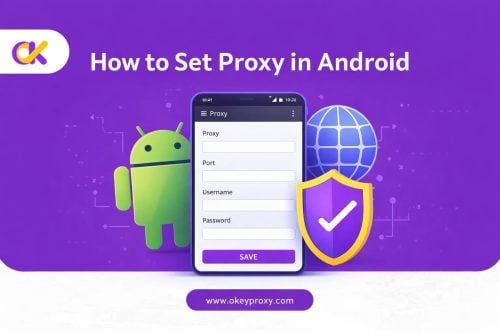
Method 3: Mobile Proxy Setup (iOS/Android)
- Go to your phone’s Wi-Fi Settings.
- Tap the “i” or arrow next to your school Wi-Fi name.
- Scroll down to Configure Proxy and select Manual.
- Enter your proxy server and port details.
The Digital Safety Blueprint: Best Practices for Students
To ensure you don’t get caught or compromise your account security, follow these essential rules for using a Discord proxy for school.
Avoid “Free” Proxy Lists at All Costs
Free proxies are almost always “honey pots” run by hackers to steal login tokens or serve malware. If a proxy is free, you are the product. Your Discord account is valuable; don’t risk it for a $5 savings. Use a trusted provider like OkeyProxy.
Keep Use Legal and Compliant
While unblocking Discord is a minor infraction in most schools, using a proxy to access illegal content or launch cyber-attacks is a serious offense. Use your proxy responsibly to stay connected with your community, not to cause trouble.
Use SOCKS5 for Voice Channels
If you try to join a voice channel and get a “No Route” error, it is usually because you are using an HTTP proxy. HTTP is not designed for real-time voice data. Switch to SOCKS5 to ensure your voice chat is crystal clear and lag-free.
Note from the Editor: High-quality proxies have data limits. Remember to turn off your proxy when you get home to save your balance for the next school day!
The Final Word
Getting blocked on school Wi-Fi is a pain, but it’s not the end of the world. With a solid Discord proxy for school, you can keep your chats going and your study groups connected without the IT department breathing down your neck. Just remember to stick with high-quality residential IPs (like OkeyProxy) to avoid those annoying connection errors. Stay safe, focus on your work when you need to, and enjoy your lunch break chats!