
Let’s face it—school firewalls can be a real buzzkill when you just want to enjoy a quick gaming break. 🛑 But don’t worry! There are plenty of fun games not blocked by school networks, although availability can vary depending on your school’s filtering policies. 🎮 Whether you love quick puzzles, strategy games, or classic arcade titles, this guide has got you covered!
Why Are Some Games Not Blocked by School Networks? 💡
Ever wondered why games and gaming websites such as Tetris, Chess.com, or Coolmath Games may remain accessible on some school networks? 🤷♂️ It is not always just luck! School IT administrators typically use content filters to restrict access to websites based on categories, domains, keywords, security policies, and other criteria. Here are a few reasons why certain games may remain accessible:
- Educational Value 📚: Websites categorized under « Education, » « Learning, » or « Brain Training » may be more likely to be allowed on school networks. Chess and logic-puzzle websites, for example, can sometimes be considered educational resources.
- Lightweight & Browser-Based 🌐: HTML5 and JavaScript games can run directly in a web browser without requiring additional software or large downloads. Their relatively lightweight nature can also make them easier to use on school-managed devices.
- Uncategorized URLs 🔍: Some simple web-based games hosted on less familiar domains may not immediately match a school filter’s predefined categories. However, this does not guarantee that the websites will remain accessible.
The Best Game Websites That Aren’t Blocked by School 🕹️
Here is a list of popular, browser-based games and gaming websites that may be accessible on some school networks. Keep in mind that whether a game is unblocked depends on the specific filters and policies used by your school or organization.
-
Google Doodle Games 🎨
Google Doodles are not just colorful graphics! Google frequently turns its homepage artwork into interactive mini-games that you can play directly in your browser. Because these games are hosted as part of Google’s Doodle experience rather than on traditional gaming websites, they may be less likely to be blocked by some school filters. 👻

-
Chess.com ♟️
Chess is widely recognized as a strategy game and educational activity. It helps players practice planning, pattern recognition, and problem-solving skills, which is one reason chess websites may be permitted on some school networks. On Chess.com, students can play online games, solve puzzles, and practice against computer opponents. 🧠

-
Coolmath Games 🧮
Coolmath Games is a classic choice for school-friendly browser gaming. The platform features puzzle, strategy, and logic-based titles, including Fireboy and Watergirl. These games combine entertainment with problem-solving challenges and can be a fun way to spend a short break. 🌊🔥
-
Chrome Dinosaur Game 🦖
No Wi-Fi? No problem! The Chrome Dinosaur Game, also known as the Chrome Dino Game, appears automatically in Google Chrome when the browser detects that you are offline. Simply press the spacebar to start running and jump over cacti and other obstacles. 🌵
-
2048 🔢
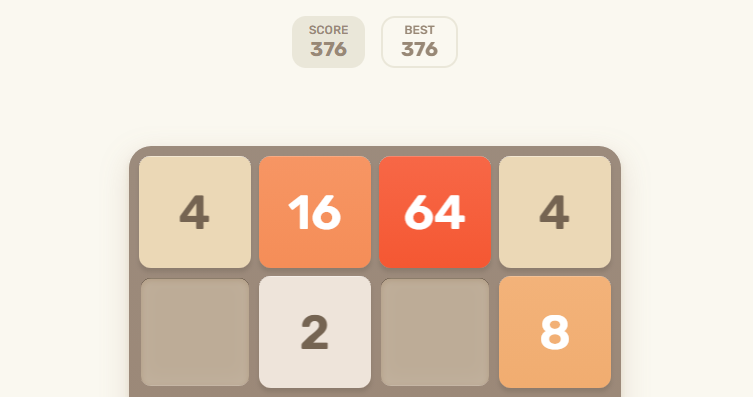
This addictive number-based puzzle game lets you slide numbered tiles across a grid and combine matching numbers to create increasingly larger values, with 2048 being the classic target. It is simple, quiet, and easy to play in a browser, making it a popular choice for a quick mental warm-up. 🧩
-
Classic Tetris 🧱
The timeless block-stacking game never gets old. Numerous websites offer browser-based versions of Tetris that use lightweight HTML5 technology and can run without additional software. Depending on your school’s filtering rules, some versions may remain accessible even when other gaming websites are restricted. 📐
-
Multiplayer IO Games (Slither.io & Agar.io) 🐍
Fast-paced and easy to start, .io games such as Slither.io and Agar.io let you jump into multiplayer gameplay directly from your browser. Depending on your school’s network policies, these games may be accessible without installing a separate application. In Slither.io, you control a snake, collect items, grow larger, and compete against other players in real time. 🏆


Play Responsibly: Keep Gaming for Recess & Breaks ⏰
Gaming at school can be a fun way to unwind during appropriate downtime, but timing is everything! 🎯 It is important to treat gaming as a short break activity rather than a distraction from classes, assignments, or other responsibilities.
- Play during free periods ⌛: Use recess, lunch breaks, or other designated free periods, preferably after you have finished your assignments and other schoolwork.
- Respect class time 📖: Avoid playing during lectures, lessons, or other scheduled activities so you do not miss important information or risk violating your school’s device-use policies.
- Keep it quiet 🎧: If gaming is permitted, use headphones at an appropriate volume or mute the game audio to avoid disturbing classmates and teachers.
Why Are Heavy Games Blocked & How to Unblock Them? 🔒
While lightweight browser games may remain accessible on some networks, resource-intensive games and gaming platforms such as Roblox, Minecraft servers, or Steam may be restricted by school administrators. 🚫 Schools and other organizations may block gaming websites and applications to manage network bandwidth, reduce distractions, maintain security, and enforce acceptable-use policies.
If a game or gaming website is blocked by your school’s network, a proxy server can sometimes provide an alternative way to access websites by routing your web traffic through a remote server. However, whether a proxy works depends on the school’s network configuration and filtering technology, and using one may violate school or network-use policies.
Recommended Solution: OkeyProxy 🚀
If you need a proxy for legitimate web access, testing, or other permitted online activities, OkeyProxy provides residential and other proxy options that can route your traffic through a remote IP address. 🛡️
Unlike many public proxies, which can be unreliable, slow, or quickly blocked, OkeyProxy provides residential IPs designed to resemble connections from regular residential networks. Here are some of the features users may consider when choosing a proxy service:
- Massive Pool 🌍: Access a large pool of 150M+ residential IPs across locations worldwide, giving you more options for geographic targeting.
- High Speed & Low Latency ⚡: Fast and stable proxy connections can provide a smoother experience for browser-based applications and other online activities, although actual performance depends on factors such as location, network conditions, and the target service.
- Residential IPs 🏠: Residential proxies route traffic through IP addresses associated with residential networks, which can be useful for applications that require residential IP targeting.
- Multi-Platform Support 💻📱: Proxy connections can be configured for a range of devices and applications, including Windows, Mac, Android, and iOS, depending on the supported configuration.
👉 Get Started with OkeyProxy Today 🎮✨
How to Set Up OkeyProxy to Access Websites Step-by-Step 🛠️
Setting up a proxy can be completed in just a few minutes once you have your proxy credentials. Follow these general steps to configure OkeyProxy on a supported device:
Step 1: Get Your OkeyProxy Account
Sign up for an OkeyProxy account and choose the proxy type that fits your needs. SOCKS5 proxies can be useful for applications that support SOCKS5 connections, while residential proxies are designed for use cases that require residential IP addresses. Make sure your intended use complies with the relevant network and school policies.
Step 2: Configure Your Device
Adjust your device or application’s network settings to route supported traffic through your OkeyProxy proxy server. You will generally need the proxy host or IP address, port, and any required authentication credentials.
- For Windows / Mac 💻: Open your network or system settings, find the relevant proxy configuration options, enable manual proxy settings if available, and enter your OkeyProxy proxy host and port. The exact steps may vary depending on your operating system version.
- For Mobile Devices 📱: Open your Wi-Fi settings, select the connected network, find the proxy configuration option, and enter the required proxy details. The available settings can vary between Android and iOS versions.
Step 3: Check Your Connection 🥳
Use an IP lookup tool or another appropriate testing method to confirm that your proxy connection is active. Then open a supported web browser or application and test the connection. If the connection does not work, check your proxy host, port, authentication details, and network settings.
Learn More: How to Bypass School Wi-Fi Restrictions Safely
Summary 📌
Even when school networks have strict filtering policies, there may still be plenty of games not blocked by school that you can enjoy during permitted downtime. 🌟 Browser-based titles such as Google Doodle Games, chess, 2048, Tetris, and other lightweight games can be convenient options, although access varies from one school network to another.
If a website is restricted, a proxy can route supported web traffic through a different IP address, but you should always follow your school’s acceptable-use policies and only use a proxy for permitted activities. OkeyProxy offers residential and other proxy solutions for legitimate web access and proxy-related use cases, with connection performance depending on your network, location, and target service.
Remember, gaming is best enjoyed during appropriate breaks while keeping your classes, assignments, and school responsibilities on track!
Happy gaming! 🎮🎉