


















Can You Have Multiple Facebook Accounts? A Step-by-Step Guide for 2025
Whether you’re looking to separate your personal and professional lives, manage a business page, or maintain privacy for specific activities, the question "Can you have multiple Facebook accounts?" is more relevant than ever. Facebook allows additional profiles under one login—plus there are unofficial ways to manage entirely separate accounts. In this guide, you’ll discover everything from Facebook’s official policy to hands-on methods (including using proxies for pros) so you can choose the best approach for your needs.
Understanding Facebook’s Official Policy
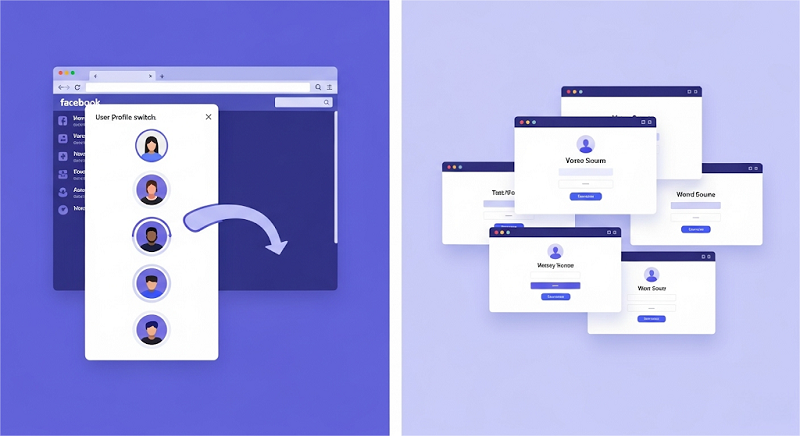
Facebook has a clear stance: every user is allowed one main account, which must reflect their real name as per the platform’s Community Standards. However, since 2023, Facebook introduced a feature allowing up to four additional personal profiles under that main account. These profiles share the same login credentials (email or phone number and password) and are meant for different interests or communities—like one for family and another for a hobby.
Here’s the breakdown:
Allowed: Up to 4 additional personal profiles linked to your main account (all share the same login).
Not Allowed: Separate accounts with unique credentials violate Community Standards and can lead to suspension.
Why Do People Want Multiple Facebook Accounts?
Many users—despite policy—have good reasons for more than one profile/accounts:
Personal vs. Professional Separation: Keep family and friends separate from coworkers.
Business Needs: Manage multiple business pages without blending them with personal content.
Privacy: Use a secondary profile or account for activities you’d rather keep discreet, like joining niche groups.
Backup Plan: Have an extra account ready if your main one gets hacked or suspended.
Testing or Marketing: Digital marketers often need multiple accounts for campaigns or experiments.
At-a-Glance Comparison
| Feature | Official Additional Profiles | Fully Separate Accounts (Advanced) |
| Login Credentials | One email/password | Unique email/phone per account |
| Switching | Native profile switcher | Logout/login or isolated browsers |
| Risk of Suspension | Very low | High |
| Setup Complexity | Easy (5–10 min) | Moderate (20–30 min + proxy setup) |
| Ideal For | Beginners, hobbies, simple privacy | Agencies, testers, privacy purists |
How to Create Official Additional Profiles (Beginner‑Friendly)
Creating additional profiles is simple and safe; no extra tools required. Perfect for hobby groups, separating personal vs. work posts, or keeping a private “close friends” circle—without juggling multiple logins.
Steps
1. Log into Your Main Account on web or mobile.
2. Click Menu in the top-right corner → “Create Another Profile.”
3. Enter a new name(it doesn’t have to be your real name here, but avoid impersonation), upload a photo, and select interests.
4. Adjust privacy settings per profile—each has its own Feed, friends list, and groups.
5. Switch in one click: profile picker in the top-right corner (web) or tap your profile picture (mobile).
Pro Tip: Use unique profile pictures and bio details to avoid confusion.
Risks & Best Practices
Low Risk: Official feature, unlikely to get flagged.
Keep It Clear: Label each profile with a distinct name/picture.
Review Privacy: Double-check each profile’s audience settings before posting.
How to Set Up Truly Separate Accounts (Advanced)
Note: This section is for advanced users comfortable with technical setups. Beginners may want to skip to the next section.
When you truly need distinct logins—say, running multiple client pages or conducting sensitive research—you’ll need more robust separation. That’s where browser isolation and proxies come in..
How It Works (Overview)
Browser Profiles: One browser profile per Facebook account.
Unique Proxies: Assign a unique IP to each profile via a reliable proxy service, like OkeyProxy.
Session Isolation: Cookies, cache, and fingerprints remain siloed.
Recovery & Maintenance: Distinct credentials and fallback options.
What You’ll Need
A modern browser with multi-profile support (e.g., Chrome, Edge).
High quality ISP proxies with at least as many IPs as accounts.
Unique email and phone numbers for each Facebook account.
Steps
1. Create Browser Profiles
In Chrome: Profile icon → “Add” → name one “FB‑Personal,” another “FB‑Client,” etc. Each profile opens its own window, with separate cookies and extensions.
2. Sign Up for a Proxy Service
Create an account at OkeyProxy, and choose an ISP plan with multiple IP addresses—one unique IP per account. Note your assigned proxy server addresses and ports.
3. Configure Proxies per Browser Profile
In each profile: Settings → System → “Open your computer’s proxy settings.”Enter the corresponding OkeyProxy server address and port.
You can visit WhatIsMyIP to verify the IP address.
4. Create or Log In to Facebook Accounts
In Profile A (with Proxy A): sign up or log in using Email1 & Phone1.
In Profile B (with Proxy B): sign up or log in using Email2 & Phone2.
Repeat for as many accounts as needed.
5. Maintain &Secure
Use strong, unique passwords for each account. A password manager can help this.
Clear cookies monthly to prevent inadvertent bleed-through.
Test IP separation regularly to ensure proxies are active.
Pro Tip: Bookmark each profile window and label it clearly—for example, “FB-Client — Proxy 192.0.2.1.”
Risks & Mitigations
High Risk: Facebook’s systems look for matching device/browser signals.
Use IPs Separately: OkeyProxy’s ISP proxies reduce linkage.
Use Realistic Profiles: Avoid obviously fake names or stock photos.
Recovery Plan: Link each account to its own email/phone and note security questions.
Use Cases & Alternatives
| Scenario | Official Profiles | Separate Accounts | Alternative |
| Small Business Owner | Yes (create a profile) | Only if you need full UIs | Use Facebook Pages |
| Agency/Team Collaboration | No (profiles are personal) | Yes, with proxies | Business Manager account |
| Geo-Restricted Content | No | Yes, via location-based proxies | VPN + Page roles |
| Privacy-First Users | Yes | Yes | Private Groups or Apps |
Business Manager & Pages: For brands or teams, a Business Manager account plus Pages often replaces the need for separate personal accounts.
Official SDKs & APIs: Developers testing features can use sandbox apps rather than extra personal logins.
FAQs& Troubleshooting
1. Can I add more than four additional profiles?
No—Facebook caps at four extra profiles per main account.
2. Will Facebook ban me if I use separate accounts?
If they detect distinct logins violating policy, yes. Official profiles are safe; separate accounts carry risk.
3. How do I switch profiles on mobile?
Tap your profile picture → swipe to the profile you want → tap to switch.
4. My proxy stopped working—what now?
Check your OkeyProxy dashboard for expired sessions. Rotate to a new IP and reconfigure settings.
5. Can I merge separate accounts?
No automated merge exists. You must manually re-add friends and migrate content before deleting an old account via Settings → Your Facebook Information → Deletion..
Conclusion
So, can you have multiple Facebook accounts? Yes—within limits.
For Most Users: Stick with official additional profiles—it’s easy, free, and risk-free.
For Power Users: If you truly need separate accounts, combine browser profiles with OkeyProxy’s ISP proxies and strict credential management.
Always Stay Compliant: One policy violation can cost you all related accounts.
