如何使用代理服务器通过 yt-dlp 抓取 YouTube 视频(分步指南)

yt dlp 搜刮视频代理

If you’re trying to scrape or download videos from YouTube, you’ve probably come across yt-dlp—a powerful tool that makes video extraction possible with just a few commands. But for many users, the experience isn’t always smooth. Requests fail, videos become unavailable, or data is only partially extracted.

That’s because platforms like YouTube closely monitor traffic, and without a proper proxy setup, yt-dlp requests can be blocked or limited. In this guide, we’ll explain how to use yt-dlp to scrape videos with proxies, why proxies matter, and which proxy types work best for stable and responsible scraping.

What Is yt-dlp and What Data Can It Scrape?

yt-dlp is a feature-rich command-line audio and video downloader that supports thousands of websites, including YouTube, Vimeo, TikTok, and more.

It is a fork of youtube-dl, built on the youtube-dlc project, which is no longer actively maintained. yt-dlp continues to receive regular updates, bug fixes, and extractor improvements—making it the go-to tool for serious video scraping today.

With yt-dlp, you can extract:

  • Video and audio files (multiple formats and resolutions)
  • Playlists and full channels
  • Subtitles and captions
  • Thumbnails
  • Metadata (title, description, tags, upload date, view count)
  • Comments and comment metadata (with additional options)
yt dlp

In short, yt-dlp doesn’t just download videos—it collects structured video data. And that’s exactly why platforms pay close attention to how it’s used.

Why Use Proxies When Scraping Videos with yt-dlp?

From YouTube’s perspective, scraping looks very different from normal viewing behavior.

Humans don’t:

  • Request dozens of videos per minute
  • Fetch metadata without watching
  • Download entire channels in one session

Without a proxy, all of those requests come from one IP address—yours. That’s when errors start appearing.

Let’s look at the most common ones and how proxies help solve them.

1. HTTP Error 403 (Forbidden)

What it means:

Your IP address has been blocked or flagged.

Why it happens:

Too many requests from a single IP, or an IP already associated with scraping tools.

How proxies help:

Using residential or ISP proxies rotates or stabilizes IPs that look like real users, reducing the chance of being blocked outright.

2. HTTP Error 429 (Too Many Requests)

What it means:

You’re sending requests faster than YouTube allows.

Why it happens:

High-frequency scraping from one IP.

How proxies help:

Proxies distribute requests across multiple IPs, lowering request density per IP and avoiding rate limits.

3. “This video is unavailable in your country”

What it means:

The content is geo-restricted.

Why it happens:

Your IP location doesn’t match the allowed region.

How proxies help:

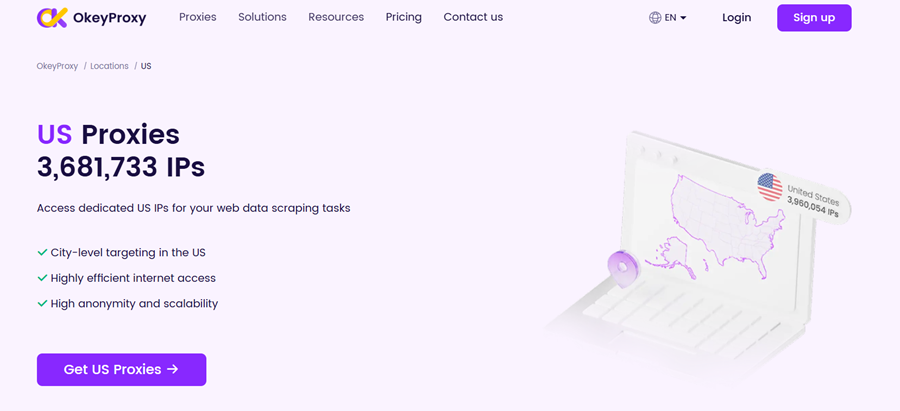
Location-targeted residential or ISP proxies allow you to access region-specific content legitimately. For example, you can use US proxies to stream American video content and manage US social media accounts.

OkeyProxy US Proxies

4. “Sign in to confirm you’re not a bot”

What it means:

YouTube suspects automated behavior.

Why it happens:

Repetitive requests, known datacenter IPs, or abnormal traffic patterns.

How proxies help:

High-quality residential IPs blend in with real user traffic and reduce bot verification triggers.

5. Incomplete Data Extraction (Especially Comments)

What it means:

Some metadata loads, but comments or deeper data don’t.

Why it happens:

YouTube silently limits data depth for suspicious IPs.

How proxies help:

Trusted IPs allow full page and API responses, improving data completeness.

6. Random Download Failures

What it means:

Commands work sometimes—and fail randomly.

Why it happens:

Temporary throttling, IP reputation issues, or unstable routing.

How proxies help:

Stable proxies (especially ISP or static residential) reduce randomness and improve consistency.

Proxy Types for yt-dlp Video Scraping (Which Works Best?)

YouTube is extremely effective at blocking 数据中心代理. For video access or large-scale scraping, they are usually unreliable.

Below is a comparison of the main proxy types used with yt-dlp:

代理类型 检测风险 速度 稳定性 Geo Control 优点 缺点
Datacenter 非常高 非常快 中型 有限公司 Cheap, easy to scale Blocked quickly by YouTube
住宅区 快速 Excellent Looks like real users, high success rate Higher cost
ISP 非常低 非常快 非常高 Good Stable, trusted, long sessions Less flexible rotation
移动电话 Lowest 中型 中型 Good Hardest to detect Expensive, slower

Best overall choice:

👉 Residential proxies for most yt-dlp scraping tasks

👉 ISP proxies for long-running, stable scraping jobs

Tip: Choosing a Reliable Proxy Provider Matters

Even with the right proxy type, performance still depends heavily on the provider behind it.

For yt-dlp video scraping, many users prefer 住宅ISP proxies with high IP trust, long session stability, and precise geo-targeting—especially when scraping YouTube at scale.

提供商,如 OkeyProxy offer both residential and ISP proxies designed for data access use cases, including video metadata extraction, comment scraping, ad verification, and long-running yt-dlp jobs. Its advantages lie in fewer interruptions, more complete data, and a smoother scraping process—which typically saves time and reduces retries in the long run.

How to Scrape YouTube Videos with yt-dlp Using a Proxy (Step-by-Step)

Once you understand why proxies matter, the next step is actually using them with yt-dlp.

The good news? yt-dlp makes proxy configuration surprisingly flexible.

Below is a practical, step-by-step walkthrough—from setup to real scraping examples.

Step 1: Prepare yt-dlp and Your Proxy

Before scraping anything, make sure you have two things ready:

1) yt-dlp installed

If you haven’t installed it yet, the easiest way is via pip:

pip install -U yt-dlp

2) Proxy credentials

Have your proxy details ready, including:

  • Proxy protocol (HTTP / HTTPS / SOCKS5)
  • IP address and port
  • Username and password (if required)

Example formats:

  • http://proxy.example.com:8080
  • http://username:[email protected]:8080
  • socks5://127.0.0.1:9050

Step 2: Use a Proxy Directly from the Command Line

This is the simplest and most transparent method—great for testing or one-off scraping tasks.

Basic syntax:

yt-dlp --proxy [PROXY_URL] [YOUTUBE_URL]

例如

HTTP/HTTPS proxy (no authentication):

yt-dlp --proxy http://proxy.example.com:8080 https://www.youtube.com/watch?v=VIDEO_ID

HTTP/HTTPS proxy (with authentication):

yt-dlp --proxy http://user:[email protected]:8080 https://www.youtube.com/watch?v=VIDEO_ID

SOCKS5 proxy:

yt-dlp --proxy socks5://127.0.0.1:9050 https://www.youtube.com/watch?v=VIDEO_ID

This approach is ideal when:

  • You’re testing whether a proxy works
  • You want full control per command
  • You’re debugging errors like 403 or 429

Step 3: Scrape YouTube Metadata Instead of Downloading Videos

If your goal is data extraction rather than video files, yt-dlp can output metadata in JSON format.

Example: scrape video metadata

yt-dlp --proxy http://proxy.example.com:8080 \
       --dump-json \
       --skip-download \
       https://www.youtube.com/watch?v=VIDEO_ID

This lets you collect:

  • Title and description
  • Upload date
  • View, like, and comment counts
  • Tags and categories

Perfect for research, analytics, or content analysis.

Step 4: Scrape YouTube Comments (Safely)

Comments are one of the first things YouTube restricts when requests look suspicious—this is where proxies really matter.

Example: extract comments

yt-dlp --proxy http://proxy.example.com:8080 \
       --write-comments \
       --skip-download \
       https://www.youtube.com/watch?v=VIDEO_ID

Using a stable residential or ISP proxy significantly improves success rates here, especially for videos with large comment sections.

Step 5: Scrape Channel or Playlist Information

yt-dlp isn’t limited to single videos—it works just as well for channels and playlists.

Example: scrape channel metadata

yt-dlp --proxy http://proxy.example.com:8080 \
       --dump-json \
       --skip-download \
       https://www.youtube.com/@ChannelName

Example: scrape an entire playlist

yt-dlp --proxy http://proxy.example.com:8080 \
       --dump-json \
       --skip-download \
       https://www.youtube.com/playlist?list=PLAYLIST_ID

This is commonly used for:

  • Channel growth analysis
  • Competitor research
  • Trend tracking across niches

Step 6: Set a Proxy via Environment Variables (Optional but Convenient)

If you’re running multiple commands, setting environment variables avoids repeating proxy details.

Linux / macOS:

export http_proxy=http://proxy.example.com:8080
export https_proxy=http://proxy.example.com:8080
yt-dlp https://www.youtube.com/watch?v=VIDEO_ID

Windows (Command Prompt):

set http_proxy=http://proxy.example.com:8080
set https_proxy=http://proxy.example.com:8080
yt-dlp https://www.youtube.com/watch?v=VIDEO_ID

This method is useful for batch jobs or scripts.

Step 7: Use a yt-dlp Configuration File for Long-Term Scraping

For large-scale or repeated scraping, a config file is the cleanest solution.

Common config file locations:

Linux ~/.config/yt-dlp/config

macOS ~/Library/Preferences/yt-dlp/config

视窗 %APPDATA%\yt-dlp\config.txt

Example config entry:

# Default proxy
--proxy http://proxy.example.com:8080

Once set, yt-dlp will automatically use the proxy for every command.

Why This Matters

Think of yt-dlp as a powerful engine—and proxies as the road conditions.

Without a proxy, you might move fast for a moment, then hit sudden blocks.

With the right proxy setup, scraping becomes smoother, more stable, and far less error-prone—especially when working with metadata, comments, or entire channels at scale.

Common Use Cases for yt-dlp Scraping with Proxies

Using yt-dlp with proxies goes far beyond simply downloading videos. In practice, most users rely on it for data-driven tasks, where consistency matters more than raw speed.

Common real-world use cases include:

  • Content and trend analysis – tracking video performance, topics, and publishing patterns
  • Market and competitor research – monitoring channels, formats, and engagement metrics
  • Ad verification and placement checks – ensuring ads appear correctly in different regions
  • Subtitle and language analysis – extracting captions for localization or NLP tasks
  • Video archiving and backups – preserving content before it’s removed or restricted
  • Metadata and comment sentiment analysis – studying audience feedback at scale

In these scenarios, incomplete data or random failures can break entire workflows.

That’s why stable proxy connections are often more valuable than sheer download speed.

Ethical Considerations and Best Practices for Large-Scale Scraping

Just because yt-dlp can scrape at scale doesn’t mean it should be used carelessly.

Responsible scraping isn’t only about avoiding blocks—it’s about protecting your project long-term.

Best practices include:

  • Respect platform terms of service and local laws
  • Avoid aggressive request rates that stress servers
  • Never collect private, personal, or sensitive data
  • Use proxies to reduce detection and load, not to abuse systems
  • Clearly define how scraped data will be used and stored

Think of ethical scraping like driving with traffic rules:

you still reach your destination—but without crashes, fines, or shutdowns.

结论

yt-dlp is a high-performance scraping tool—but without proxies, it’s running on unstable ground.

With the right proxy strategy in place:

  • Errors become predictable instead of random
  • Data extraction becomes complete instead of partial
  • Scaling becomes sustainable instead of fragile

For anyone serious about scraping YouTube videos, metadata, or comments with yt-dlp, how you connect matters just as much as what you scrape.

Choosing stable, trusted IPs—especially residential or ISP proxies—can be the difference between constant roadblocks and smooth, reliable data collection.

评论

还没有评论。为什么不开始讨论?

发表回复

您的电子邮箱地址不会被公开。 必填项已用*标注