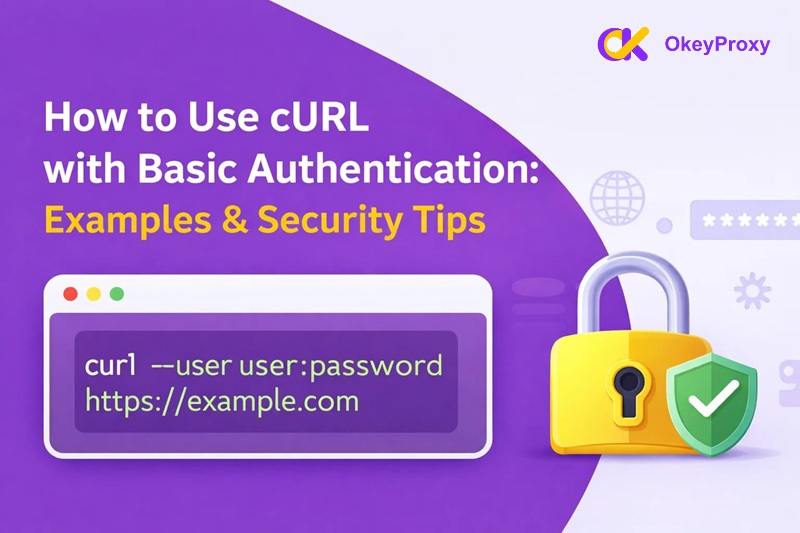
In the world of web development and API testing, cURL Basic Auth remains one of the most fundamental yet essential skills for any developer or system administrator. Whether you are debugging a REST API, managing server access, or automating data pipelines, understanding how to pass credentials securely with cURL is non-negotiable. While “Basic Authentication” may seem simple on the surface, its correct implementation involves critical nuances — from command-line syntax to security best practices. This guide walks you through everything you need to know, including practical examples, troubleshooting tips, alternative authentication methods, and modern best practices for 2026.
What is cURL Basic Auth?
cURL Basic Auth is the implementation of the HTTP Basic Authentication scheme within the cURL command-line tool. It is a straightforward authentication method where a client provides a username and password to a server to verify its identity.
When you send a request using Basic Auth, cURL combines your username and password into a single string (username:password), encodes it using Base64, and places the result into the Authorization header of the HTTP request. For example, if your credentials are admin:12345, the header sent to the server looks like this:
Authorization: Basic YWRtaW46MTIzNDU=
It is critical to understand that Base64 is NOT encryption — it is simply an encoding format. Anyone who intercepts the header can trivially decode it back to plain text. This is why using cURL Basic Auth over plain HTTP is a serious security risk. When combined with SSL/TLS (HTTPS), however, Basic Auth provides a reliable and widely compatible method for securing APIs and private web resources.
Methods to Use cURL Basic Auth
There are two primary ways to perform Basic Authentication with cURL. The first uses a built-in flag designed for convenience; the second gives you direct control over the HTTP header.
Method 1: Using the -u / –user Flag (Recommended)
The most common and recommended approach is the -u (oder --user) flag. cURL automatically handles the Base64 encoding and constructs the correct Authorization header for you.
Standard Usage
Provide both the username and password directly in the command:
curl -u username:password https://api.example.com/data
Username Only (Secure Interactive Method)
Typing a password directly in the terminal is risky because it can persist in your shell history (e.g., ~/.bash_history). To avoid this, provide only the username followed by a colon, and cURL will securely prompt you to enter the password — the characters will not be echoed to the screen and will not be saved in your history:
curl -u username: https://api.example.com/data
Using the –basic Flag Explicitly
Die --basic flag explicitly forces Basic Authentication. In most cases this is unnecessary since Basic Auth is cURL’s default, but it is useful for overriding a previously set authentication method (such as --ntlm oder --digest) in scripts or config files:
curl --basic -u "admin:s3cret" https://api.example.com/data
Practical cURL Basic Auth Examples
Here are real-world scenarios you will commonly encounter.
1. Simple GET Request
Fetching data from a protected endpoint:
curl -u "admin:s3cret" https://api.example.com/v1/user/profile
2. Handling Special Characters in Passwords
If your password contains special characters (e.g., $, &, !, #), your shell may try to interpret them. Wrap your credentials in single quotes to prevent this:
curl -u 'user:p@ss!@#$' https://api.example.com/data
Pro-Tip: Single quotes instruct the shell to treat every character as a literal string, bypassing all special shell logic.
3. POST Request with a JSON Body
Combining authentication with a JSON payload for creating a resource:
curl -X POST \
  -u "admin:s3cret" \
  -H "Content-Type: application/json" \
  -d '{"item":"coffee", "quantity":1}' \
  https://api.example.com/orders
4. PUT Request to Update a Resource
Using Basic Auth with a PUT request to update an existing record:
curl -X PUT \
  -u "admin:s3cret" \
  -H "Content-Type: application/json" \
  -d '{"status":"shipped"}' \
  https://api.example.com/orders/42
5. DELETE Request
Authenticated DELETE requests follow the same pattern:
curl -X DELETE \
  -u "admin:s3cret" \
  https://api.example.com/orders/42
6. Using Environment Variables (Recommended for Scripts)
Never hardcode credentials in scripts. Store them as environment variables and reference them at runtime:
# Set credentials as environment variables (Linux/macOS)
export API_USER="admin"
export API_PASS="s3cret"

curl -u "$API_USER:$API_PASS" https://api.example.com/data
On Windows PowerShell:
$env:API_USER="admin"
$env:API_PASS="s3cret"

curl -u "$($env:API_USER):$($env:API_PASS)" https://api.example.com/data
Method 2: Manually Setting the Authorization Header
In debugging scenarios or scripts requiring explicit control, you can construct the Authorization header yourself using the -H flag. You must first Base64-encode the username:password string manually.
On Linux or macOS, generate the encoded string with:
echo -n "admin:s3cret" | base64
# Output: am9objpzM2NyZXQ=
Then use it directly in the header:
curl -H "Authorization: Basic am9objpzM2NyZXQ=" https://api.example.com/data
You can also combine both steps into a single inline command:
curl -H "Authorization: Basic $(echo -n 'admin:s3cret' | base64)" \
  https://api.example.com/data
Anmerkung: Always use echo -n (the -n flag suppresses the trailing newline). Without it, the newline character gets included in the encoding and the resulting token will be invalid.
Other cURL Authentication Methods
Basic Auth is just one of several authentication schemes cURL supports. Understanding the alternatives helps you choose the right tool for each situation.
–anyauth: Let cURL Choose Automatically
If you are unsure which method a server requires, use --anyauth. cURL will first probe the server, inspect the WWW-Authenticate response header, and automatically select the most secure method the server supports:
curl --anyauth -u "admin:s3cret" https://api.example.com/data
Caveat: This requires an extra round-trip request and is not recommended for stdin-based uploads, as the data may need to be sent twice.
Digest Authentication
Digest Auth is more secure than Basic Auth for unencrypted connections because it never transmits the actual password over the wire — it uses a challenge-response mechanism with hashed values instead:
curl --digest -u "admin:s3cret" https://api.example.com/data
NTLM Authentication
NTLM is a Microsoft proprietary protocol used commonly in Windows corporate environments and legacy IIS systems. It uses a multi-step challenge-response flow:
curl --ntlm -u "DOMAIN\\admin:s3cret" https://intranet.company.com/api
| Methode | cURL Flag | Password Exposure | Typical Use Case |
|---|---|---|---|
| Basic | -u / --basic |
Base64-encoded (requires HTTPS) | REST API testing, legacy systems |
| Digest | --digest |
Hashed (safer over HTTP) | Older web servers, HTTP-only environments |
| NTLM | --ntlm |
Challenge-response, hashed | Windows/Active Directory, corporate intranets |
| Bearer (OAuth2) | -H "Authorization: Bearer ..." |
Token-based, no password sent | Modern APIs, mobile apps, fine-grained access |
Best Practices for cURL Basic Auth
Security must always be your top priority when handling credentials. Follow these practices to keep your systems safe.
- Always Use HTTPS: Never use cURL Basic Auth over a plain
http://connection. Without TLS encryption, your Base64-encoded credentials can be intercepted and decoded in seconds. For maximum security, enforce a minimum TLS version:curl --tlsv1.2 -u "admin:s3cret" https://api.example.com/data - Never Hardcode Credentials: Do not embed usernames or passwords directly in scripts or source code. Use environment variables instead:
curl -u "$API_USER:$API_PASS" https://api.example.com/data - Use -v for Debugging: If authentication is failing, add the
-v(verbose) flag to inspect the exact headers cURL sends and receives. This lets you verify that theAuthorizationfield is correctly formatted and that the TLS handshake succeeded.curl -v -u "admin:s3cret" https://api.example.com/data - Principle of Least Privilege: Use a scoped API key or a dedicated service account rather than your primary account credentials. If keys are leaked, the blast radius is limited and keys can be revoked without affecting other systems.
- Use .netrc Files for Repeated Access: For frequent access to the same server, store credentials in a
~/.netrcfile with strict600(owner-read-only) permissions. cURL reads them automatically with the-nflag, keeping your command lines clean and credential-free:curl -n https://api.example.com/data - Rotate Credentials Regularly: Periodically update API keys and passwords. If credentials are shared across environments, use separate keys per environment (dev, staging, production) to contain any potential exposure.
Troubleshooting Common cURL Auth Errors
Even with correct syntax, authentication can fail. Here are the most common HTTP error codes and how to resolve them.
The server received your request but rejected the credentials. Common causes: a typo in the username or password, extra whitespace in the encoded string, or the server expecting a different authentication scheme. Run with -v to inspect the WWW-Authenticate header, which tells you what the server actually expects.
2. 403 Forbidden
Authentication succeeded — the server knows who you are — but the authenticated account lacks permission to access that specific resource. This is a server-side authorization issue, not a cURL syntax problem. Check the account’s role or permissions on the server.
3. 407 Proxy-Authentifizierung erforderlich
Your request is passing through a proxy server that requires its own credentials. Note the distinction: -u (lowercase) is for server authentication, while -U (uppercase) is for Proxy authentication. Use both together when needed:
curl -x proxy_ip:port \
  -U "proxy_user:proxy_pass" \
  -u "api_user:api_pass" \
  https://target-site.com
If you frequently run into proxy-related blocks or authentication failures during large-scale requests, the quality of your proxy matters. By using OkeyProxy’s high-speed residential proxies, you ensure your requests are not only authenticated but also routed through clean, trusted IPs to avoid being blocked.
4. SSL/TLS Certificate Errors
An error like “SSL certificate problem: unable to get local issuer certificate” usually means the server is using a self-signed or expired certificate. While you can bypass verification with -k (insecure mode), never do this in production — it makes you vulnerable to man-in-the-middle attacks. Instead, provide the correct CA certificate bundle:
curl --cacert /path/to/ca-bundle.crt \
  -u "admin:s3cret" \
  https://api.example.com/data
Basic Auth vs. Bearer Tokens & API Keys
Während cURL Basic Auth is excellent for simplicity and quick testing, it is not always the right choice for production systems. Here is how it compares to modern alternatives:
| Methode | Security Level | Bester Anwendungsfall |
|---|---|---|
| Basic Auth | Moderate (requires HTTPS) | Internal testing, legacy systems, quick prototyping. |
| API Keys | Mäßig bis hoch | Public API access, per-service authentication, usage tracking. |
| Bearer Tokens (OAuth 2.0) | Hoch | Modern mobile apps, web apps, fine-grained scoped permissions. |
Why upgrade to Bearer Tokens? Unlike Basic Auth, Bearer Tokens can be independently revoked, carry a built-in expiry time, and can be scoped to specific read/write actions. This makes them significantly safer for public-facing systems, since a leaked token can be invalidated without changing the underlying account password.
For Bearer Token authentication in cURL, the pattern is:
curl -H "Authorization: Bearer YOUR_ACCESS_TOKEN" \
  https://api.example.com/data
Schlussfolgerung
Mastering cURL Basic Auth is a foundational skill for any developer working with APIs or networked systems. By using the -u flag, storing credentials in environment variables, enforcing HTTPS, and knowing when to reach for stronger alternatives like Bearer Tokens, you can build workflows that are both efficient and secure. As your projects grow in scale and complexity, applying the right authentication method for each context — from quick terminal tests to production data pipelines — will save you significant debugging time and reduce security risk.
Häufig gestellte Fragen (FAQ)
1. Can I use cURL Basic Auth without a password?
Yes, if the server supports it. Use -u "username:" with an empty password field. Some systems use the username itself as an API key and expect the password to be blank.
2. Is my password safe when using cURL?
Only if you use HTTPS and avoid typing the password directly on the command line. Prefer the interactive prompt (-u username:) or environment variables. Over plain HTTP, your credentials are transmitted in a trivially decodable format.
3. How do I use cURL Basic Auth in a Python script?
While you can call cURL via subprocess, the more idiomatic approach is to use the Anfragen library: requests.get(url, auth=('user', 'pass')). This handles encoding and header construction automatically.
4. What is the difference between -u and -U in cURL?
-u (lowercase) provides credentials for server authentication — the website or API you are requesting. -U (uppercase) provides credentials for proxy authentication — the intermediary gateway your traffic passes through. Both can be used in the same command when a proxy is involved.
5. What does the –anyauth flag do?
--anyauth instructs cURL to automatically detect and use the most secure authentication method the server advertises. It does this by making an initial unauthenticated request, reading the server’s WWW-Authenticate response header, and then selecting the strongest supported scheme (e.g., Digest or NTLM over Basic). This adds one extra network round-trip but removes the guesswork when working with unfamiliar servers.