In the digital age, data is often referred to as the “new oil.” However, unlike oil, the data found on the internet is vast, unstructured, and constantly evolving. To harness this information, businesses and developers rely on two primary techniques: web crawling and web scraping. While these terms are frequently used interchangeably, they represent two distinct processes with different goals, technologies, and outcomes. Understanding the difference between web crawling vs scraping is essential for anyone looking to build search engines, monitor competitors, or train AI models. In this guide, we break down the mechanics of both, explore how they work together, and provide expert tips on overcoming the technical challenges that stand in your way.
What is Web Crawling? The Art of Digital Exploration
Web crawling is the process of automatically navigating the World Wide Web to discover and index content. Think of a web crawler (often called a “spider” or “bot”) as a digital explorer. Its primary job is not to analyze the details of any individual page, but rather to confirm that the page exists and identify where it leads next.
The Core Objectives of Crawling
The main goal of crawling is indexing. By creating a comprehensive map of the internet, crawlers allow platforms to understand what content is available online. This involves:
- Discovery: Finding new pages that have not been visited before.
- Maintenance: Revisiting known pages to detect updates or broken links.
- Archiving: Saving snapshots of the web for historical records or search indexes.
How Web Crawling Works
A crawler starts with a list of “seed” URLs. It visits each page, identifies every hyperlink on that page, and adds those new links to a queue. This process is recursive: the bot follows links from one page to the next, potentially covering billions of pages. To manage this at scale, crawlers use sophisticated scheduling algorithms to prioritize which pages to visit first, based on perceived importance or update frequency. More advanced systems also use sitemaps, ETag headerse content fingerprinting to detect changes without re-downloading unchanged pages.
Typical Use Cases for Crawlers
The most well-known examples of web crawlers are Googlebot e Bingbot, which power their respective search engines. AmazonBot similarly crawls the web to gather product and pricing intelligence. Beyond search, crawling is widely used for SEO auditing (tools like Screaming Frog map a site’s link structure and metadata), price discovery (identifying new product listings across the web), and vulnerability scanning by cybersecurity firms to map the attack surface of internet-facing systems.
While crawling maps the “where,” the next step in the data journey is the “what” — which brings us to web scraping.
What is Web Scraping? The Science of Data Extraction
If web crawling is the explorer mapping the forest, web scraping is the scientist collecting specific specimens to analyze back in the lab. Web scraping (also called web data extraction) is the process of retrieving targeted data from a web page and converting it into a structured, usable format.
The Core Objectives of Scraping
The primary goal is data transformation. A web page is designed for humans to read, filled with HTML tags, styling, and images. A scraper strips away the noise and extracts the signal — the actual information. This data is typically saved into formats such as:
- CSV or Excel: For spreadsheet analysis.
- JSON or XML: For integration into other software applications.
- SQL Databases: For long-term storage and complex querying.
How Web Scraping Works
The process is more surgical than crawling. A scraper sends a targeted HTTP request to a specific URL. Once the page’s HTML is returned, the scraper uses a parser to traverse the Document Object Model (DOM). Using CSS Selectors ou XPath, it identifies exactly which elements to extract — such as a product’s price, a user’s review, or a stock’s current value. The extracted data is then cleaned, validated, and stored. For JavaScript-heavy sites, this step requires a navegador sem cabeça to fully render the page before parsing begins.
Typical Use Cases for Scrapers
Web scraping is ubiquitous in modern business. Companies use it for competitive price monitoring (tracking prices on Amazon or eBay), real estate aggregation (pulling listings from Zillow or Rightmove), financial data collection (monitoring stock prices and market news), and increasingly for AI model training — gathering the massive text and image datasets that power Large Language Models. In fact, the use of scraped web data for AI training has become one of the most significant and legally scrutinized applications of this technology in 2025–2026.
Understanding these two concepts independently is important, but the real power lies in recognizing how they differ — and how they complement each other.
Key Differences Between Web Crawling vs Scraping
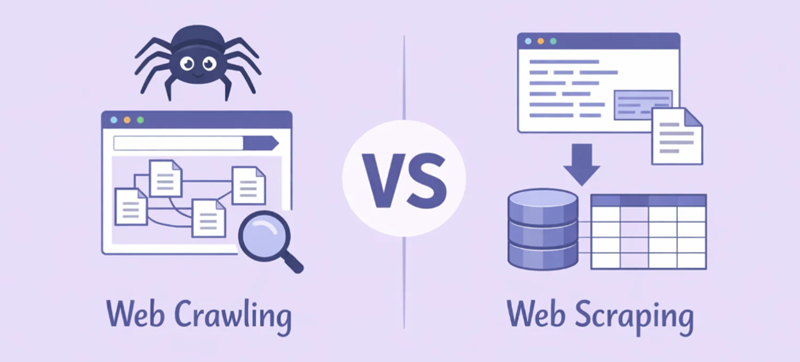
To choose the right approach for your project, you must understand the core distinctions. At its simplest: crawling is about navigation and discovery, while scraping is about targeted extraction. A useful analogy: crawling is like a librarian walking the aisles to catalog which books exist and where they are shelved; scraping is the act of opening a specific book and transcribing the passages you need.
Core Differences at a Glance
- Objetivo: A crawler builds a map or an index; a scraper builds a dataset.
- Scope: Crawlers often handle billions of pages across entire websites or the open web. Scrapers are typically fine-tuned for a handful of specific target pages.
- Output: The output of a crawler is usually a list of URLs or a search index. The output of a scraper is structured data (such as a price list or a contact database).
- Depth vs. Breadth: Crawling maximizes coverage; scraping maximizes precision. A well-designed scraper might deliberately ignore 99% of a page to capture the 1% that matters.
Comparison Summary Table
| Caraterística | Rastreio da Web | Raspagem da Web |
|---|---|---|
| Objetivo principal | Navigation & Discovery | Extração de dados |
| Âmbito de aplicação | Broad (entire sites or the open web) | Narrow (specific pages or data fields) |
| Saída | URL lists, search index | Structured data (JSON, CSV, database) |
| Process | Following and queuing links | Parsing HTML, extracting fields |
| Common Tools | Apache Nutch, Heritrix, Screaming Frog | Scrapy, BeautifulSoup, Playwright, Puppeteer |
| Common Use | Search engines, SEO audits, site mapping | Market research, pricing, AI training data |
| Complexidade | Deduplication, scheduling, politeness | Anti-bot bypass, JS rendering, schema validation |
| Legal Risk | Relatively low (robots.txt) | Higher (copyright, Terms of Service, GDPR) |
Transitioning from theory to practice, most large-scale data projects do not choose one approach over the other — they use both in a synchronized pipeline.
The Synergistic Relationship: How They Work Together
In large-scale data acquisition projects, crawling and scraping are two stages of the same workflow. The crawler acts as the navigator, and the scraper acts as the extractor. Mature engineering teams often treat them as separate microservices connected by a shared queue: the crawler manages discovery, deduplication, and politeness; the scraper focuses on extraction logic, retries, and schema validation.
Here is a concrete example — building a sneaker market monitoring system:
- Step 1 (Crawling): A crawler visits a major e-commerce site, navigates the “Men’s Shoes” category, follows pagination links, and identifies 5,000 individual product page URLs for sneakers.
- Step 2 (Scraping): Once the crawler has supplied the list of 5,000 URLs, a scraper visits each link. It ignores the sidebar, ads, and header, and extracts only the Product Name, Current Price, Color Options, and Stock Status.
- Step 3 (Normalization): Raw scraped data — which may include currency symbols, inconsistent decimal formats, or region-specific variations — is cleaned and standardized before being loaded into a database or dashboard.
Without the crawler, the scraper would not know where to go. Without the scraper, the crawler’s list of links would be useless for data analysis. Together, they form a complete automated data pipeline. One practical rule of thumb used by experienced engineers: crawl widely but gently; scrape narrowly but thoroughly.
Technical Challenges & Anti-Bot Technologies
Modern websites do not always welcome automated access. They deploy a variety of anti-bot technologies to protect their data and server resources, and overcoming these barriers is one of the central challenges of the industry.
1. IP Blocking and Rate Limiting
Websites monitor the volume of requests originating from a single IP address. If a server detects 1,000 requests per minute from one source, it will flag it as a bot and block the IP — or throttle it with a “429 Too Many Requests” response. This is the primary hurdle for both crawlers and scrapers operating at any meaningful scale.
2. CAPTCHAs
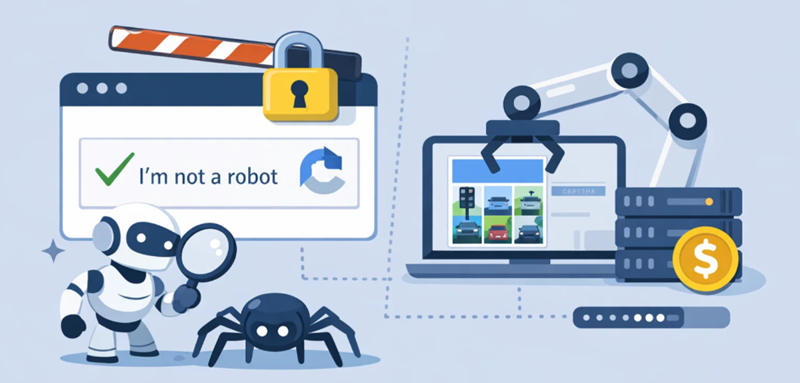
The “I am not a robot” challenge is one of the most common gatekeeping mechanisms. Advanced scrapers must either engineer their behavior to avoid triggering CAPTCHAs, or integrate automated solving services — though the latter adds latency and cost.
3. Dynamic Content (JavaScript Rendering)
Modern sites built with React, Vue, or Angular do not serve their data in the initial HTML response. Instead, content is injected into the DOM by JavaScript after the page loads. Traditional scrapers that only parse the initial HTML will receive an empty or incomplete document. Solving this requires navegadores sem cabeça (such as Playwright or Puppeteer), which fully simulate a real browser environment — at the cost of significantly higher memory and CPU usage compared to simple HTTP-based scraping.
4. Browser Fingerprinting
Sophisticated anti-bot systems go beyond IP analysis. They examine your browser version, operating system, screen resolution, installed fonts, WebGL signatures, and even mouse movement patterns. If any of these signals appear inconsistent with a genuine human user, your requests will be blocked regardless of your IP’s reputation.
5. Honeypot Traps
Some websites embed invisible links in their HTML — links that are hidden from human visitors via CSS but are visible to bots that parse raw HTML. Following these links immediately identifies your crawler as automated, and can result in an IP ban or legal action.
Why Proxies Are the “Secret Sauce” for Data Success
Whether you are crawling or scraping, you cannot operate at scale using a single home or office IP address. You need a distributed network of identities, and that is precisely what a Servidor proxy provides.
Proxies rotativos are the industry standard. By assigning a fresh IP address for every request — or every few requests — your bot appears to a website as thousands of independent users arriving from different locations. This effectively defeats simple rate-limiting and IP blocking strategies.
Geographic Targeting is another critical capability. Many websites display different prices or content depending on the visitor’s location. If you need to scrape U.S. pricing data while operating from Singapore, you need a proxy with a U.S. IP address. Without this, your dataset will be regionally inconsistent.
Expert Tip: For large-scale Rastreio da Web, speed is usually the top priority, so high-throughput Proxies de centro de dados are often sufficient. However, for Raspagem da Web of sophisticated targets — such as Amazon, Google, or major social media platforms — Procurações residenciais are strongly preferred. Because these IPs belong to real home internet connections, they are far harder for anti-bot systems to distinguish from genuine human traffic.
É aqui que OkeyProxy comes in. With a pool of over 150 million Residential, ISP, and Proxies de centro de dados across 200+ countries, OkeyProxy provides the infrastructure needed to support both high-speed crawling and high-anonymity scraping. Their IP rotation technology prevents rate-limit errors, and their residential IPs carry the high trust scores required to pass advanced fingerprinting checks.
Ethical & Legal Considerations in 2026
The legal landscape around web crawling and scraping has matured considerably, driven by landmark court decisions and tightening privacy regulation. Here is what practitioners need to know.
Key Legal Precedents
One of the most closely watched cases in this field is hiQ Labs v. LinkedIn, which unfolded across multiple courts over several years. The U.S. Ninth Circuit Court of Appeals initially ruled twice (in 2019 and again in 2022, after a remand from the Supreme Court) that scraping publicly accessible data does not constitute unauthorized access under the Computer Fraud and Abuse Act (CFAA).
However, the case did not end there in hiQ’s favor: in November 2022, the U.S. District Court for the Northern District of California found that hiQ had violated LinkedIn’s User Agreement, and the parties subsequently reached a settlement — meaning there is no final, favorable precedent for scrapers to rely on. The takeaway is nuanced: scraping public data may not be a criminal offense under the CFAA, but it can still expose operators to civil liability through breach-of-contract claims if it violates a platform’s Terms of Service.
A more clear-cut recent precedent is the 2024 ruling in Meta v. Bright Data, where a U.S. federal court found in favor of the scraping company, concluding that collecting data from publicly accessible pages — without bypassing any authentication — does not constitute unauthorized computer access. This ruling is more useful as a practical reference point for scraping operations that stay outside logged-in environments.
The broader lesson from this body of case law is that no single ruling grants blanket permission to scrape. Bypassing authentication, disregarding Terms of Service, and collecting personal data covered by privacy law all remain significant areas of legal exposure regardless of what any individual ruling might suggest about the CFAA.
Practical Compliance Guidelines
- Respeitar robots.txt: While not legally binding in most jurisdictions, the robots.txt file is the web’s established code of conduct for bots. Ignoring it can be cited as evidence of bad faith in civil litigation, and some platforms have successfully argued trespass-to-chattels claims against scrapers who disregarded it.
- Implement rate limiting: Sending an excessive volume of requests to a small website is not just impolite — it can be construed as a denial-of-service attack. A widely-cited rule of thumb is no more than one request per second per domain for most targets. Use exponential backoff when you receive error responses.
- Comply with GDPR and CCPA: Avoid collecting Personally Identifiable Information (PII) — including names, email addresses, phone numbers, and location data — without a documented lawful basis. GDPR violations can carry fines of up to €20 million or 4% of global annual revenue. Focus on public-facing, non-personal, factual data wherever possible.
- Prefer APIs when available: If a website offers an official API or data feed, use it. Official data channels are legally cleaner, more stable, and generally faster than scraping the frontend.
- Be cautious with AI training data: The use of scraped web content to train AI models is an active and rapidly evolving area of litigation (see NYT v. OpenAI, Reddit v. Perplexity). If your scraping project involves AI training, seek qualified legal advice before proceeding at scale.
Conclusão
In the debate over web crawling vs. scraping, there is no winner — only the right tool for the job. Crawling is your searchlight, illuminating the path through the vast landscape of the web. Scraping is your harvest, returning the specific intelligence that drives business decisions. By combining these two techniques and backing them with a robust proxy infrastructure like OkeyProxy, you can transform the messy, chaotic internet into a structured, actionable asset. Whether you are building the next major search engine or simply keeping tabs on a competitor’s pricing, the key principles remain the same: stay automated, stay ethical, and stay informed about the legal boundaries of the jurisdiction in which you operate.
Perguntas frequentes (FAQ)
1. Is web scraping legal?
The answer depends heavily on context. Scraping publicly accessible data (no login required) is generally less likely to violate the Computer Fraud and Abuse Act (CFAA), as seen in cases like hiQ Labs v. LinkedIn and Meta v. Bright Data. However, the hiQ case shows that even public scraping can lead to civil liability if it breaches a website’s Terms of Service. Scraping data behind logins or personal data under GDPR or CCPA carries significant legal risks. The legality depends on what you scrape, how you access it, and how you use it.
2. Which is harder to build: a crawler or a scraper?
Scraping is often more fragile, because extraction logic breaks whenever a website redesigns its layout — requiring constant maintenance. Crawling is more technically complex to scale, involving deduplication across billions of URLs, politeness scheduling, and change detection; but the underlying logic is more consistent and less prone to sudden breakage.
3. Can I scrape without a proxy?
For a small number of pages on a single site, yes. For any professional or production-scale project, no. Without IP rotation, your source address will typically be blocked by any website with modern rate-limiting in place after only a modest number of requests.
4. Do I need to learn Python for this?
Python remains the most popular language for data acquisition, thanks to mature libraries like Sucata, Bela Sopae Dramaturgo. That said, Node.js (with Puppeteer or Playwright) and Go are gaining adoption for their concurrency models and raw performance, particularly in high-throughput crawling pipelines.
5. What is the difference between a headless browser and a regular scraper?
A regular (or “lightweight”) scraper sends an HTTP request and parses the raw HTML that is returned — fast and resource-efficient, but unable to execute JavaScript. A navegador sem cabeça (such as Playwright or Puppeteer) launches a full browser engine in the background, executes all JavaScript, and only then reads the final rendered DOM. This is essential for modern single-page applications, but consumes significantly more CPU and memory. Use a headless browser only when the target site requires it; otherwise, a lightweight scraper is faster and cheaper.