
CroxyProxy For YouTube Unblocked: The Complete 2026 Guide
Can’t open YouTube at school? 🚫 Blocked at work? Traveling somewhere with geo-restrictions? Croxy Proxy is one of the most popular free tools people use to get around this. In this guide, you’ll learn exactly what CroxyProxy is, how to unblock YouTube with it step by step, where it falls short ⚠️, and why a paid proxy like オッケープロキシー might save you a lot of frustration if you need something more reliable.
オッケープロキシー > New users get a free 24-hour trial: 1GB of rotating residential/データセンター・プロキシ, or 1 static residential/datacenter IP. 🎁
What Is CroxyProxy? 🤔
Croxy Proxy is a free, browser-based web proxy. No app, no download, no sign-up. You just open the site, paste a URL, and it loads that page for you — through its own server instead of your own connection. It works with video sites, search engines, social media, email, and more.
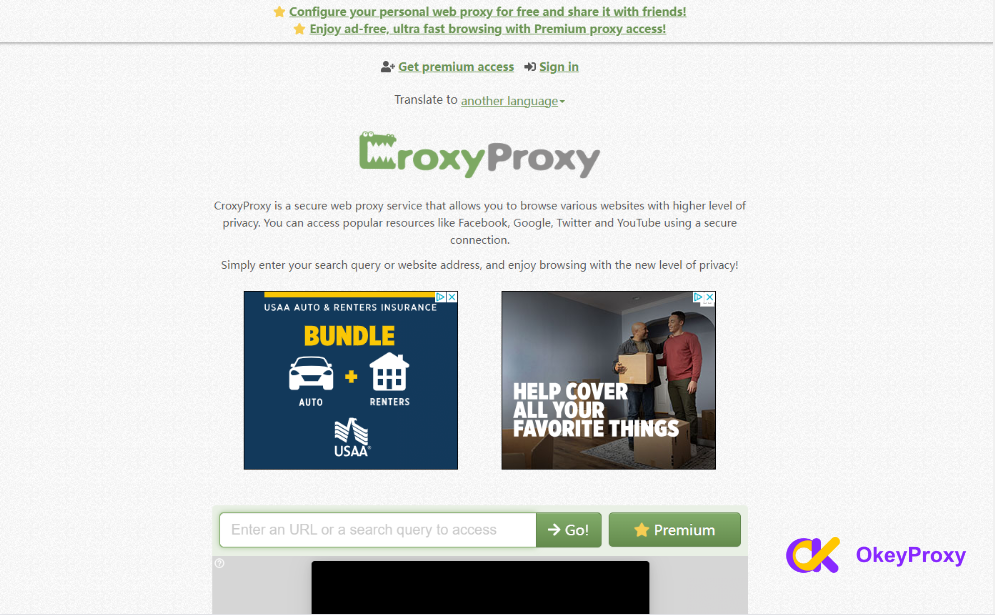
It’s especially well known as a YouTubeプロキシ 🎥. Here’s what makes it stand out:
- Wide website support — works on video platforms, social media, and search engines, not just YouTube.
- SSL encryption — traffic between your device and the proxy server is encrypted.
- Chrome extension — switch proxies and manage settings without leaving your browser.
- シンプルなインターフェース — no technical skills needed. Paste a link, hit go.
Why People Use CroxyProxy for YouTube 🎬
Most people reach for Croxy Proxy for one of these reasons:
- Unblock restricted or geo-locked videos — get around school, workplace, or country-level YouTube blocks.
- Hide your real IP — the site you visit only sees the proxy’s IP, not yours, which adds a layer of privacy on public Wi-Fi. 🔒
- Encrypted traffic — makes it harder for hackers on shared networks to snoop on what you’re doing.
- Fast servers for streaming — designed to keep videos playing smoothly instead of buffering constantly.
The catch: these perks mostly apply to the paid tier. The free version is where most people start — and where most people also hit ads and slowdowns. More on that later. 👇
How to Unblock YouTube With CroxyProxy: Step-by-Step 🛠️
Here’s how to use CroxyProxy for YouTube unblocked in under a minute:
- Visit the CroxyProxy website. Open it in any browser.
- Enter the YouTube URL. Paste youtube.com into the text box on the homepage.
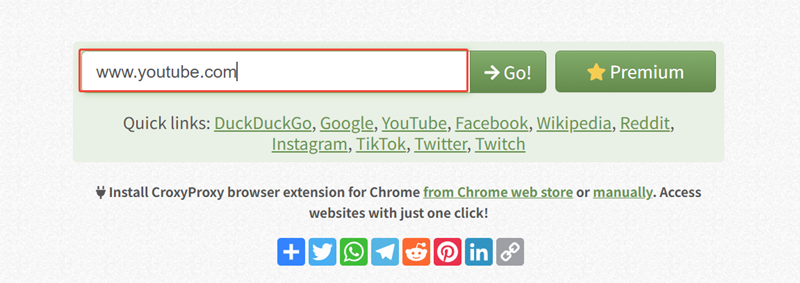
- Click “Go”. CroxyProxy connects you to YouTube through its server.
- Browse anonymously. YouTube now sees the proxy’s IP address, not yours. ✅
Keep in mind: the free version comes with trade-offs — slower speeds and ads. If that gets in the way, the premium version (or a dedicated paid proxy for YouTube) is worth considering.
The same method also works for Google, Facebook, Twitter, TikTok, and Instagram — not just YouTube. 🌐 And as with any proxy, use it responsibly and within your network provider’s or country’s rules.
Try OkeyProxy free for 24 hours — 1GB of rotating residential/datacenter IPs, or 1 static IP of your choice. 🎁
CroxyProxy Chrome Extension: Full Setup Guide 🧩
Prefer not to visit the site every time? The Chrome extension lets you toggle the proxy on and off right from your toolbar. Here’s how to set it up:
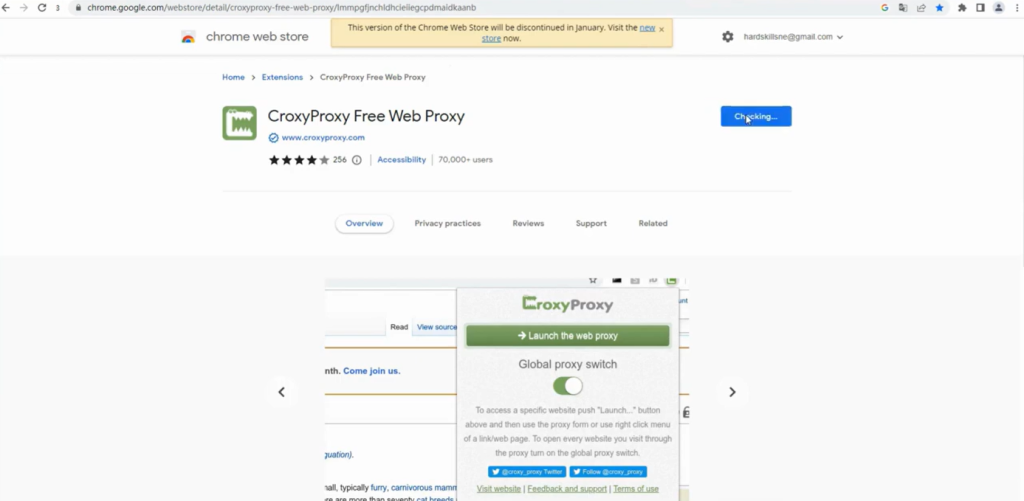
ステップ1: Open the Chrome Web Store, search “CroxyProxy,” and click “Add to Chrome.”
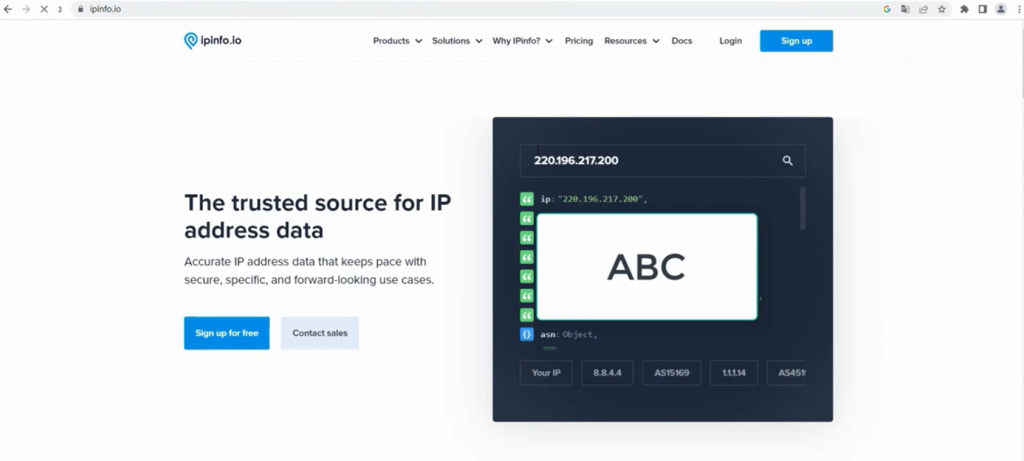
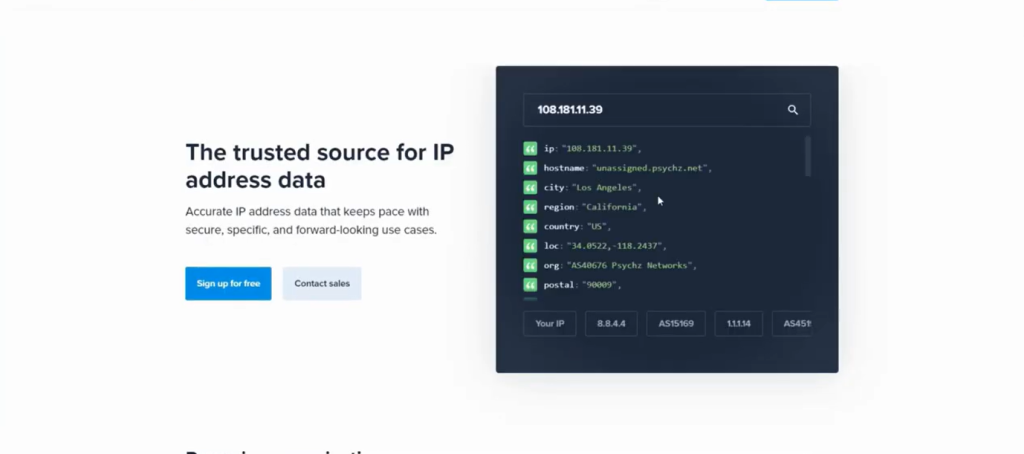
ステップ2: Before turning it on, check your original IP at ipinfo.io. This lets you confirm the proxy actually worked later.
ステップ3: Activate CroxyProxy and launch the web proxy from the extension icon.
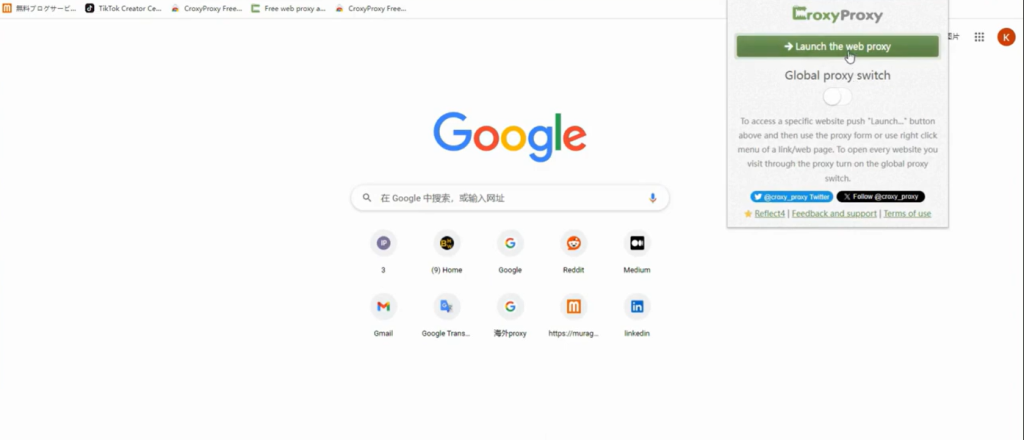
ステップ4: Type a URL, or click one of the “Quick Links” (like Google) to jump straight in.
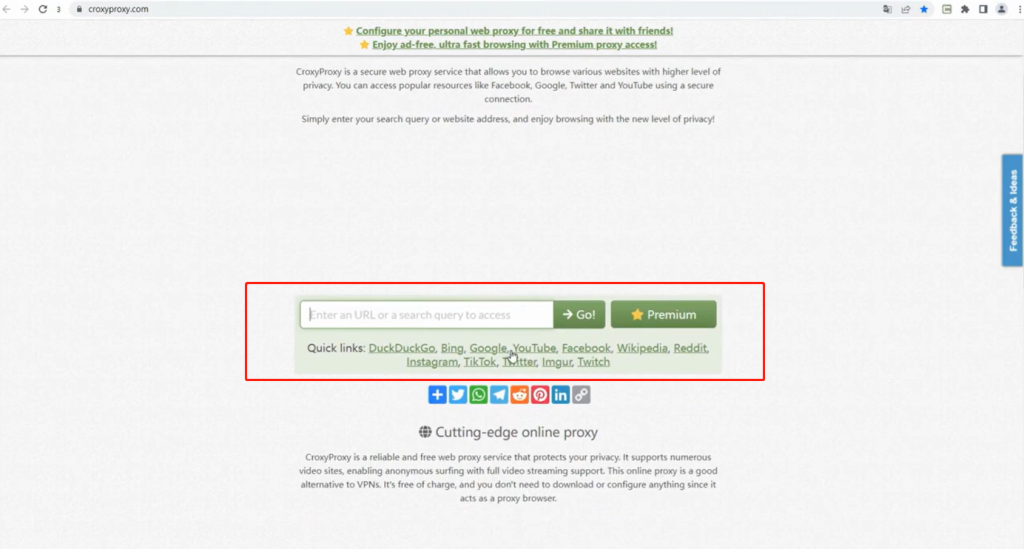
ステップ5: Check your IP again at ipinfo.io. It should now show a different address than in Step 2. 🔄
Bonus: Pairing CroxyProxy With DuckDuckGo 🦆
Want to add another layer of privacy on top of CroxyProxy? Search with DuckDuckGo instead of Google while you’re browsing through the proxy. DuckDuckGo doesn’t track your search history, so combining the two means your searches そして your IP stay hidden. It’s a simple habit swap: same steps as above, just start from duckduckgo.com instead of a direct URL. Nothing complicated — just double the privacy for zero extra effort. 🔐
Where CroxyProxy Falls Short ⚠️
CroxyProxy is genuinely useful, but it’s not perfect. Here’s what to expect, especially on the free tier:
- スピードだ: Free proxy traffic shares server resources with everyone else. Expect slowdowns during peak hours, and buffering on longer videos.
- 互換性: Most sites work fine, but some pages with heavy security (banking, some SaaS dashboards) may not load properly through a proxy.
- サポートする: As a free service, there’s little to no dedicated customer support if something breaks.
- Ads: The free tier shows ads, which can interrupt the browsing experience.
Popular Free CroxyProxy Alternatives 🔍
If CroxyProxy is slow or unavailable, a few other free web proxies cover similar ground: ブロック・アウェイ, プロキシウム そして ゆうゆうプロキシ. Worth knowing: none of them are as dedicated to YouTube unblocking as CroxyProxy is, and they tend to share the same free-tier limitations — ads, slow speeds, unreliable uptime. If you need something steadier, a paid proxy is the next logical step. 👇
Why Choose OkeyProxy Instead of a Free Proxy? 💪
Free proxies like CroxyProxy are great for a quick, occasional unblock. But if you’re streaming regularly, working around blocks daily, or doing anything where reliability matters — logins that keep dropping, ads breaking the page, one shared IP getting flagged and blocked — a free tool starts to cost you more time than it saves. That’s where オッケープロキシー comes in.
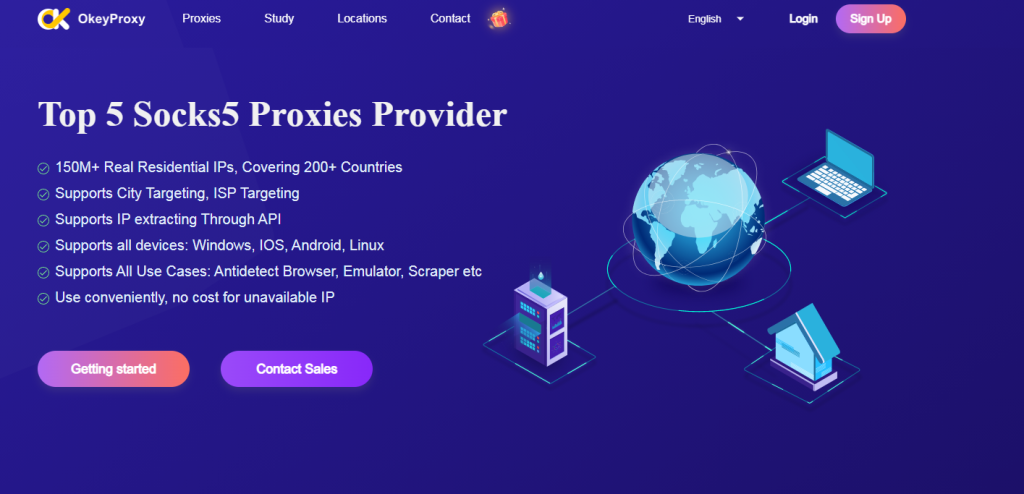
- Real residential IPs, not datacenter IPs 🏠 — YouTube is much quicker to flag and throttle datacenter proxies. Residential IPs look like real home users, so they unblock more reliably and stay unblocked.
- 200+ countries and regions covered 🌍 — pick a real residential IP wherever you need it, instead of relying on whatever server a free proxy happens to hand you.
- No ads, no shared bottlenecks — your bandwidth isn’t competing with thousands of other free users at once.
- Competitive, transparent pricing 💰 — enterprise-grade proxy access without an enterprise price tag.
- Real customer support 🙋 — someone actually answers when something goes wrong, unlike most free services.
- Risk-free 24-hour trial — new users can test 1GB of rotating residential/datacenter proxies, or claim 1 static residential/datacenter IP, free for 24 hours before committing to anything.
In short: CroxyProxy is a fine emergency tool. OkeyProxy is built for people who need their proxy to actually work, every time. Start your free 24-hour trial here and see the difference for yourself. 🚀
結論
CroxyProxy is a solid, free way to get YouTube unblocked in a pinch — no downloads, no setup, just paste a link and go. It works well for occasional use, casual browsing, and getting past a school or office firewall. But if speed, uptime, and privacy actually matter to you, its free-tier limits will show up fast. For anything more serious, a dedicated residential proxy service like オッケープロキシー is the more dependable choice. Use proxies responsibly, and enjoy the open internet. 🌐
FAQ About CroxyProxy ❓
Is CroxyProxy free?
Yes, and there’s also a paid tier. The free version covers the basics but comes with ads and slower speeds. The premium version removes ads and gives you faster, more consistent performance.
What types of websites can CroxyProxy unblock?
Most types — social media, video streaming, news sites, and online shopping. It’s especially popular as a YouTube proxy, but it works for many other blocked sites too.
Does CroxyProxy save my browsing history?
Croxy Proxy states it doesn’t track browsing history. Still, always read a proxy provider’s privacy policy yourself before trusting it with sensitive activity.
Is CroxyProxy safe to use for YouTube?
It’s reasonably safe for casual, everyday browsing thanks to SSL encryption. It’s not a substitute for a full VPN if you need strong, consistent privacy — for that, a dedicated residential proxy or VPN is a better fit.
How can I fix a slow CroxyProxy connection?
- Switch to the premium version.
- Check that your own network connection is stable.
- Try a different site to rule out a CroxyProxy-side issue.
- Clear your browser cache and restart the browser.
Still slow? It might be time to switch to a dedicated paid proxy like OkeyProxy, which offers 150M+ residential IPs with faster, discounted bandwidth. 🚀