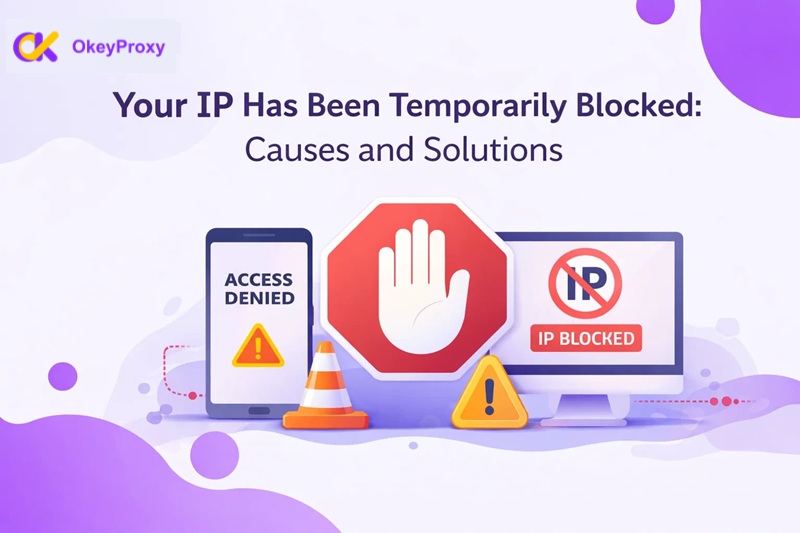
The “Your IP has been temporarily blocked” error is an automated security response triggered by a website’s firewall to prevent access from an IP address that exhibits suspicious, high-velocity, or non-human behavior. You were likely in the middle of a critical task—perhaps scraping data, managing multiple social media accounts, or simply refreshing a page too quickly—when the screen suddenly turned white, displaying that dreaded message.
In this guide, we will break down exactly what this block means, why it happened to you, and, most importantly, provide a comprehensive list of immediate fixes. We will also look at professional-grade tools and best practices to ensure you stay under the radar in an increasingly restrictive digital landscape.
What Does “Your IP Has Been Temporarily Blocked” Actually Mean?
When you see a message like “Your IP has been temporarily blocked,” it means the website’s security system has flagged traffic coming from your IP address as potentially risky.
Most modern websites use security tools such as a Web Application Firewall (WAF) — for example, services like Cloudflare or Akamai — or their own custom protection scripts. These systems automatically monitor incoming traffic for unusual patterns.
In many cases, the block is triggered by rate limiting. This happens when the server detects more requests from your IP address than it considers normal for typical human browsing behavior. When request volume crosses a predefined threshold, access may be temporarily restricted.
Websites use this mechanism to defend against:
- DDoS attacks
- Brute-force login attempts
- Automated scraping or data harvesting
- Bot abuse and suspicious automation
Depending on how the site is configured, the message may appear in different forms, such as:
- “Your IP has been blocked”
- “403 Forbidden”
- “429 Too Many Requests”
- “Access Denied”
Although these messages can look alarming, they don’t always indicate a permanent ban.
Editor’s Insight: Why “Temporary” Is Usually Good News
If you get a temporary block, take a deep breath—it’s actually a sign that the website hasn’t permanently banned your account or device. Most temporary blocks last anywhere from 15 minutes to 24 hours. Think of it as a digital “time-out.” The server is just waiting for the automated behavior to stop. As long as you don’t keep hammering the site while blocked, you will usually be let back in automatically.
How to Check If Your IP Address Is Truly Blocked?
Before jumping into fixes, you need to determine if the issue is a genuine IP block or just a local connection glitch. Sometimes, a slow DNS or a timed-out session can mimic the appearance of a block. To verify if your ip has been temporarily blocked, follow these steps:
- Try a different device: Connect your smartphone to the site using its 4G/5G mobile data (not the Wi-Fi). If the site loads, your Wi-Fi’s IP is definitely blocked.
- Check a “Down Detector” site: Ensure the website itself isn’t experiencing a global outage.
- Use an IP Checker: Visit a site like
whatismyip.comto see your current address, then try to access the target site via a web proxy. If the proxy works but you don’t, the block is specific to your IP.
How to Quickly Fix “Your IP Has Been Temporarily Blocked”
If you have confirmed the block, don’t panic. There are several immediate actions you can take to regain access. Moving from the simplest to the more technical, here is how you can resolve the issue right now:
1. The Waiting Game
The most common fix is simply to wait. Most modern security filters operate on a sliding window of time. If you stop all requests to the site for an hour, the security system will often reset its counter and grant you access again. This is the safest way to avoid escalating a temporary block into a permanent one.
2. Switch Your Network
An IP block is tied to your network’s gateway. The fastest “instant” fix is to change your network entirely. If you are on home Wi-Fi, switch to your phone’s mobile data hotspot. This provides you with an entirely different IP address from a mobile carrier, which usually allows you to bypass the block immediately.
3. Reboot Your Router
Most residential internet service providers (ISPs) assign “dynamic” IP addresses. By unplugging your router for about 60 seconds and plugging it back in, your ISP may assign you a fresh IP address when the connection re-establishes. This is a highly effective way to “reset” your digital identity at home.
4. Clear Browser Data (Cache and Cookies)
Sometimes, websites place a “tracking cookie” in your browser once you are blocked. Even if you change your IP, that cookie might tell the site, “This is the same person who was just blocked.” Clearing your browser’s cache and cookies removes these identifiers. Alternatively, try accessing the site in Incognito/Private mode.
5. Avoid Low-Quality VPNs and Use Premium Proxies
If you are already using a VPN or a proxy and got blocked, it’s because the service you are using is “leaky” or shares IPs with thousands of other users. To bypass a block reliably, you need high-quality infrastructure.
Stop Getting Blocked with OkeyProxy
If your business relies on consistent access, you cannot afford to wait for a “cool-down.” OkeyProxy is a Il miglior fornitore di proxy HTTP e SOCKS5 that offers over 150 million Residential IPs. Unlike standard VPNs, OkeyProxy provides you with clean, high-trust IPs that look like real home users, making them virtually invisible to firewalls. OkeyProxy meets your every proxy need—whether it’s for 4K streaming, data scraping, or account management.
👉 Get OkeyProxy Residential IPs and Bypass Blocks Instantly!
6. Try a Different Browser
Occasionally, a block is triggered by a specific browser configuration or an outdated extension. Switching from Chrome to Firefox or Edge can sometimes resolve the issue if the block was based on “browser fingerprinting” rather than just the IP address.
7. Disable Antivirus and Firewall Software
In rare cases, it is not the website blocking you, but your own software. If your antivirus detects a certificate error or a “suspicious” script on the site, it might preemptively block the connection. Try temporarily disabling your local firewall to see if the site becomes accessible.
Common Blocking Reasons: Why Did This Happen?
Understanding the “why” behind your ip has been temporarily blocked is the only way to prevent it from happening again. Here are the most frequent triggers for modern security systems:
- Too Many Requests: This is the #1 reason. If you refresh a page dozens of times or use an automated tool that sends hundreds of requests per minute, you will trigger rate-limiting.
- Failed Login Attempts: Repeatedly entering the wrong password looks like a “Brute Force” attack. Most sites will block an IP after 5–10 failed attempts.
- Shared IP “Bad Neighbor” Effect: If you are on a public Wi-Fi or a cheap VPN, someone else on that same IP might have been spamming the site. You are being punished for their behavior.
- Bot-Like Behavior: This includes clicking links at exactly the same interval (e.g., every 1.0 seconds) or moving a mouse in perfectly straight lines. Modern AI-driven firewalls are very good at spotting these patterns.
- Geo-Restricted Access: Trying to access a site from a country that is currently flagged for high levels of cyber-attacks can lead to an automatic temporary block.
- TOS Violations: Scraping data against a site’s robots.txt policy or using “unauthorized” browser extensions.
How to Avoid Future Blocks (Best Practices)
If you want to operate at scale—whether for market research, SEO auditing, or e-commerce—you must adopt a more sophisticated approach to how you interact with the web.
Adhere to Website Policies
The simplest way to stay safe is to follow the rules. If a site says “No Scraping,” respect their robots.txt file. If you must gather data, do so through their official API if one is available.
Using a dedicated or residential proxy ensures that your reputation isn’t tied to the actions of thousands of strangers. High-quality residential proxies are the gold standard because they carry the “trust” of a real household ISP.
Slow Down and Add Human Delays
If you are using automation, build in “jitter” and random delays. Instead of sending a request every 2 seconds, set the delay to be a random number between 5 and 15 seconds. This makes your traffic pattern look organic rather than mechanical.
Manage Browser Fingerprinting
Websites don’t just look at your IP; they look at your screen resolution, OS, fonts, and even your battery level. Using browser anti-detector (like AdsPower or Multilogin) alongside a good proxy allows you to create completely separate digital identities for every task.
Avoid Free VPNs
Free VPNs are a trap. Because they are free, they are used by spammers and hackers, meaning their IP addresses are almost always on a “blacklist” before you even connect. Always opt for a professional, paid provider.
User-Agent Rotation
Along with changing your IP, you should change your “User-Agent”—the string of text that tells the website which browser and OS you are using. If you send 1,000 requests from 1,000 different IPs but they all have the exact same User-Agent, you will still be blocked.
Conclusione
Avere Il tuo ip è stato temporaneamente bloccato is an inconvenience, but it is rarely a permanent disaster. By understanding the mechanics of rate-limiting and security firewalls, you can quickly navigate around these blocks using network switching, router reboots, or professional proxy services.
As we move further into 2026, websites will only become more protective of their data and resources. The days of “brute force” browsing are over. To succeed in the modern web, you must prioritize quality infrastructure, respect server limits, and use high-trust residential proxies like OkeyProxy to maintain a clean and reliable digital presence. Stay smart, stay slow, and keep your IP safe.