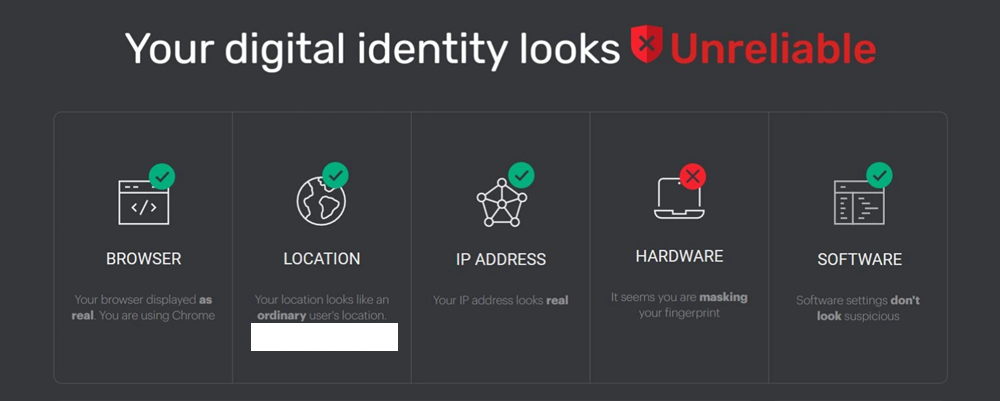
We’ve all been there — you’ve meticulously configured your anti-detect browser, set up your proxy, and triple-checked every setting. Then you head over to IPhey, only to be met with a glaring red “Unreliable” mark. It’s frustrating, especially when you aren’t sure whether the tool is being overly sensitive or whether your setup truly has a leak. In the world of multi-account management, web scraping, and digital privacy, relying on a single source of truth is a recipe for disaster.
While IPhey is a useful tool for a quick sanity check, it is far from the only option available. To truly verify that your digital identity is airtight, you need to understand the deeper layers of browser fingerprinting and IP reputation — and test against multiple tools. In this guide, we explore the best IPhey alternative options for 2026, helping you build a more complete auditing workflow and achieve a reliable trust score across all major platforms.
What Is IPhey?
Before looking for alternatives, it helps to understand the benchmark. IPhey is a web-based tool designed to analyze how “human” your browser environment appears to a website. It aggregates data from your IP address and browser fingerprint to assign a trust status: Trustworthy ou Unreliable.
Common Use Cases for IPhey
Professional users typically rely on IPhey for several critical tasks:
- Testing Anti-Detect Browsers: Users of tools like AdsPower, GoLogin, or Multilogin use IPhey to verify that their browser profile successfully masks hardware signatures and environment data.
- Verifying VPN and Proxy Settings: It helps confirm that your proxy is not leaking your real location. For instance, users who integrate a high-quality OkeyProxy setup often check IPHey first to ensure the residential IP is appearing as a clean, home-user connection.
- Account Ban Troubleshooting: If accounts on platforms like eBay or Facebook keep getting banned, IPhey can reveal whether your digital fingerprint is linked to previously flagged accounts.
Despite its popularity, IPhey has meaningful limitations. Here is why you need to broaden your toolkit.
Why Do You Need an IPhey Alternative?
The “Unreliable” flag on IPhey is not always the final word. Different websites use different security vendors, and those vendors rely on different databases and detection logic. Relying solely on IPhey is like getting a medical diagnosis from a single doctor — you might miss a hidden issue, or you might be dealing with a false positive.
Database Lag: IP reputation databases such as MaxMind, IP2Location, and Spur are updated at different intervals. IPhey might mark an IP as clean while a major e-commerce platform has already added it to a blocklist.
Detection Depth: Some alternatives go much deeper into specialized leaks — Canvas noise, AudioContext fingerprinting, TLS handshake analysis — which IPhey may not fully surface.
Sensitivity vs. Accuracy: IPhey is known for being relatively strict. A perfectly legitimate home user can occasionally get flagged due to a specific browser extension or minor inconsistency. A second-opinion tool can help you distinguish a genuine leak from a false alarm.
Moving from a simple “check” to a professional “audit” requires a broader toolkit. Below are the top seven IPhey alternatives for 2026, each excelling in a different dimension of fingerprint and identity verification.
Top IPHey Alternatives in 2026: Professional Comparison
1. Pixelscan — Best All-Around Checker
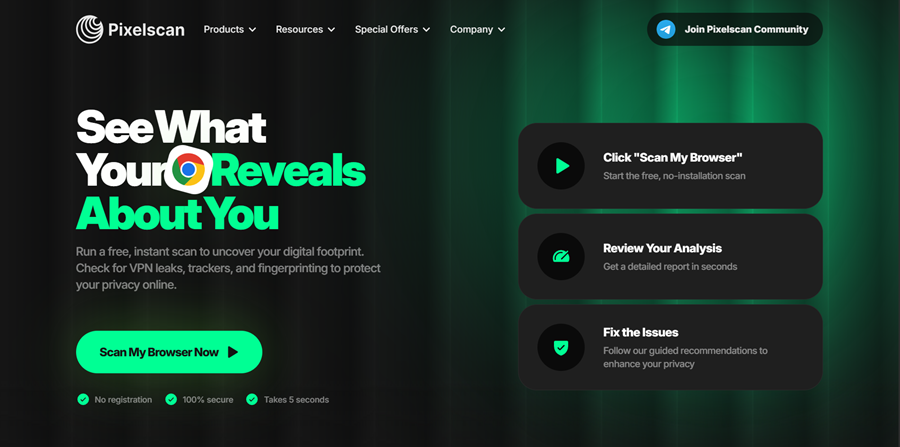
If you ask any experienced multi-account manager to name the best IPHey alternative, Pixelscan is almost always the first answer. It is designed to be the most comprehensive single-stop fingerprint checker available.
What It Checks: Pixelscan is an all-in-one multi-checker that combines fingerprint analysis, IP and proxy evaluation, DNS leak detection, bot-behavior signals, and blacklist scanning. It examines hardware concurrency, WebGL consistency, system fonts, and dozens of other dimensions to determine whether your environment looks genuinely human.
Pourquoi le choisir ? Its “Consistency” verdict — a pass/fail assessment of whether all your browser signals align — has become the industry benchmark. Major anti-detect browsers routinely cite Pixelscan as their primary validation tool. It works seamlessly with residential proxies, datacenter IPs, mobile proxies, VPNs, and anti-detect browsers. Crucially, Pixelscan does not store your test results or link them to any identity, making it safe to use repeatedly.
Meilleur pour : Anti-detect browser users, proxy testers, and affiliate marketers who want a fast, reliable “green light / red flag” verdict.
2. BrowserScan — Best for Fingerprint Authenticity Scoring
BrowserScan has emerged as one of the most complete and widely used fingerprint testing platforms in 2026 — yet it remains absent from many IPHey alternative lists, making it one of the most underrated tools in this space. It goes well beyond what IPHey offers, functioning as a multi-layered audit system rather than a simple trust checker.
What It Checks: BrowserScan analyzes over 50 distinct data points, including IP address detection, WebRTC leak testing, DNS leak detection, Canvas fingerprinting, WebGL fingerprinting, audio fingerprinting, browser configuration, hardware specifications, and network vulnerabilities.
Pourquoi le choisir ? Its signature feature is the Fingerprint Authenticity Score, which assesses how “natural” your browser environment looks to a real website. A high score means your browser appears exactly as it claims to be. A low score signals that your setup looks spoofed or artificially constructed — the exact warning a platform’s fraud system would generate. This distinction — between being “anonymous” and looking “normal” — is the modern gold standard for stealth work. BrowserScan and IPHey share a similar philosophy of flagging suspicious profiles, but BrowserScan offers significantly more diagnostic detail.
Meilleur pour : Anti-detect browser users setting up new profiles, and anyone who wants a user-friendly but thorough audit dashboard.
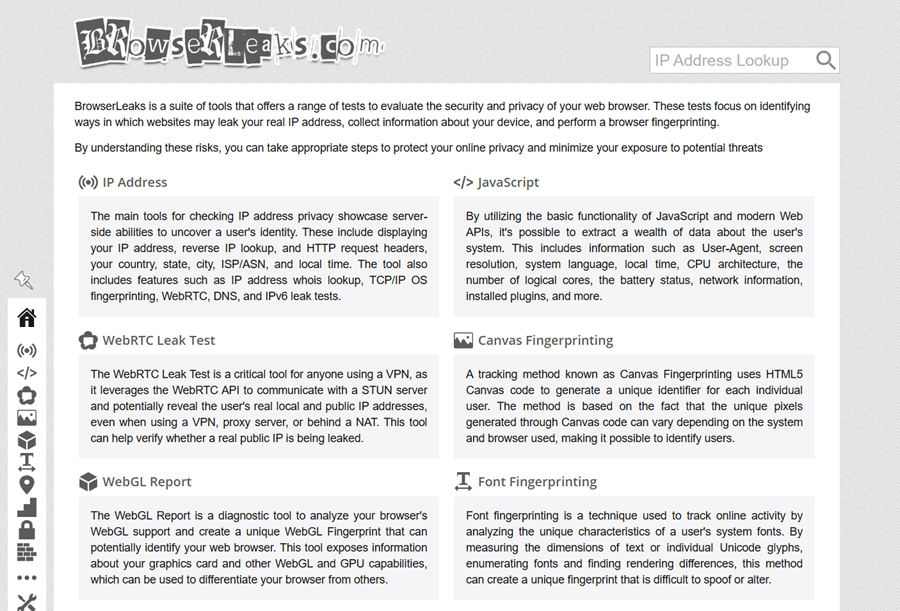
3. BrowserLeaks — Best for Technical Deep Dives
For users who want to see the raw data behind the mask, BrowserLeaks is unmatched. It does not assign a single trust score — it gives you granular technical parameters, layer by layer.
What It Checks: BrowserLeaks deconstructs every technical fingerprint element: Canvas rendering, WebGL parameters, Audio fingerprinting, installed fonts, WebRTC local IP exposure, JavaScript object properties, and more. Each test lives on its own dedicated page, making it easy to isolate exactly which attribute is leaking.
Pourquoi le choisir ? There is no simplified UI or color-coded verdict. BrowserLeaks presents raw output, making it the preferred choice for developers and security professionals who need precise, actionable data rather than a summary score.
Meilleur pour : Developers, security researchers, and anyone debugging a specific fingerprint leak at the technical level.
4. CreepJS — Best for Detecting Spoofing Inconsistencies
CreepJS is one of the most technically rigorous fingerprint checkers available, yet it remains underused outside of developer and security research circles. It is an open-source browser fingerprinting analysis project that specifically targets what other checkers miss: inconsistencies introduced by anti-fingerprinting tools themselves.
What It Checks: CreepJS probes JavaScript APIs, Canvas rendering, WebGL parameters, Web Audio API behavior, screen and navigator properties, fonts, WebRTC, and DOM characteristics. Critically, it detects “prototype lies” — attempts by extensions or anti-detect browsers to override native API values — and flags them as tampering signals. It then calculates a Note de confiance based on the overall coherence of your environment.
Pourquoi le choisir ? This is the essential reality check for anti-detect browser users. Sometimes the very tools designed to help you stay private make you look more suspicious to advanced bot-detection systems. If your anti-detect browser is incorrectly spoofing GPU data or audio context in a way that contradicts other signals, CreepJS will catch it. The tool has been actively referenced in scraping and security research communities since 2021 and remains one of the most rigorous public fingerprint tests available.
Meilleur pour : Developers, anti-detect browser engineers, and anyone validating that their spoofed fingerprint is internally consistent rather than just partially masked.
5. Whoer.net — Best for Quick Anonymity Checks
Whoer.net is one of the older tools in this space, focusing on the practical concept of an “anonymity percentage” rather than raw technical data.
What It Checks: It combines IP geolocation, DNS alignment, WebRTC status, timezone matching, and browser language settings into a single 0–100% anonymity score. If you score 85%, it tells you exactly what is missing — for example, “System time does not match IP timezone.”
Pourquoi le choisir ? Whoer.net is intuitive and beginner-friendly. It excels at surfacing the most common alignment failures — mismatched language settings, timezone inconsistencies, and DNS leaks — in a format that non-technical users can act on immediately.
Meilleur pour : New users, VPN customers, and anyone doing a fast privacy check who does not need granular technical output.
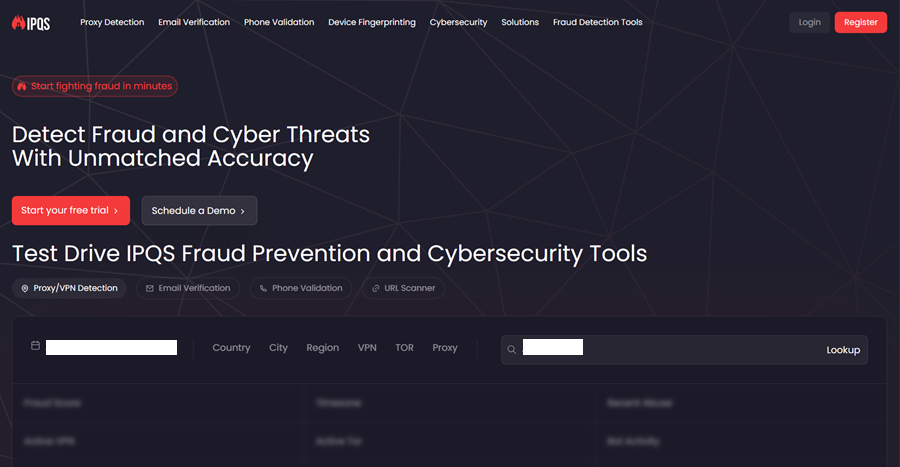
6. IPQualityScore (IPQS) — Best for Fraud and Blacklist Checking
If your goal is e-commerce, fintech, or ad verification, you need a Fraud Score, not just a fingerprint check. IPQS is the tool that major commercial platforms actually use.
What It Checks: IPQS focuses on the historical reputation of an IP address: Has it been used for automated botting? Is it associated with a data center or VPN provider? Has it appeared in fraud databases? It assigns a numeric Fraud Score from 0 to 100.
Pourquoi le choisir ? Platforms like Amazon, eBay, Stripe, and PayPal often integrate IPQS’s API into their fraud detection stack. Checking your IP against IPQS gives you a direct preview of how a major retailer’s security system is likely to classify your connection. A Fraud Score above 50 is typically enough to trigger account flags or shadowbanning on these platforms.
Meilleur pour : E-commerce sellers, fintech account managers, and ad operations professionals who need to understand the commercial fraud reputation of an IP.
7. IPLeak.net — Best for WebRTC and DNS Leak Testing
IPLeak.net is purpose-built for one thing: detecting leaks. If your primary concern is whether your real IP is slipping through despite a VPN or proxy, this is the tool to use.
What It Checks: IPLeak covers IP address detection, WebRTC local and public IP exposure, DNS server identification, and a range of browser fingerprint signals including Canvas and WebGL. Its WebRTC leak test is considered one of the most reliable public implementations available.
Pourquoi le choisir ? WebRTC is the number one leak vector for VPN and proxy users. IPLeak.net tests this directly and clearly, alongside DNS leaks, making it an essential step in any pre-operation checklist. It complements tools like BrowserScan or Pixelscan by providing deeper confirmation on the two leak types most likely to compromise an otherwise clean setup.
Meilleur pour : VPN users, proxy operators, and anyone whose primary concern is ensuring their real IP address is completely hidden.
IPHey vs. Alternatives: Full Comparison Table (2026)
| Outil | Core Focus | Fingerprint Depth | Fraud / Blacklist Check | Spoofing Detection | Tarification |
|---|---|---|---|---|---|
| IPHey | Visual Trust Score | Moyen | Basic | Basic | Gratuit |
| Pixelscan | Hardware Consistency | Très élevé | Bon | Bon | Gratuit |
| BrowserScan | Authenticity Scoring | Very High (50+ points) | Bon | Bon | Gratuit |
| BrowserLeaks | Raw Technical Parameters | Extreme | Aucun | Haut | Gratuit |
| CreepJS | Spoofing & API Tampering | Extreme | Aucun | Extreme | Free (Open Source) |
| Whoer.net | Anonymity Percentage | Faible | Bon | Basic | Gratuit |
| IPQualityScore | Commercial Fraud Rating | Aucun | Extreme | Aucun | Free / Paid API |
| IPLeak.net | WebRTC & DNS Leak Testing | Moyen | Basic | Basic | Gratuit |
What to Look for When Using Any IPHey Alternative
Having the right tools is only half the battle. Knowing what each tool is checking — and what a failure in each area actually means — is how you build a genuinely clean setup. When running any of these checkers, pay close attention to the following elements:
- User-Agent String: Does your declared browser version match your operating system? For example, a Windows User-Agent paired with macOS hardware fingerprint data is an immediate red flag.
- IP Address and Geolocation: Is your IP geographically consistent with the location you are presenting? Does the ISP name look like a legitimate consumer provider (e.g., AT&T, Comcast, BT) rather than a hosting company or data center?
- WebRTC Leak: This is the most common single cause of identity exposure. WebRTC can reveal your real local IP address even when you are behind a VPN or proxy. Tools like IPLeak.net and BrowserScan both test this directly.
- DNS Leak: If you are using a US proxy but your DNS queries are resolving through a server in Germany, your identity is effectively compromised. A mismatched DNS location is a strong detection signal on platforms like Whoer.net.
- Browser Language and Headers: If your IP resolves to France but your browser sends an “Accept-Language: en-US” header, that inconsistency is a detectable red flag on most fraud systems.
- JavaScript API Consistency: Tools like CreepJS specifically check whether your browser’s JavaScript environment has been modified by extensions or anti-detect patches. Inconsistencies between claimed API values and actual rendered behavior are flagged as tampering.
- Canvas and WebGL Fingerprinting: These tests use how your browser renders specific hidden graphics to identify your underlying hardware. They are extremely difficult to spoof convincingly without a purpose-built anti-detect browser — partial spoofing often looks worse than no spoofing at all.
- AudioContext Fingerprinting: A subtle but increasingly used signal. Your system’s audio processing stack produces a unique numeric signature that can persist even when other fingerprint elements are masked.
How to Build a Complete Audit Workflow
No single tool covers every layer of detection. The most effective approach in 2026 is to combine tools based on your specific operational context:
- For a fast pre-flight check: Use Pixelscan or BrowserScan. Both provide an immediate verdict on whether your overall setup is consistent and clean.
- For e-commerce and fintech accounts: Add IPQualityScore to your workflow. Knowing your IP’s commercial fraud reputation is essential before operating on platforms like Amazon, eBay, or Stripe.
- For debugging a specific fingerprint leak: Use BrowserLeaks to isolate which individual parameter is failing, then use CreepJS to confirm that your fix is internally consistent and does not introduce new spoofing signals.
- For confirming WebRTC and DNS are fully sealed: Run IPLeak.net as a final confirmation step after configuring your proxy or VPN.
Expert Advice: How to Fundamentally Pass These Checks
Running checks with these tools is valuable, but passing them consistently requires fixing the foundation of your setup — not just tweaking surface-level settings. The most common root cause of a “Unreliable” verdict on IPHey and its alternatives is poor IP quality, not browser configuration.
Why IP Quality Matters Most: If you are using a shared datacenter IP, any checker will see that thousands of different users have sent traffic from the same address and classify it as bot-like behavior. Even the most precisely configured anti-detect browser profile cannot compensate for a flagged IP.
The OkeyProxy Solution: To pass these checks effortlessly, we recommend using Procuration résidentielle from OkeyProxy. With a massive pool of 150 million+ global residential IPs, you appear as a genuine home user. In addition, OkeyProxy maintains geo-location consistency, allowing you to perfectly match your IP, time zone, and ZIP code, eliminating the “Inconsistency” warnings that trigger flags in tools like Whoer and Pixelscan.
Three Common Myths About Detection Tools
- You do not need a perfect score. Even genuine, non-proxy users rarely score 100% on any of these tools. A specific browser extension, an unusual screen resolution, or a slow connection can trigger a minor warning without any deceptive intent. Aim for consistency rather than perfection. A coherent, believable fingerprint is the goal — not a laboratory-clean one.
- Changing your IP is not enough on its own. If you rotate to a new IP but do not clear your browser’s cookies and cached data, detection systems will still recognize your previous session identity. Every new profile should start from a completely clean browser state.
- WebRTC will expose you even with a perfect IP. You can have the highest-quality residential IP available, but if your browser’s WebRTC is not properly disabled or spoofed, your real local IP address remains visible to any site that checks for it. This single leak invalidates everything else in your setup.
Questions fréquemment posées
Why does IPHey say I am using a proxy but Whoer says I am not?
IPHey and Whoer query different data sources and use different detection logic. IPHey tends to analyze behavioral and connection-type signals — characteristics of how the traffic flows — while Whoer primarily checks against blacklists and alignment metrics. IPHey is generally more sensitive to proxy characteristics at the connection level, which means it can flag a clean residential IP that Whoer passes without issue.
What is the difference between BrowserScan and CreepJS?
BrowserScan gives you a user-friendly Fingerprint Authenticity Score across 50+ data points — it is designed to show whether your environment looks natural overall. CreepJS is a lower-level diagnostic tool that specifically hunts for JavaScript tampering, API inconsistencies, and spoofing artifacts introduced by anti-detect tools. For a complete audit, use both: BrowserScan for the summary verdict, CreepJS to confirm that your anti-detect patches are not introducing new detection signals.
How much does a Fraud Score actually matter for e-commerce?
On platforms like Amazon, eBay, or Stripe, your IP’s fraud score matters more than almost any other factor. A score above 50 out of 100 on IPQualityScore frequently triggers immediate account flags or shadowbanning. A residential IP from a reputable provider is the most reliable way to maintain a near-zero fraud score on these platforms.
Is a mobile IP better than a residential IP?
Mobile IPs (4G/5G) carry the highest inherent trust score because they are dynamically shared among thousands of real users, making them extremely difficult to flag. However, they are more expensive and can be less stable for long-running operations. For most professional use cases, a high-quality residential IP offers the best balance of trust level, cost, and operational reliability.
Should I use all of these tools every time?
Not necessarily. Build a tiered workflow: use Pixelscan or BrowserScan for routine checks, add IPQualityScore when working on high-stakes commercial platforms, and bring in BrowserLeaks and CreepJS only when you need to debug a specific issue. Over-testing with every tool on every session adds friction without proportional benefit.
Conclusion
IPhey is a solid starting point, but it should never be your only check. The detection landscape in 2026 is multi-layered: platforms use different vendors, different databases, and different behavioral signals to classify your connection. A setup that passes IPHey may still fail IPQualityScore, and a profile that looks clean on BrowserScan may still expose a spoofing artifact on CreepJS.
By combining the right tools from this list — Pixelscan for consistency validation, BrowserScan for authenticity scoring, BrowserLeaks and CreepJS for deep technical audits, IPQualityScore for commercial fraud reputation, and IPLeak.net for leak confirmation — you build a genuinely resilient auditing workflow rather than a single-point check.
The fundamental principle remains: these tools are mirrors. They show you what you look like, but they do not change your appearance. To look like a high-trust user, you need two things in place: a well-configured browser environment and a genuinely clean residential IP. Get both right, and the “Suspicious” label becomes a thing of the past.